Image editing
blogDetail.published May 8, 2014



blogDetail.subscribeCard.title
blogDetail.subscribeCard.description
If you produce online content regularly, then you will know how important images are for getting your point across. While dealing with images had gotten a whole lot easier over the recent years, preparing your photos for online publication still involves a lot of unnecessary complexity. For this reason helping our users be more efficient with image editing was high on our priority list.
In the last development sprint we have added a powerful image editing suite to the Asset section, so now every image you upload to Contentful can be edited right in your browser and then published in its altered form for anybody to see. Just click on a picture icon when viewing your image and the editing suite will open right in your browser.
The suite comes with all the functionality you might need to produce quality content for your web applications, mobile apps, and online publications. I just wanted to take a minute to walk you through the most popular features of the editor.

As long as its black
All the standard set of features allowing you to adjust image brightness, contrast, saturation. Plus, an indispensable feature for for running a poetry website or a teenage blog - black and white filter.
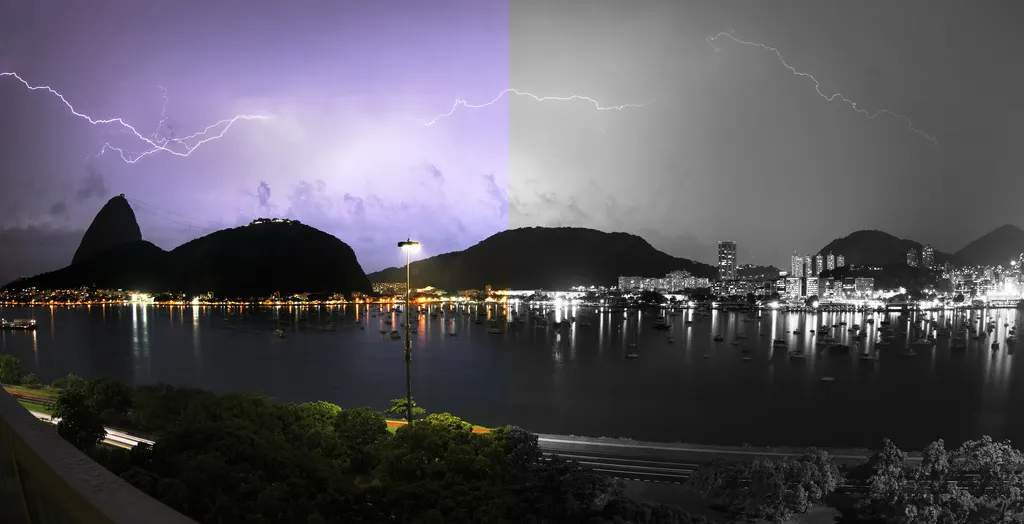
Crop it like its hot
For editors working with real life photos, cropping, scaling and orientation function will come in handy. Note that cropping also comes with variety of pre-defined aspect-ratios and dimensions.

Meme Factory
Busy churning out Twitter ads, inspirational quotes or just wish you could put up a new meme on your website? Go for blurred backgrounds, overlay it with appropriate quotes and add some stickers for a feel-good factor.
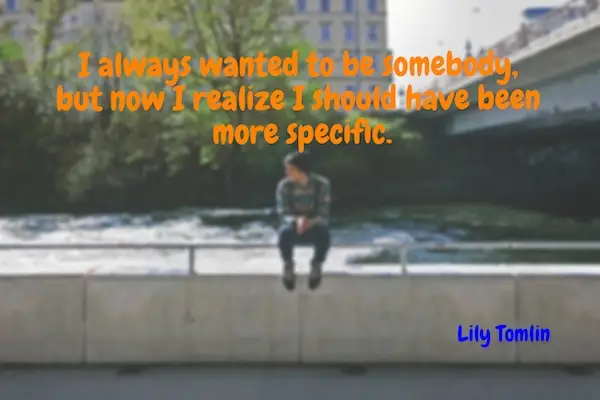
Many more features - from blemish corrector to Instagramesque filters - are there for you to explore, all hiding under the picture icon.
For the photo nerds who read this blog, image editing comes with support for high resolution images allowing you to work with photos of up to 25 megapixels.
We hope you enjoy it!
"the stormy city" and "alignments" by Pedro Pinheiro under Creative Commons BY-NC-SA 2.0
Other images from Gratisography
blogDetail.subscribeCard.title
blogDetail.subscribeCard.description
blogDetail.authors

Product marketing manager at Contentful. You can follow Artas on [Twitter](https://twitter.com/artasbartas).
blogDetail.relatedArticles

Custom Flags are here: End-to-end digital experience optimization in one platform
October 2, 2025
Contentful leaders on what’s to come in 2025: Leveraging AI to create digital experiences that customers expect
January 13, 2025

Assemble intelligent experiences at scale with Contentful Studio
March 27, 2024