Doing more with lists in Contentful
Publié le February 27, 2014



Inspiration pour votre boîte mail
Abonnez-vous et restez au courant des meilleures pratiques pour offrir des expériences numériques modernes.
If you are working on the app that is meant to disrupt NYC real estate market, sell some handmade jewelry on Etsy or simply publish a book of Aunt Molly's recipes online, the chances are you will need to use lists to organize your data. And up to now, lists were something conspicuously absent from the content editor on Contentful.
Well, we are happy to tell you that our software engineers took care of this glaring omission in the latest development iteration. As a result, Contentful makes it extremely simple to enter pre-defined information in your entry fields. To enable lists in your content type, you'll need to add a "pre-defined values" validation rule in the field type settings. After that simply enter list values one by one.
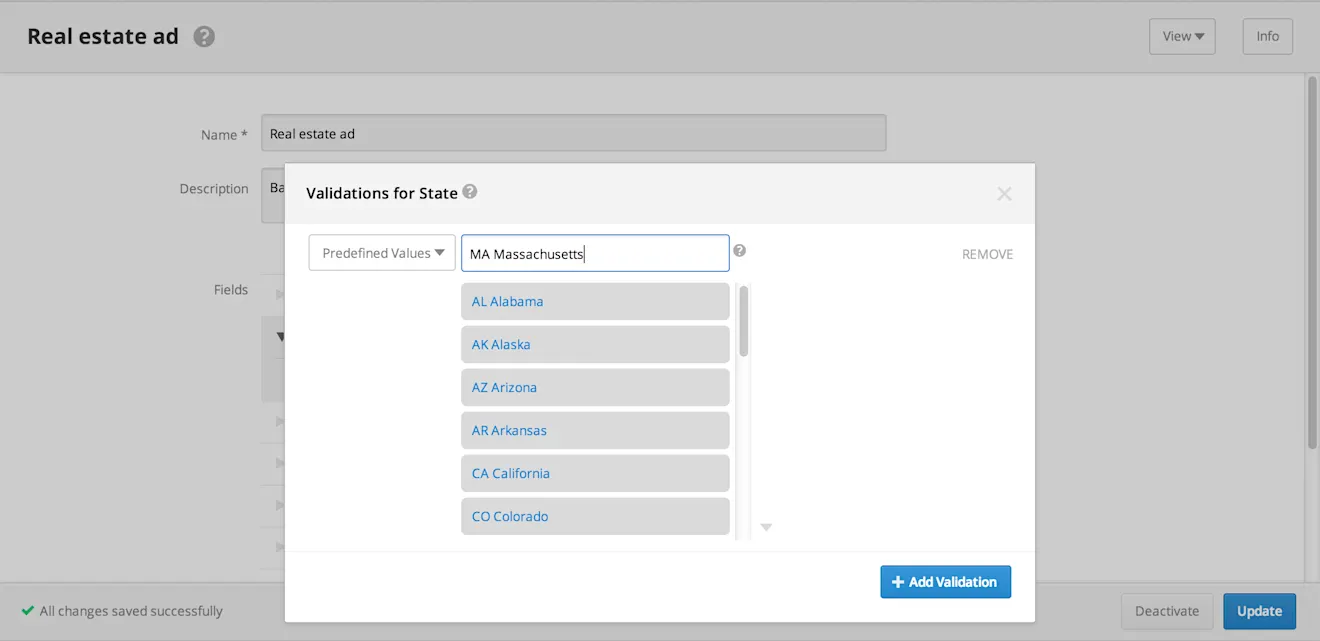
We know that it might take a while to get the right order for your list, so we made sure that you can play around with list values by dragging and dropping them around or simply eliminating unnecessary options with one click of a mouse.
Once the content type is published, your editors will see standard drop-down menus and can easily chose the appropriate value from there. And remember, lists are not limited to text fields, you could just as easily have lists for numbers or symbols.
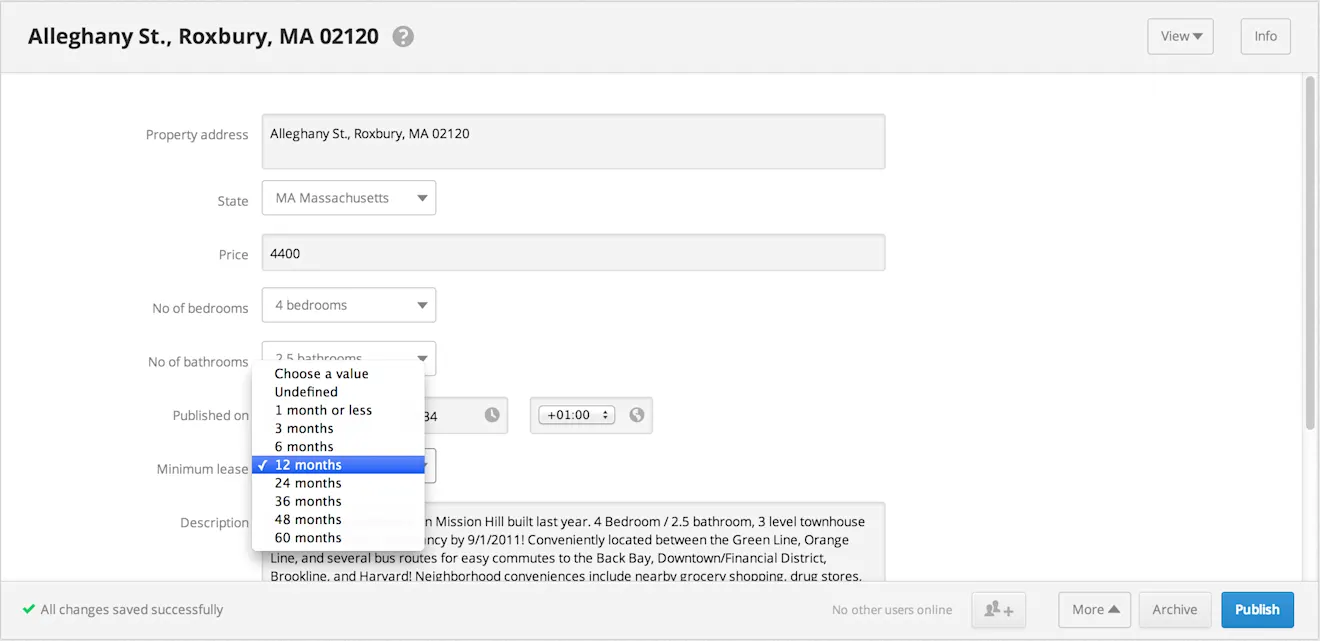
That is all hunky dory, you might say, but what about giving my editors an option of choosing multiple values from the list? Unfortunately, so far we do not permit lists with multiple choices within the editor. Mostly because introducing such an option at this point in time would require a lot of mental juggling on behalf of content type creators and thus might accidentally rip the space-time continuum on our platform.
However, you can easily deal with this limitation and the fact that we currently impose the limit of 50 entries per list by opting for the "Multiple Entries" field type instead. Once you do, just create all required choices as entries and your editors will be able to select an unlimited number of these as they create new content.
We hope this feature will make your life a tad more enjoyable and it goes without saying that we would love to hear what you think about it.

Inspiration pour votre boîte mail
Abonnez-vous et restez au courant des meilleures pratiques pour offrir des expériences numériques modernes.
À la rencontre des auteurs

Product marketing manager at Contentful. You can follow Artas on [Twitter](https://twitter.com/artasbartas).
Articles connexes

Enroll in our new Contentful Studio courses for authors and developers
May 20, 2024
Introducing Timeline: Publish content on time, without the overtime
October 6, 2025

Welcoming Ninetailed to Contentful: Composable content with AI-driven personalization
August 27, 2024