How dialog extensions make third-party integrations even easier to use
blogDetail.published September 3, 2019




blogDetail.subscribeCard.title
blogDetail.subscribeCard.description
Editor's note: UI Extensions are now even more powerful! Learn about the App Framework.
Deploying structured content depends on a customized array of specialized tools, such as content management systems and digital asset management solutions. Finding the right stack of tools is key to success. But working between interfaces and tracking integrations can slow everyone down — especially if you’re already swimming in a sea of open tabs.
At Contentful, we’re minimizing the pain with a series of new UI extension features. These features empower users to use third-party integrations more easily and increase the customization of the editorial experience. This means users can access all their preferred tools within a single interface.
Dialog extensions is the first in a series of features we’re introducing this week. Dialogs let you access third-party integrations without ever leaving the Contentful web app.
What is a dialog extension?
Dialogs are windows that float over your Contentful web app. They’re modal windows, so they draw the user’s attention to the dialog by darkening the interface behind them. The previous window doesn’t disappear; you’ll return to it after you’re done working in the dialog.
In Contentful, dialogs look like this:
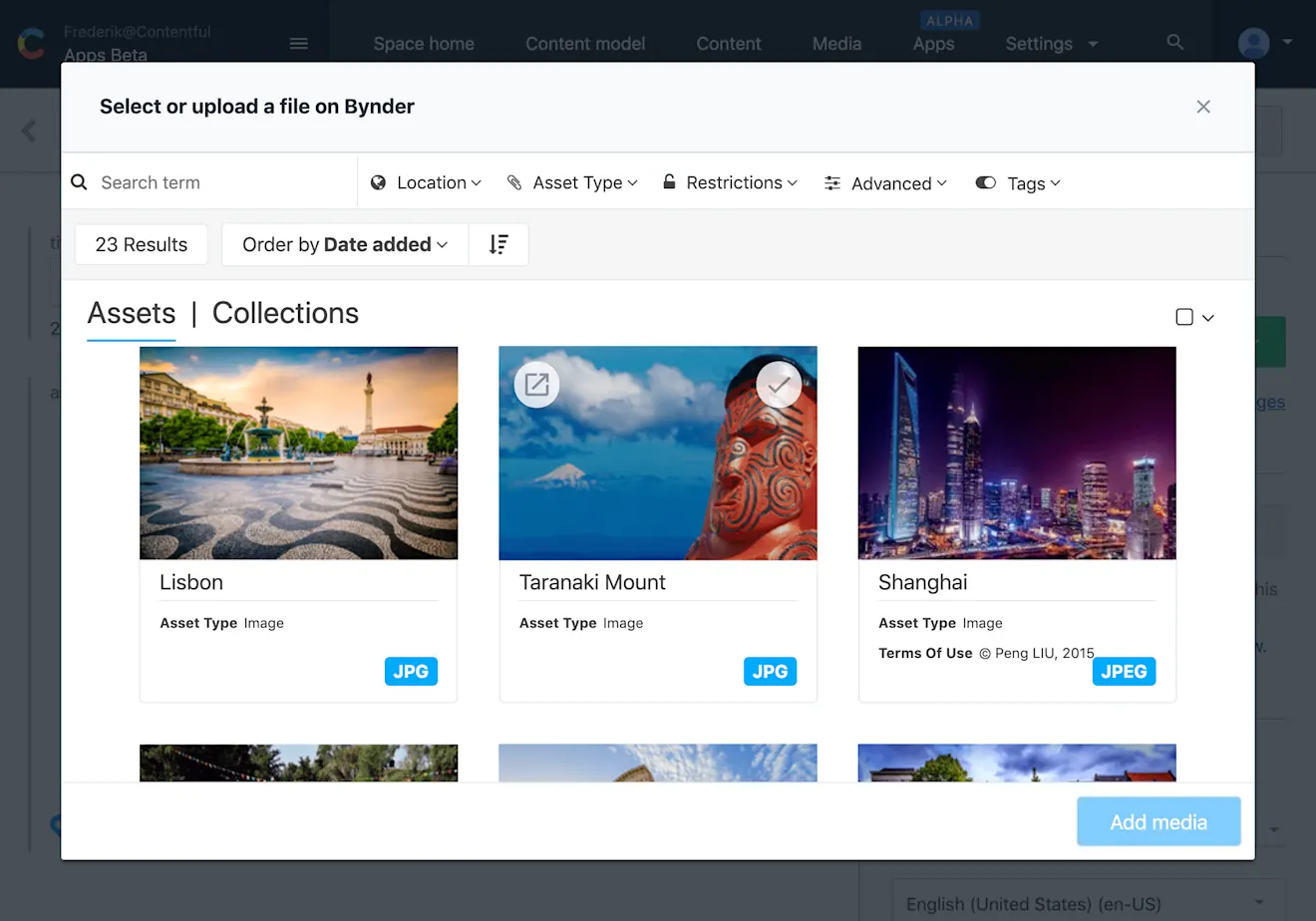
You can use dialogs with any third-party integration. This example is a dialog for Bynder, a digital asset management (DAM) solution that allows brands to create, store and find content like documents and videos for marketing campaigns and individual products.
The width of the dialog can be customized based on your needs, reaching close to full screen. The adjustable size is particularly helpful for integrations like Bynder, where media pieces are detailed with high-resolution images. You can scroll, select and adjust, all within the dialog.
How do I work with dialog extensions?

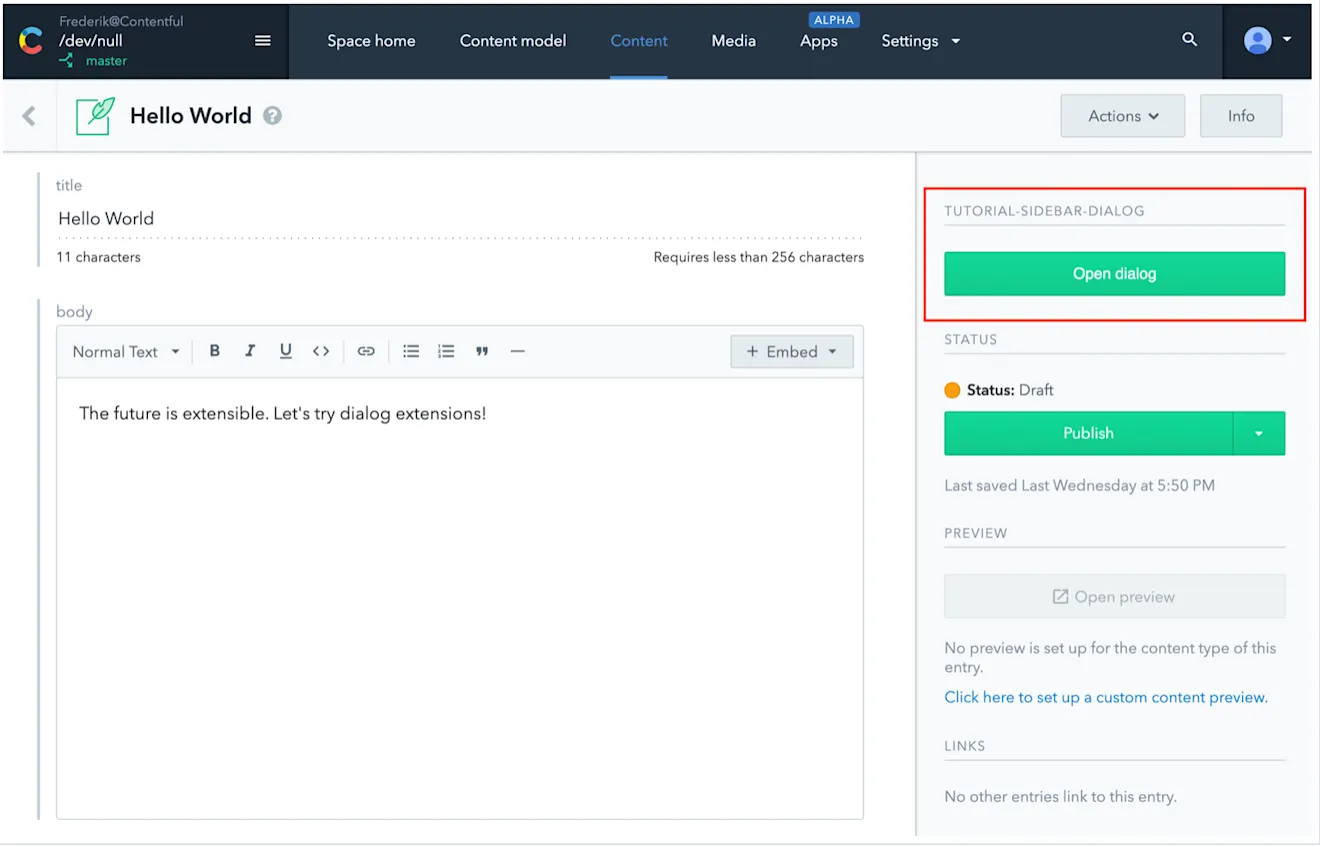
Dialogs can be opened through a field, sidebar, entry editor or another dialog, depending on your workflow and content type. As always, Contentful adjusts to you, not the other way around. Access to this Bynder extension was placed within the field of a content type and looks like this:
Access to a dialog via a sidebar extension would look something like this:
Setting up dialog extensions
Setting up a dialog extension is simple with the extensions CLI, docs and full developer’s guide.
The win
We’re making your web app more capable than ever. Dialogs provide better UI experiences for editors by letting them see what they need to see in one, customizable place. That means there’s one —or several — fewer interfaces editors need to learn. Less interface switching and greater control over workspaces gives editors more time and removes confusion.

blogDetail.subscribeCard.title
blogDetail.subscribeCard.description
blogDetail.authors

Kiersten is a former editor of the Contentful blog.

Frederik was a product manager at Contentful. Frederik worked with teams making the platform more extensible, creating new ways for developers and platform owners to integrate and customize Contentful at scale.
blogDetail.relatedArticles

API traffic on Black Friday 2025 climbs 33% year over year to 4.6 billion calls
December 7, 2025
Integration Roundup: The Vercel App and Contentful Content Link for Vercel
August 22, 2024
Beyond the checkbox: Building trust through compliance, resilience, and continuous improvement
September 4, 2025