A fresh perspective to content type editing
Web App
We are excited to introduce a series of UX improvements to the content type editing experience. With these changes, we aim to offer digital teams a more intuitive and efficient workflow for content modeling.
We simplified the interface, enhanced navigation, reduced visual clutter and introduced more informative visual cues. Here’s what changed:
Content type editing
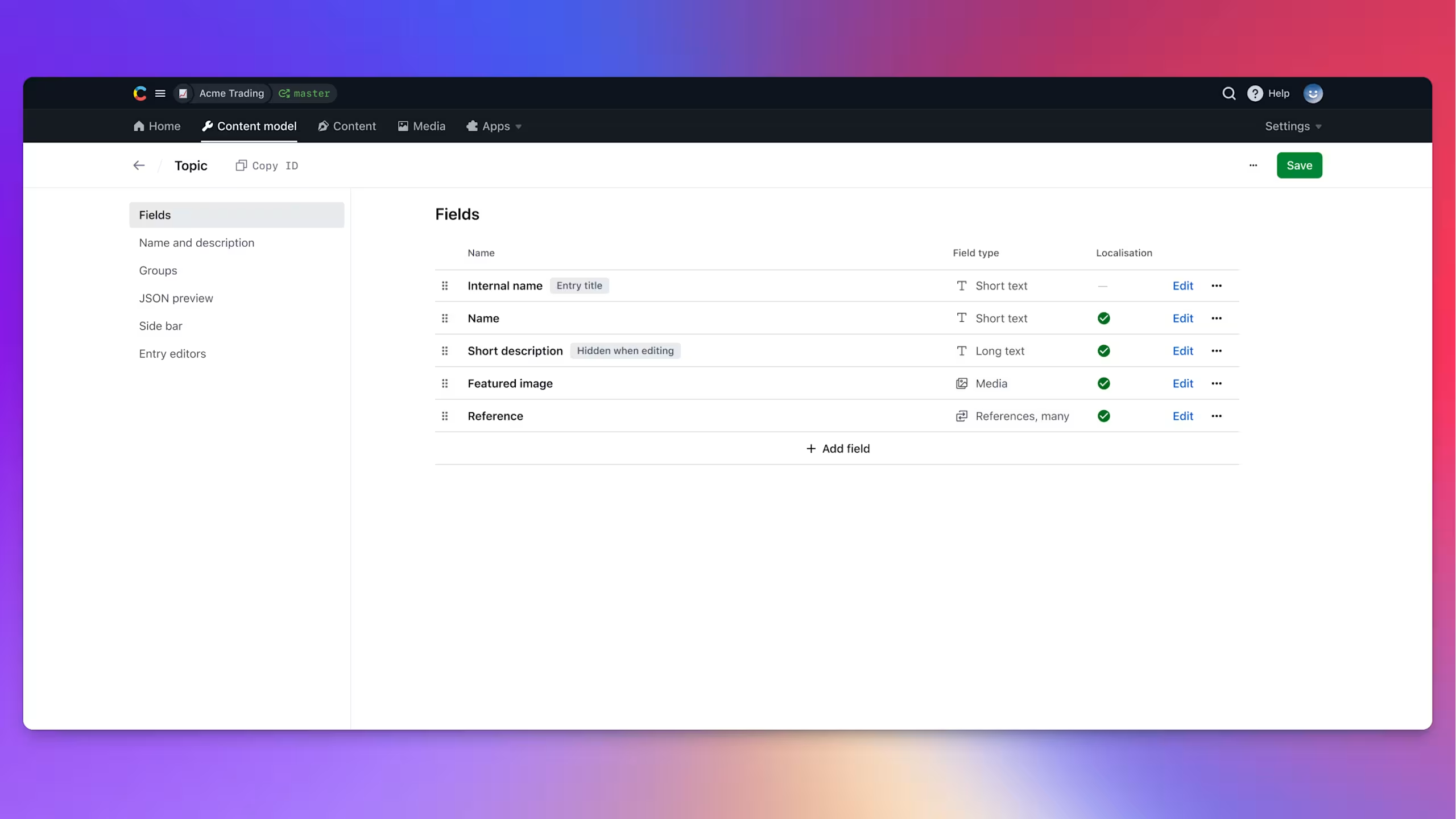
- Removed the right sidebar and moved the "Add field" button to the bottom of the fields list.
- Content type ID is now displayed next to the content type name in the header.
- Introduced a new compact header with a back navigation button for easy return to the list view.
- Removed the "Edit" button from the header and replaced the “Actions” button with three dots.
- Replaced tabs sub-navigation with the right sidebar sub-navigation.
- Refreshed the fields list with a new look and added localisation status.
- Implemented a new fields list style in the "Groups" section.
Field configuration
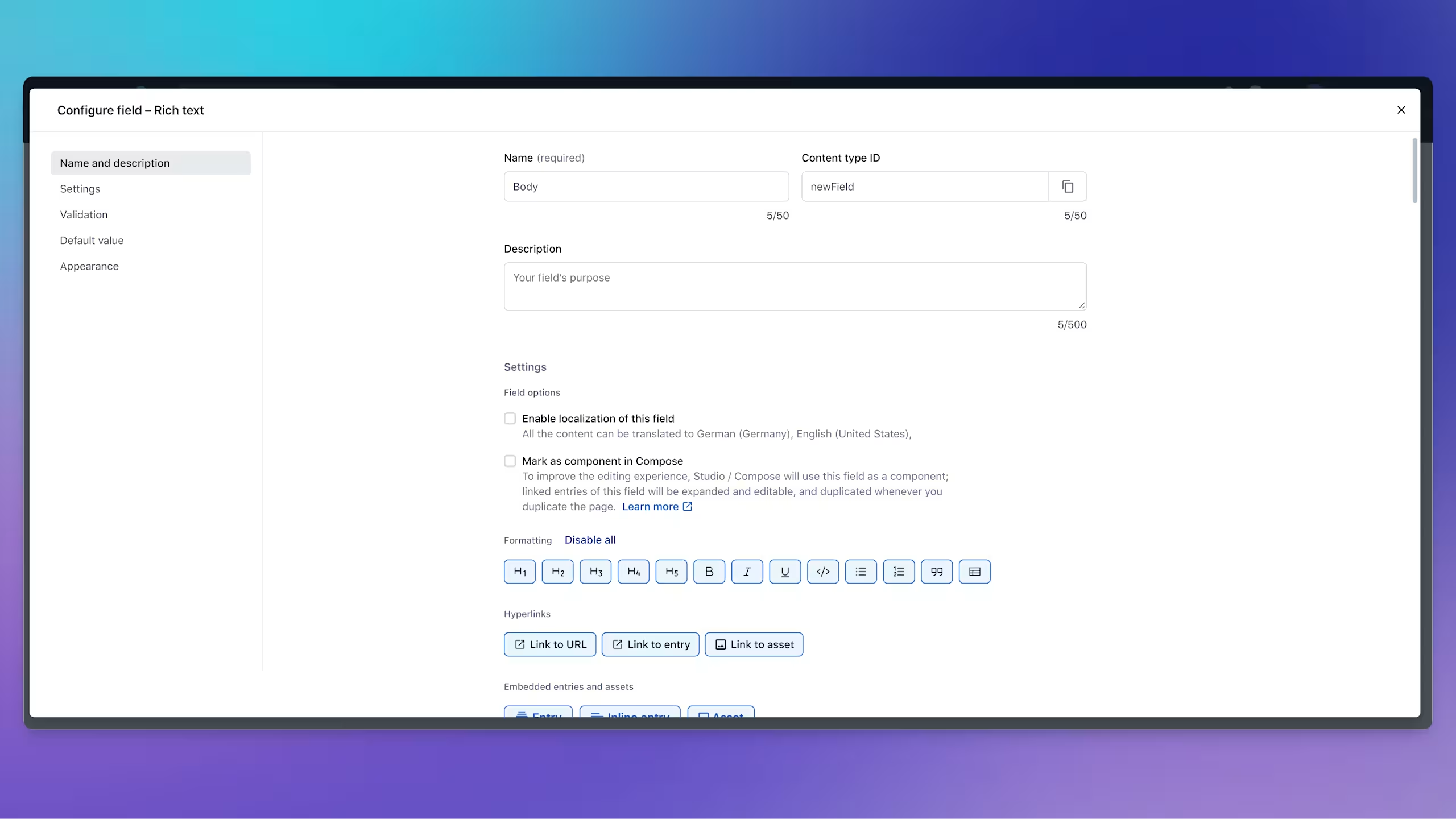
- Introduced a new full-screen modal with sidebar sub-navigation for field configuration, replacing tabs.
- Field configuration can now be accessed directly through the "Edit", instead of "Settings".
- Added character limits display during field creation for improved clarity.
Changes are being rolled out gradually, please be aware that you may not see them immediately. Help us further improve your experience - share feedback