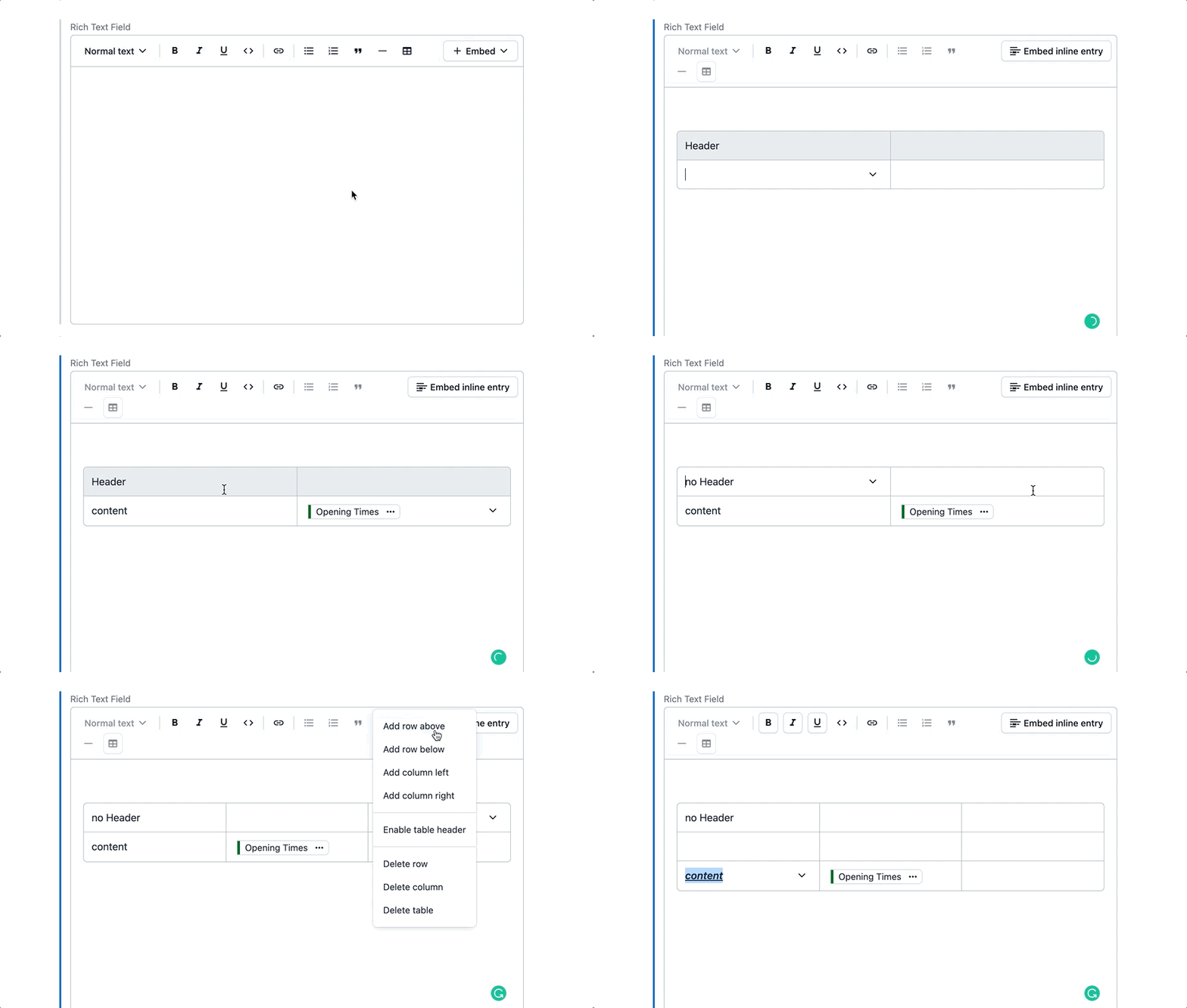
Create tables in the Rich Text Editor
Tables are a common format for presenting information clearly. However, getting tables onto any digital property is surprisingly hard, especially in a decoupled world where a simple table is contrary to the philosophy of separating content from presentation.
To accommodate the needs of content editors and developers alike, we added tables to Contentful’s Rich Text Editor, supported by our APIs and client libraries.
With tables, editors can start organizing content, such as product size guides, pricing pages, event agendas — you name it — in a tabular form. Features include:
- Copy and paste tables
- Add rows and columns
- Enable/disable a header row
- Format text: bold, italic, underlined, code blocked, or a combination
- Add hyperlinks
- Embed inline entries
To use tables in existing Rich Text fields, you'll need to enable them in the Content model settings menu. New Rich Text fields will have tables enabled by default, but can be disabled if desired.
Learn more about Tables in the Rich Text Editor, see our developer documentation or follow this quick course on enabling and using tables.