Easily disable and enable webhooks
Webhooks
You can now disable and enable your webhooks with a single click, giving you more flexibility in how you build with Contentful. Webhook disabling is controlled with a toggle in the webhooks settings page, and users can now easily see which webhooks are disabled.
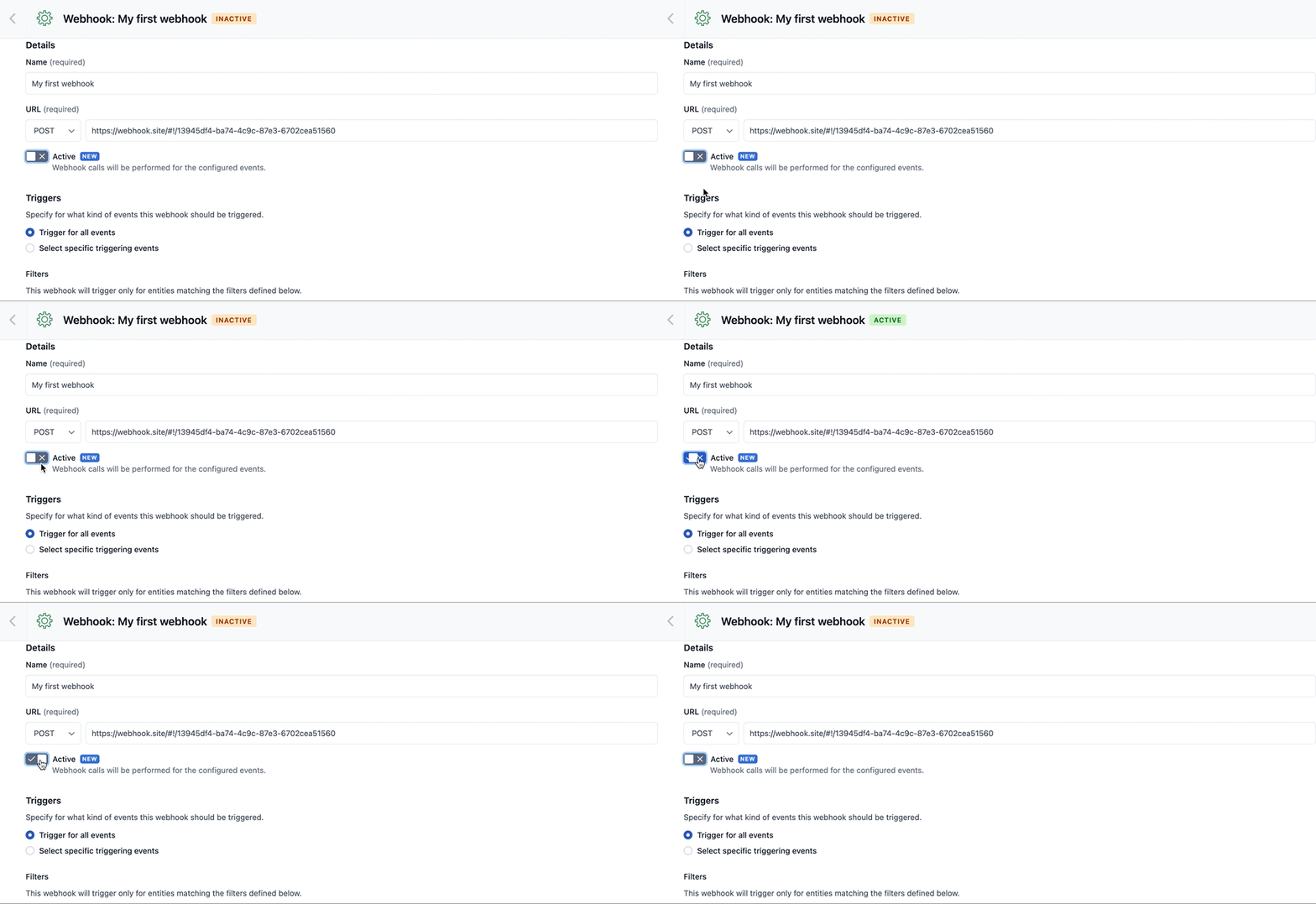
Previously, disabling webhooks required users to delete the webhook then rebuild it from scratch. This was both time consuming and error prone, as settings had to be recreated exactly. That process is now one click to disable the webhook, and another to enable it.
Key use cases:
- Downtime: If you know the service that will receive the webhooks will be down for a certain time, you can disable the webhook to avoid having failures cluttering the webhook log.
- CI/CD: configure your webhooks and then disable them when you don't need them for testing. Re-enable them when you want to do some testing, as part of a CI/CD pipeline.
- Migrations: during migrations you may want to disable certain webhooks to not spam third-party systems. They can easily be enabled again after the migration is done, without deleting and recreating them.
Disabling webhooks is available to all Contentful customers now.
For more information on disabling webhooks, you can refer to the documentation.