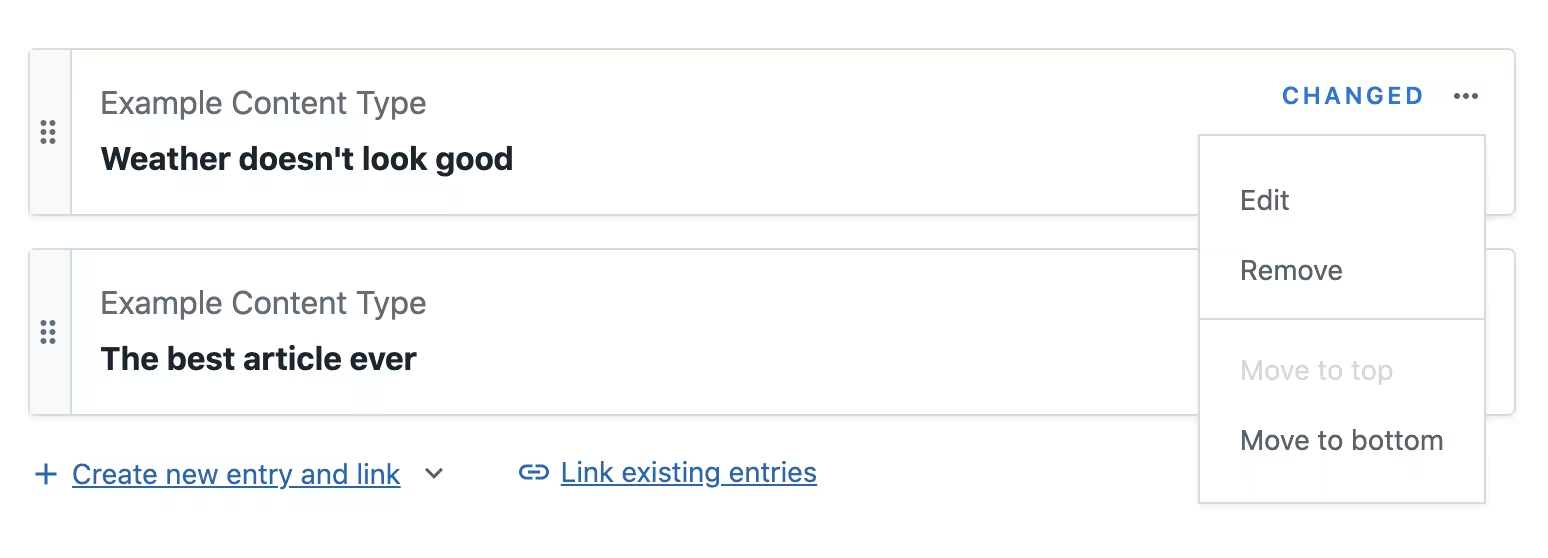
New options to move a reference card to top or bottom
Web AppField editors
With the new version of the reference field editor there are two additional buttons in the card actions menu: “Move to top” and “Move to bottom”.
This change only affects the multiple entry references editor. Assets and single reference editors won’t show the new buttons.
The new “Move to top” and “Move to bottom” actions allow quickly moving references in longer lists without drag&drop. The “Move to top” button makes prepending of a newly added entry to a list more convenient.
You can check the reference editor playground to see the buttons in action.