Reference view
Web App
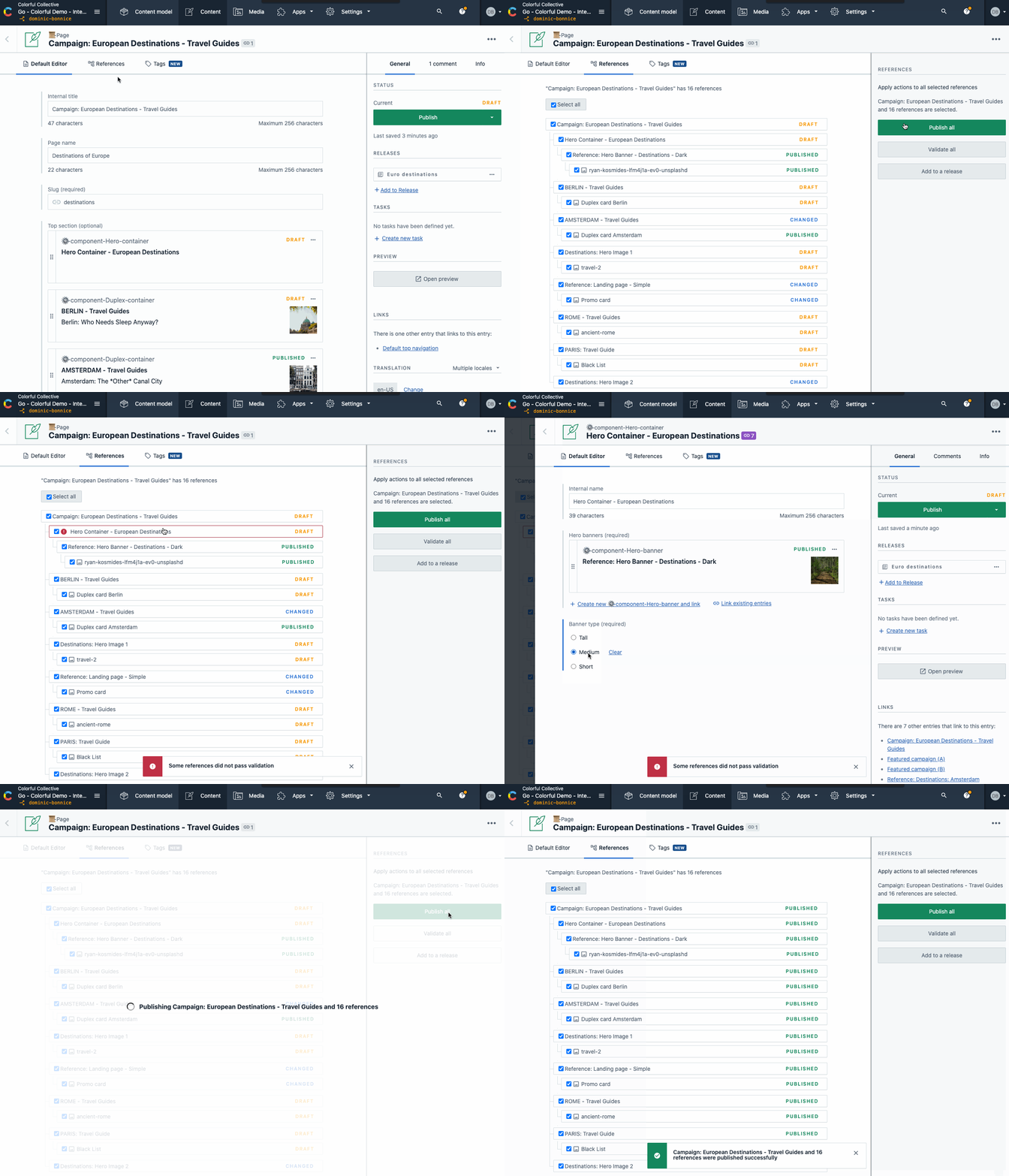
The reference view is a new feature to help speed up your workflow and reduce potential errors. Opening the references tab on an entry will gather every cross-linked entry and asset in a single view. This allows you to navigate quickly to deeply nested references and apply mass actions, such a publish or validate all in a single API call.
We currently can display referenced content up to 10 levels of references and display up to 200 entries and assets. The same number of entries and assets can be validated or published.
This feature is only available for customers on our Team or Enterprise pricing tiers.
Find out more at the help center article, or read our blog post.