Run AI suggestions in bulk - Beta
AI
You can now access the beta feature of running AI Suggestions across multiple entries at once.
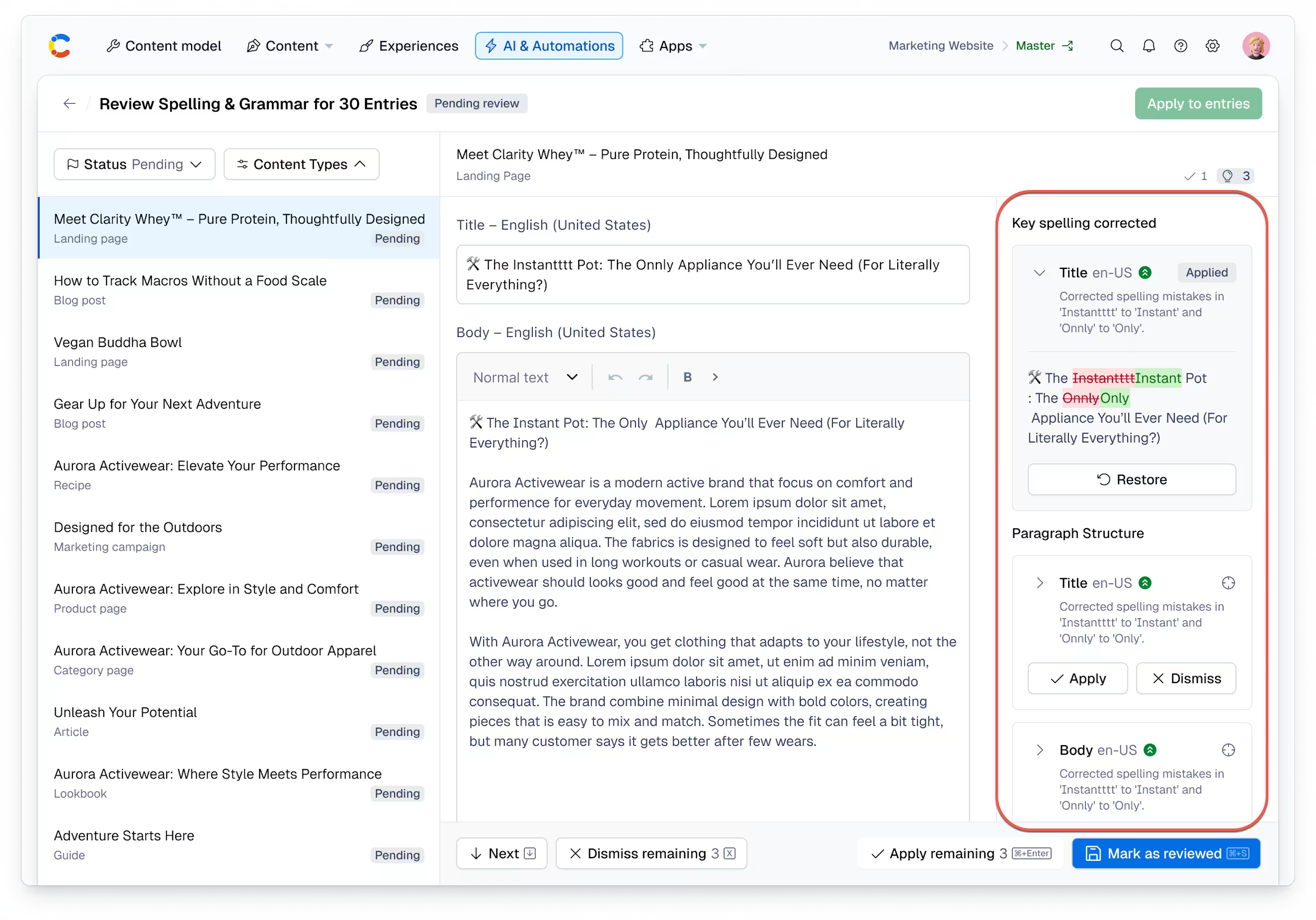
To access this feature, navigate to our preview center, to start generating entry-level recommendations and the ability to review differences and apply changes efficiently at scale. For example:
- Adapt tone by region - adjust wording to align with regional tone and cultural expectations.
- Translation QA audits - review translated content for clarity, tone accuracy and consistency.
- Brand audits across content - align your content to your brand guidelines for tone and terminology consistency.
To run AI Suggestions in bulk, select the entries from the content table, choose your AI suggestion from the Run AI Action dropdown (including any required options such as target locale), and click Start run.
Review results in AI & Automations → AI Runs, where you can:
- View pending and reviewed entries.
- See field-level suggestions with reasoning and change previews.
- Apply, dismiss or restore suggestions.
For more information, read our documentation.