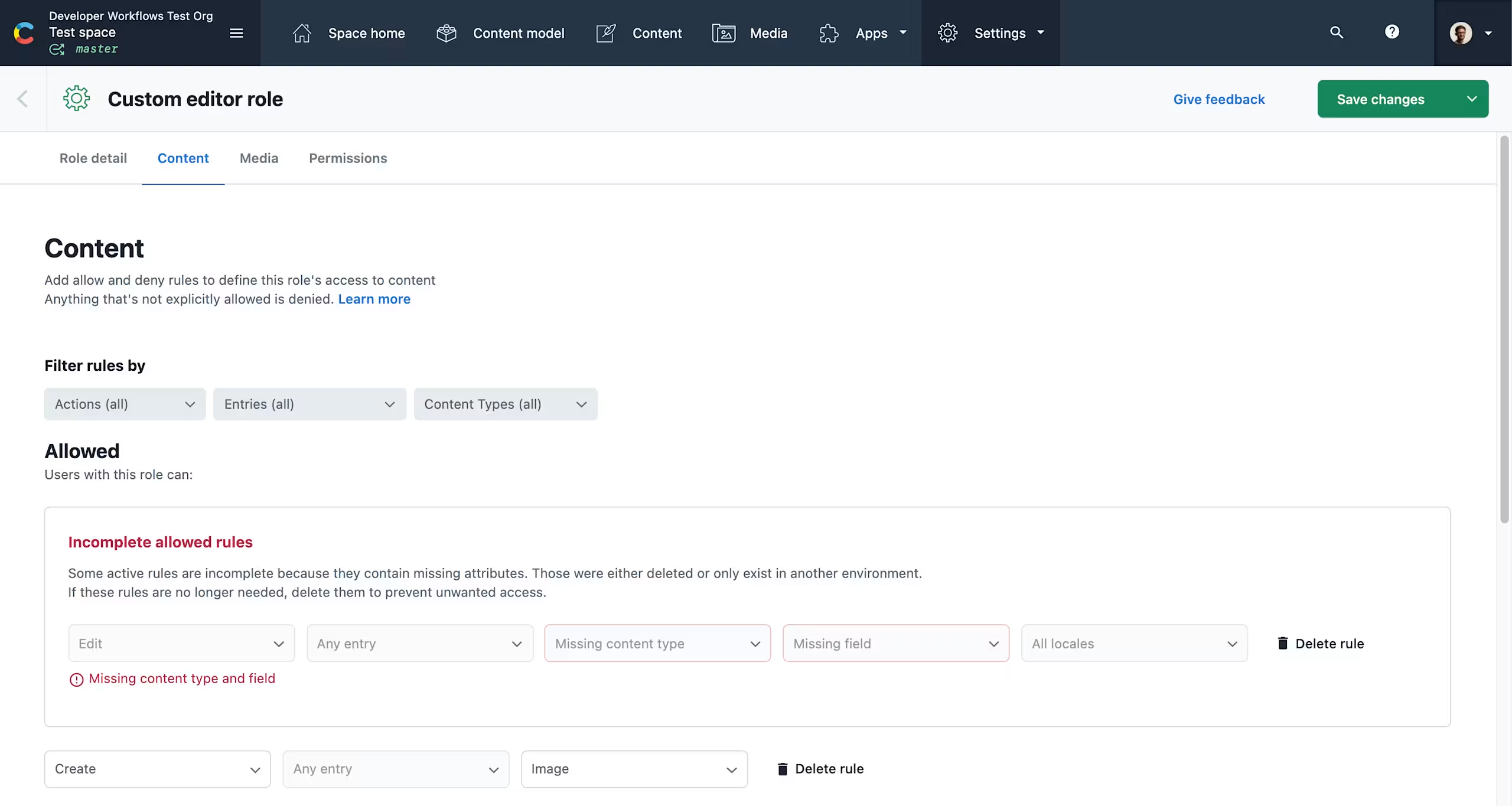
Showing incomplete rules in custom roles
Web App
For spaces with custom roles, the “Content” and “Media” sections of the role editor now indicate if a rule is incomplete, i.e. if it refers to an attribute which doesn't exist anymore (e.g. a content type, an entry or an asset).
Attributes could be missing because they were either deleted or only exist in another environment.
If your roles have incomplete rules, they will be shown at the top of the list, with an indication of what is missing. They are disabled, but can be deleted.
The previous behavior was to hide incomplete policies from the web view. With the new changes, you can see outdated rules, delete them and thus keep your roles tidy.