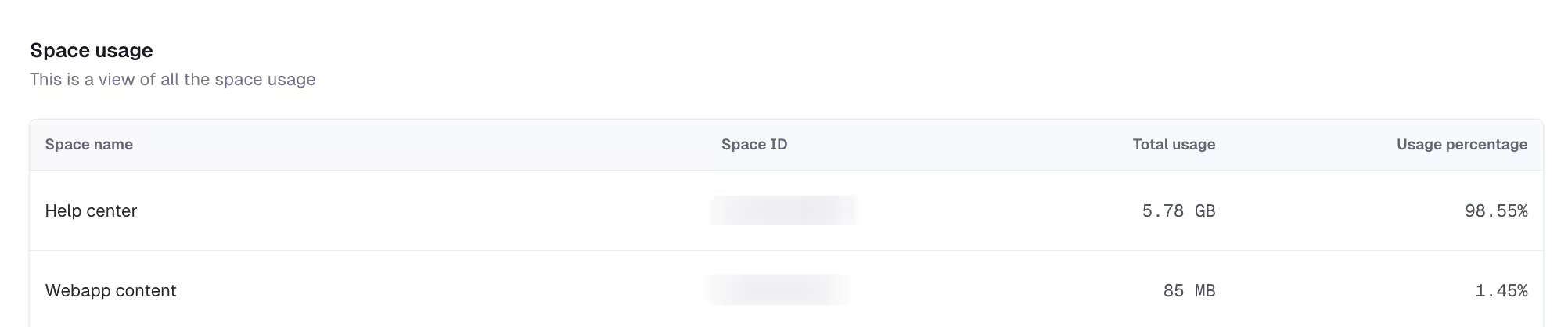
Space-level usage reporting for asset bandwidth
You can now see how much asset bandwidth each space in your organization consumes on the Asset Bandwidth page of the “Usage” tab in your organization settings. For each space, the dashboard displays usage both in GB (or MB) and as a percentage of your organization’s total bandwidth.
What’s improved With this improvement, you can: View bandwidth usage per space for the current usage period See both absolute usage (GB) and share of total organizational usage (%) Quickly identify high-usage spaces to investigate spikes or optimization opportunities Use space-level data to support internal cost allocation across teams, brands, or regions
Why it matters Previously, the total asset bandwidth usage was only displayed at organization-level, making it difficult to understand where usage originated. Space-level reporting provides clearer visibility and enables teams to investigate high-usage areas directly, at any time.
To learn more, see the asset bandwidth documentation.