

Import design system overview
The @contentful/experience-design-system-cli is an agentic CLI tool that extracts components and tokens from your codebase to create Experiences much faster.
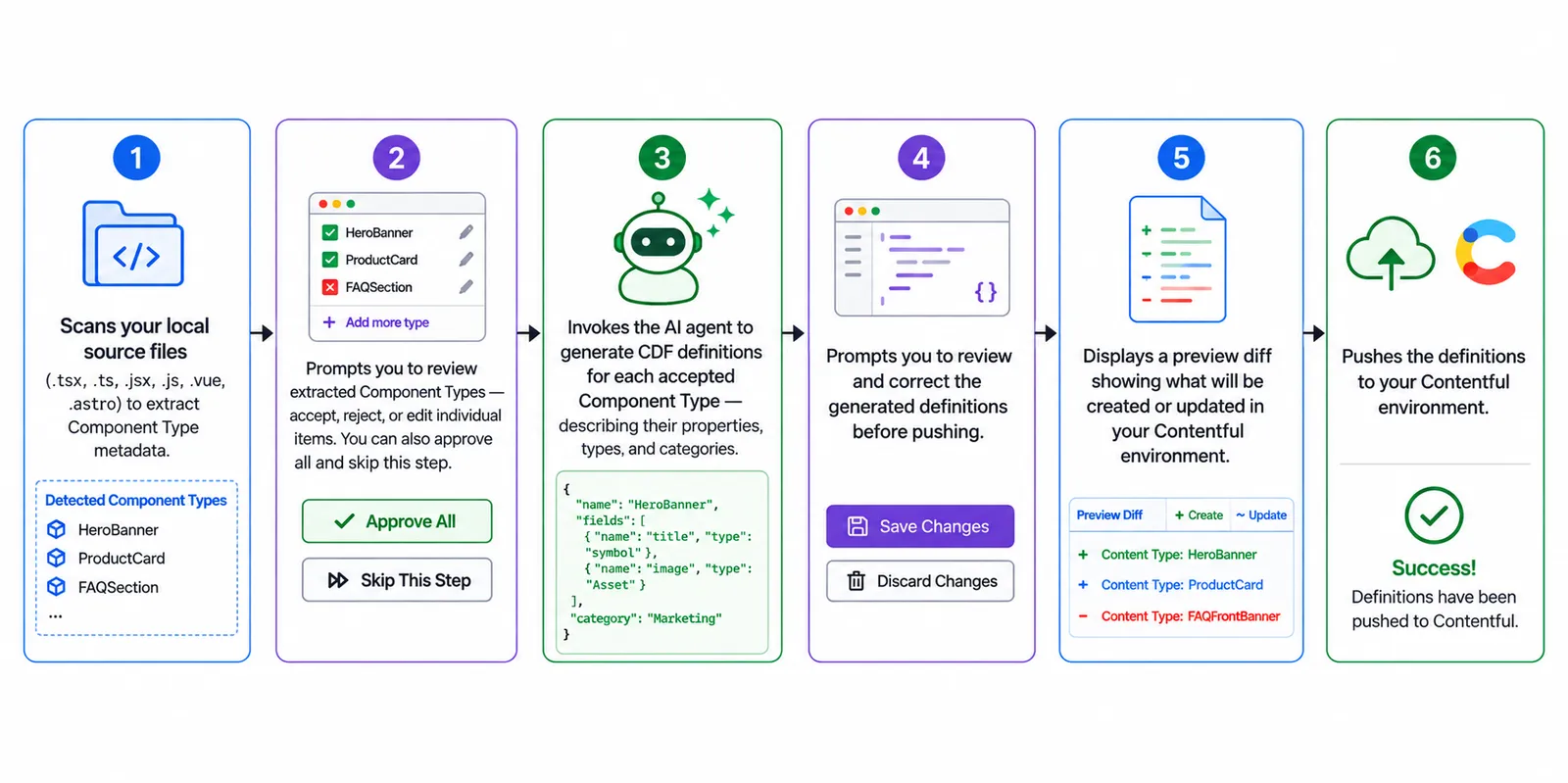
The tool looks at your codebase, extracts and generates components definitions, and pushes to Contentful once you’ve reviewed them.
The CLI imports the following:
A slot is an area of a component where editors can add other content or components. The import finds slots in your code, such as children, or icon. It marks each one as required or optional, and you can review and edit them before you push.
When you import tokens with your components, the import also maps the tokens to the components. If a component has a design property for color, spacing, or another style, the import links it to the matching tokens. Editors can then pick those tokens for that property in Contentful.
Next steps
Continue with these guides:
- Getting started — Walk through a full import, from setup to components in Contentful.
- Import flow — Learn what each screen in the import flow does, and how to import design tokens.
- Command reference — See every command and flag.
- FAQ — Find answers to common questions.