Search, filter, and save views based on Workflow steps
Web App
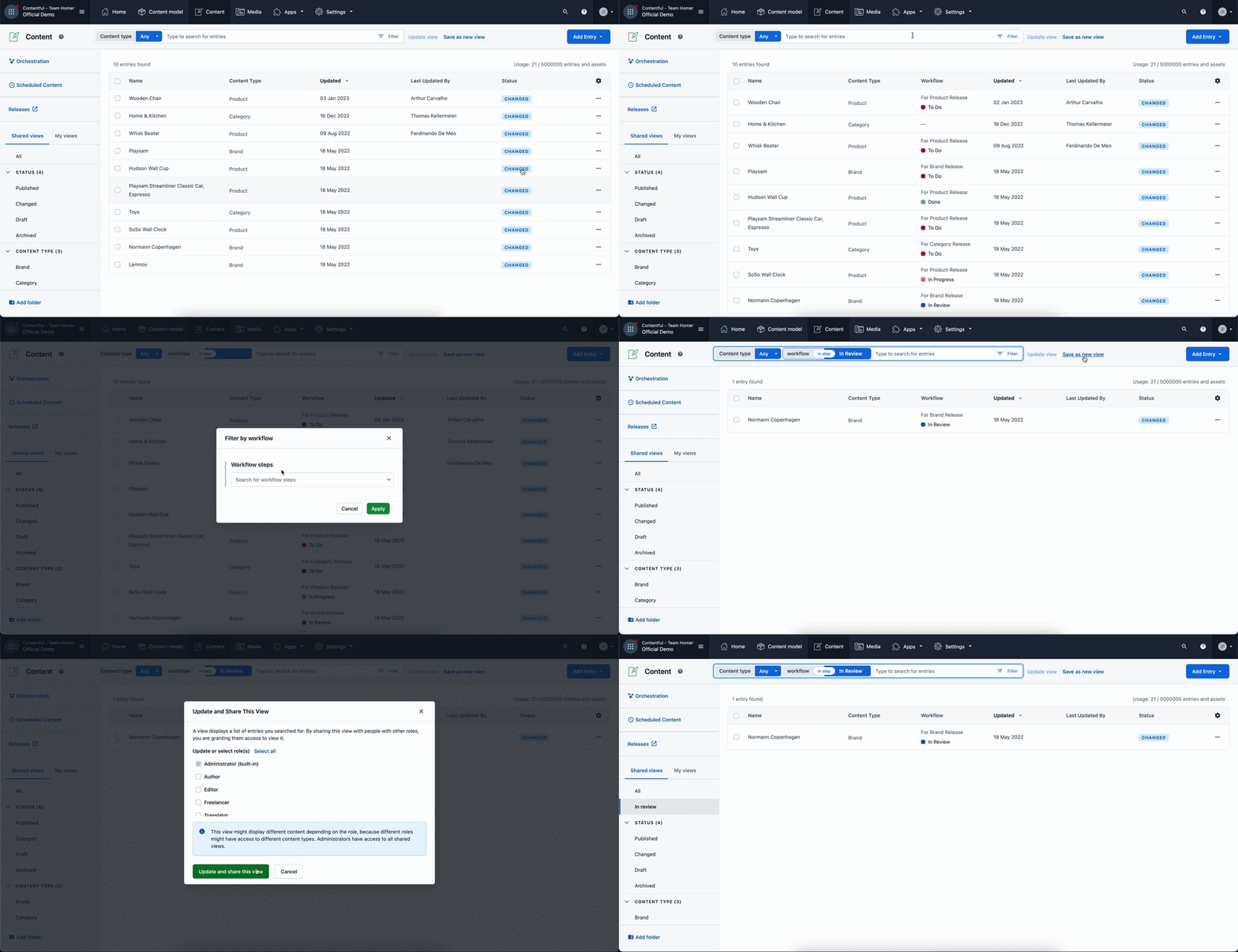
Workflows are now fully integrated with the Content table. Editorial users can customize the content table by filtering and saving views based on the workflow step the content is in. Try it yourself:
- Add the workflow column to the content table to get an overview of the current content states
- Use the workflow filter to search for content that = or != in a specific workflow step
- Save the relevant view with just one click (e.g. “In progress”)
Read the editorial documentation or developer documentation to learn more about Workflows.
Workflows is available to Premium users.