Tags and tag-based permissions
With this release, we are introducing a new type of entity — tags. Tags are user-defined keywords, consisting of an editable label and a permanent ID, that can be used to create arbitrary content collections within a given environment.
The workflow for using tags requires a space admin (or other authorized roles) to create a list of tags within the space. After that, users can apply tags to individual entries/assets or bulk tag multiple entries/assets.
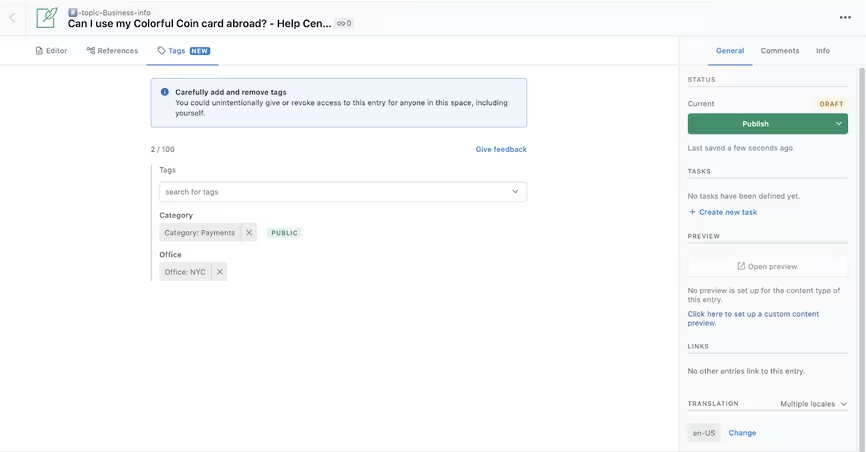
The use of tags streamlines content filtering and search. Content creators can use them to search across content types within the web app. Developers can effectively query arbitrary collections in the CMA and — when tags are set to be public — in the CDA/CPA.
Enterprise customers with Performance type of spaces can leverage tags further to create custom roles that allow users to restrict access, editing or publishing rights to individual content items by invoking tags. Tag-based permissions can be used temporarily, for example, while preparing an entry for publishing or permanently, as a way to accommodate multiple teams working within the same space.
Tags are supported by the Javascript SDKs, Migration libraries, and Apps SDK, with support for other client SDKs and GraphQL API coming in the near future. You can learn more about tags in our help docs or our dev docs.