Support for environments in references across spaces
Content Management APIOrchestration
You can now use References across spaces to link to entries from different spaces and environments in your organization. To be able to link entries from different spaces, you must first enable the spaces for orchestration and allow your entry to reference other environment-scoped entries.
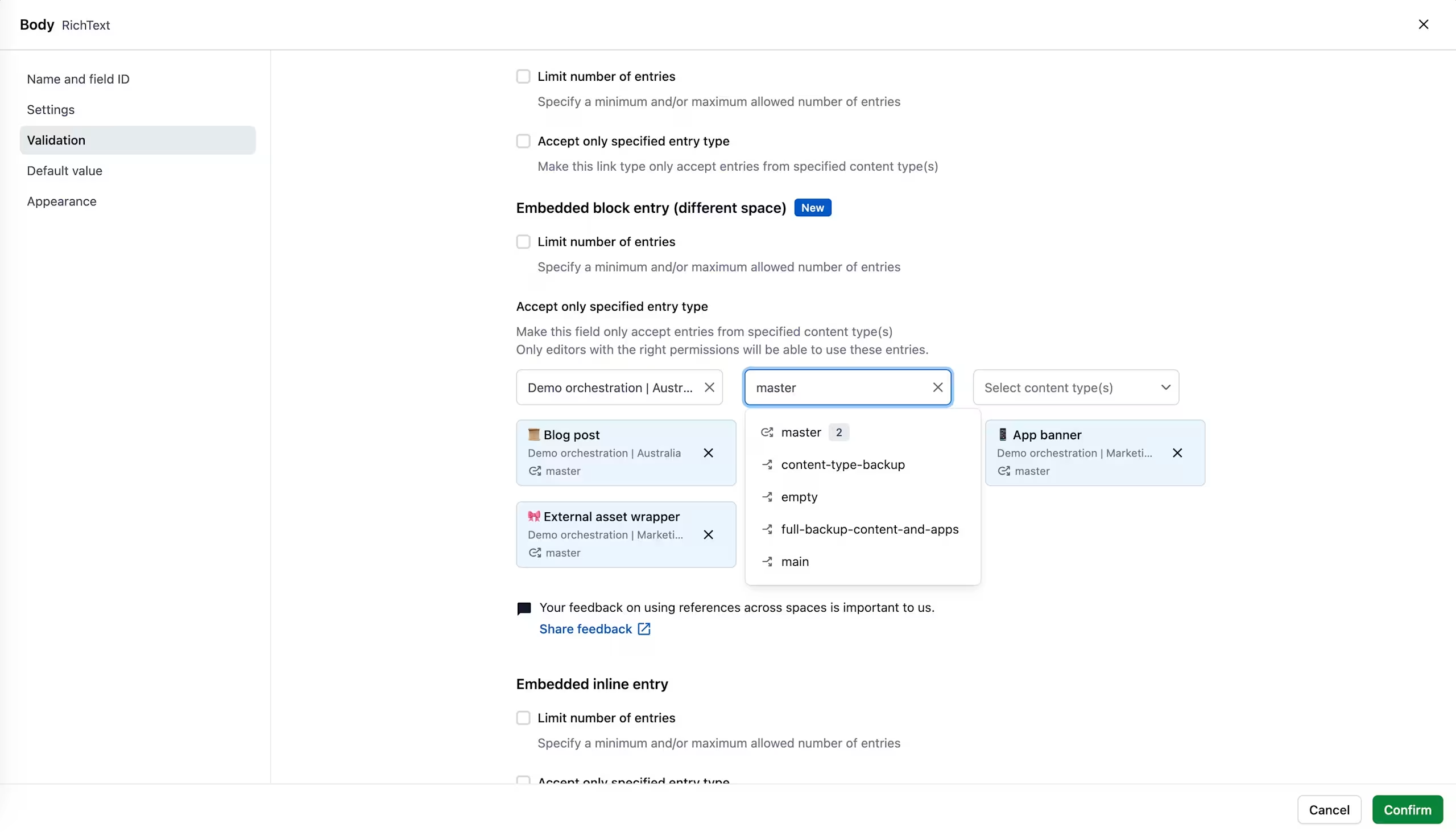
Set up is easy, simply choose the environments you’d like to use when setting up the reference field in the content type configuration page:
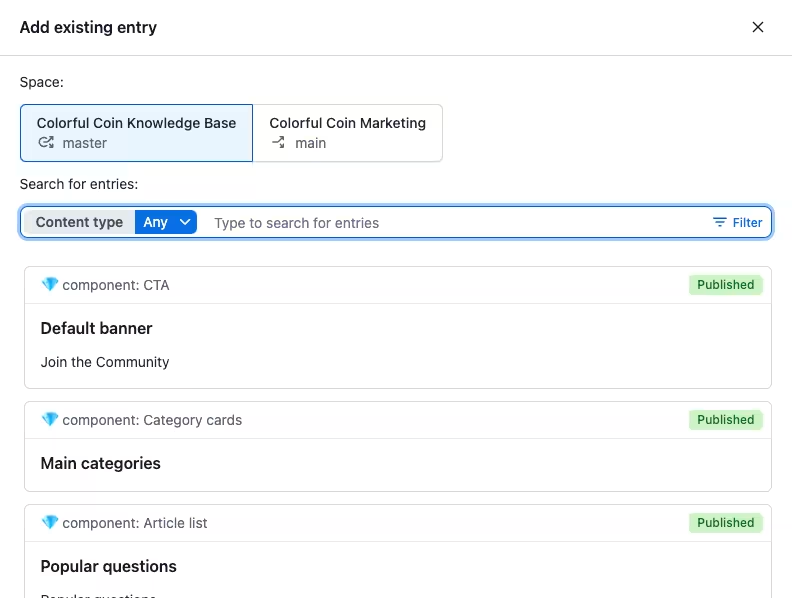
You can then select the source space and environment when adding new references to your entries:
For more information about the feature, see the References across spaces section on the Content Management API page and the Environment support for References across spaces page.