Salesforce Commerce Cloud
Gain control of your CX to drive revenue and increase loyalty with Salesforce Commerce Cloud
About the Salesforce Commerce Cloud app
Salesforce Commerce Cloud runs your catalog, pricing, promotions, and checkout. Contentful manages the content around them, structured once and reused across sites, brands, markets, and channels.
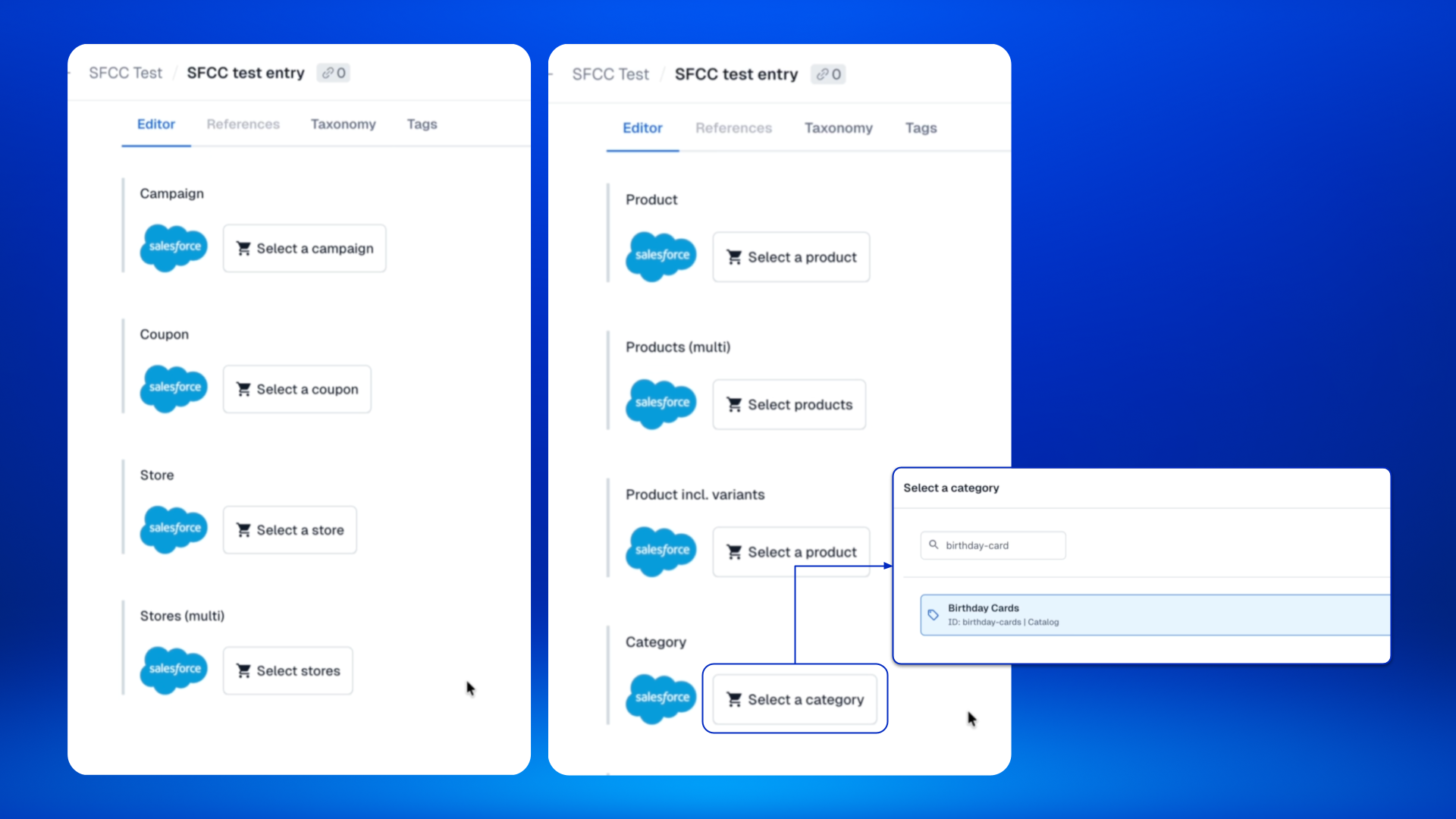
The Salesforce Commerce Cloud app connects the two inside Contentful. Authors search for and select products, product variants, categories, customer groups, promotions, campaigns, coupons, and stores directly in an entry. Contentful stores the Commerce Cloud ID, and your storefront loads current data from Commerce Cloud when the page renders, so content stays in step with what your merchandising team has set up.
The latest version adds customer groups, promotions, campaigns, coupons, stores, and product variants, along with status warnings, per-field site and catalog settings, and names shown in each entry's locale. Existing product and category fields keep working as before.
Features
- Reference products, product variants, and categories from your B2C Commerce catalog
- Select customer groups, promotions, campaigns, coupons, and stores in any entry
- Preview price, variation values, and online and stock status on product cards
- Spot missing, offline, expired, or not-yet-active items right in the entry
- Set a site or catalog per field for multi-brand and multi-site setups
- See Commerce Cloud names in the entry's locale, with fallback to default
Requirements
- A Salesforce B2C Commerce instance
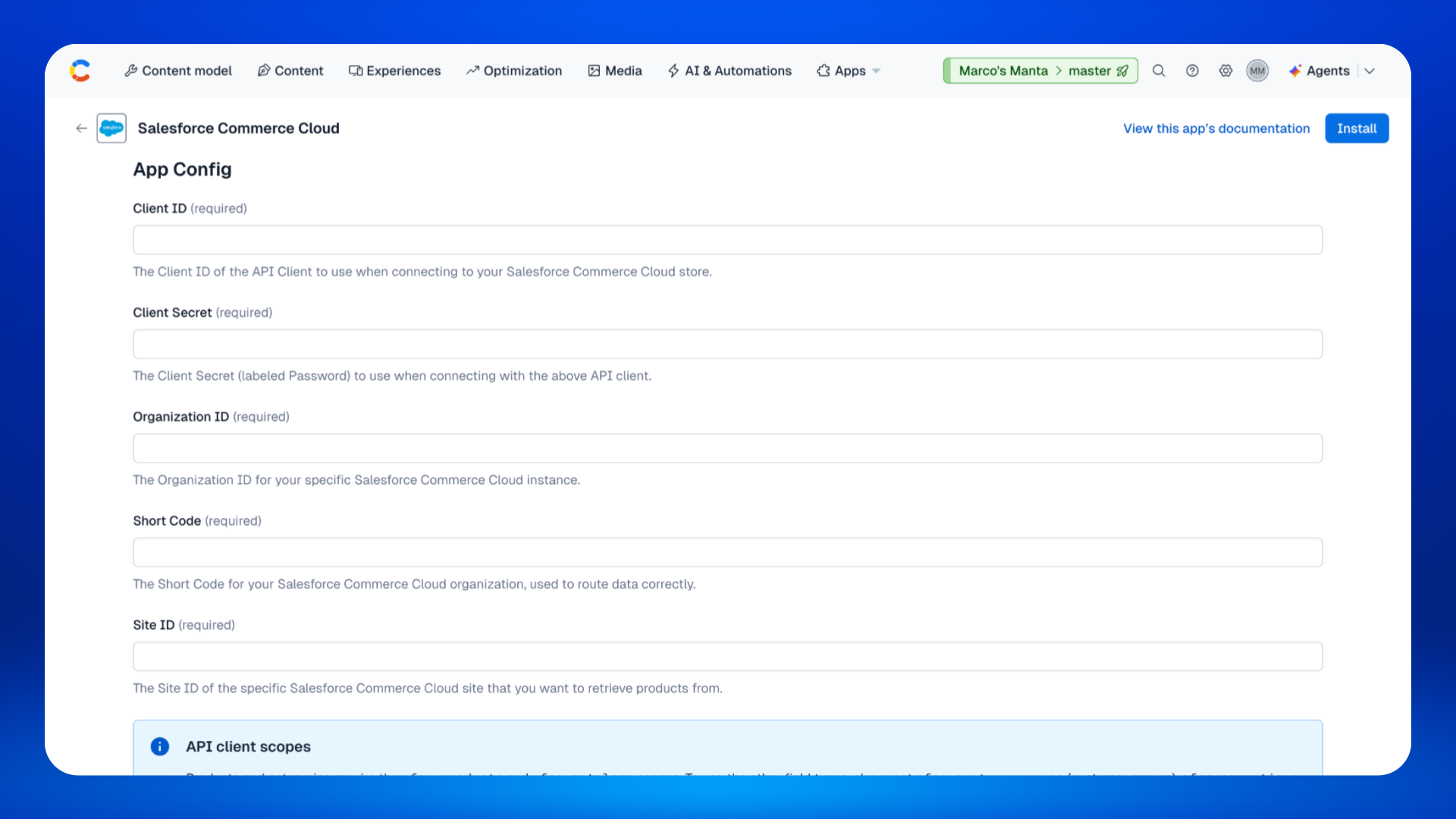
- A Commerce Cloud API client with the sfcc.products and sfcc.catalogs scopes, plus sfcc.customergroups, sfcc.promotions, or sfcc.stores for the field types you use
- A Short Text field, or a list of Short Text fields, set to the Salesforce Commerce Cloud appearance
Screenshots