Type-safing Contentful API responses with TypeScript
Published on March 12, 2026


Inspiration for your inbox
Subscribe and stay up-to-date on best practices for delivering modern digital experiences.
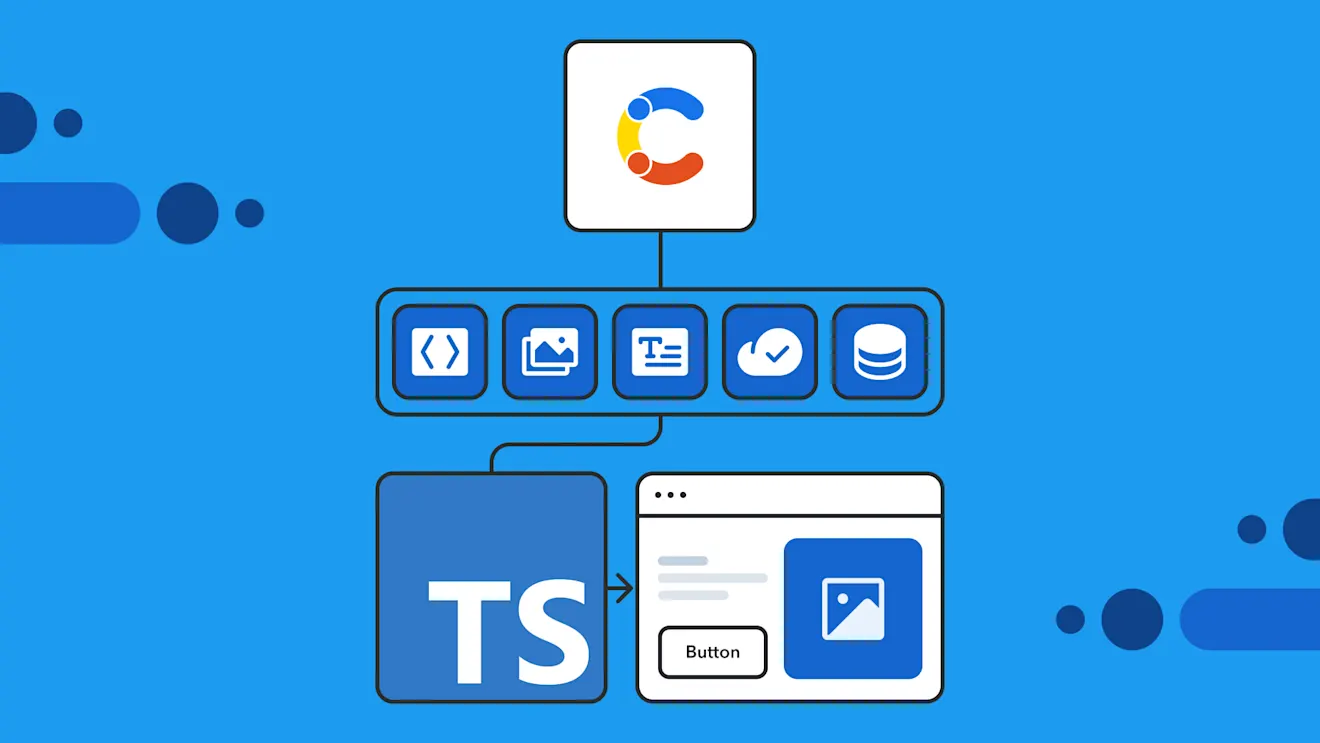
TypeScript developers can access the Contentful Content Delivery API (CDA) through Contentful JavaScript Library, a JavaScript and TypeScript library for the Contentful Content Delivery API and Content Preview API.
The CDA has a certain amount of flexibility built in, returning different shapes of data depending on how it’s being queried. This allows you to control factors like locale or whether links are resolved at query time, while the Contentful JS Library gives you type-safe query filters and correctly typed responses, regardless of the shape of the returned data.
To achieve this, the Contentful JS Library uses some key concepts, like response modifiers and entry skeletons. This post explains these concepts and shows how to use them to consistently get accurate, strongly typed responses.
The Contentful JavaScript Library, built for TypeScript developers
The Contentful JS Library is a library for interacting with the Contentful CDA (or the Content Preview API, for drafts) and is used to retrieve content from Contentful. While it’s written in JavaScript, it ships with first-class TypeScript type definitions, providing accurate typings not only for entries and fields but also for links and query filters, helping you write safer, more reliable code.
A note for users of older Contentful JS Library versions: In v10, the library underwent a major rewrite that fundamentally changed its typing model. Older versions relied on manually defined interfaces and assumed a single response shape. In v10+, Contentful uses entry skeletons to model your base content structure and response modifiers to model the different responses that the API can return. All this leads to a richer type system that better mirrors how the Contentful CDA works. Note that pre-v10 mental models and TypeScript generators no longer apply because the library now models multiple possible response shapes in its type system.
Why the Contentful Content Delivery API returns different response shapes
When querying the CDA, the structure of a JSON response can vary depending on the request parameters you send. This flexibility allows you to control the shape of the data returned by each query. For example, the CDA returns a different shape of data when fetching content for a single locale than it does for multiple locales:
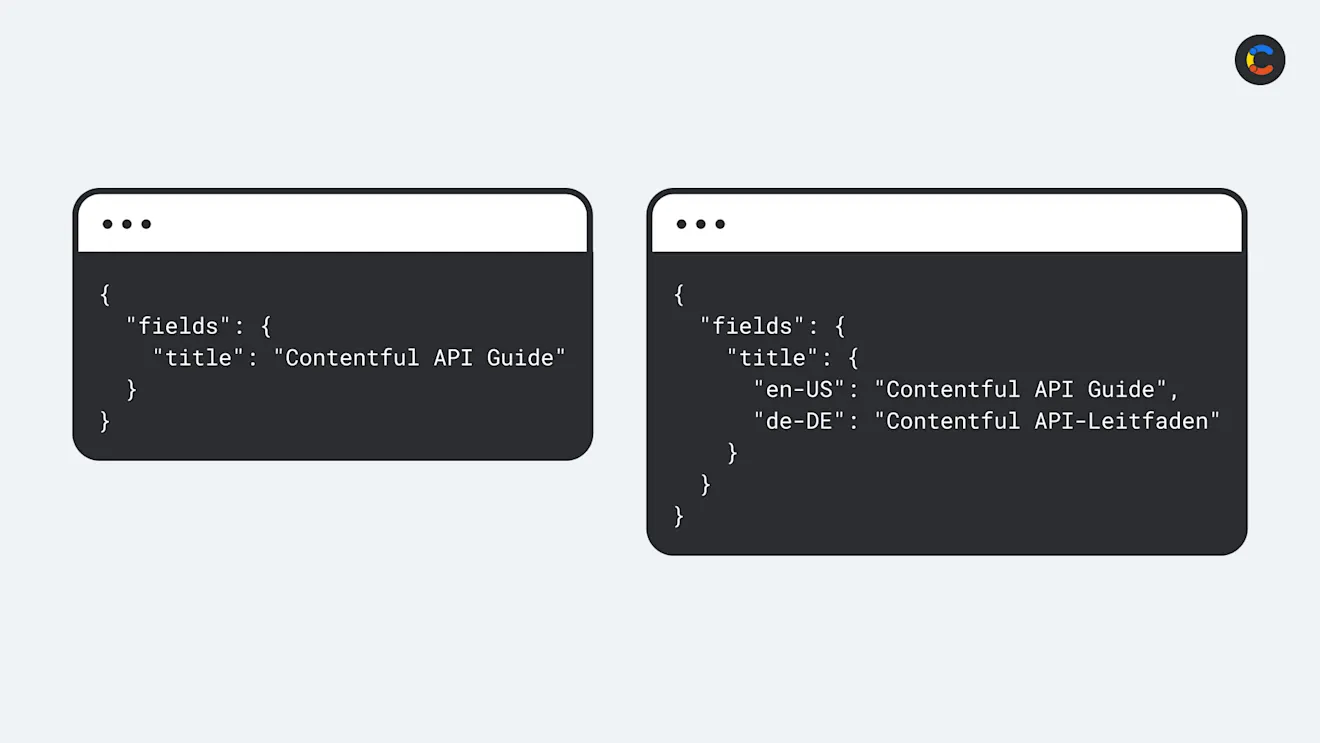
Comparing the different data shapes when fetching an article for a single locale vs. multiple locales.
You get to control the shape of the returned data by applying response modifiers to your query. Contentful currently includes three main response modifiers, which you can chain to your queries:
withAllLocaleswithoutLinkResolutionwithoutUnresolvableLinks
We will go over each of these in more detail later. For now, note that these modifiers change the JSON response shape and, by extension, the corresponding TypeScript types that the library infers.
How typing works in Contentful
Content served from the Contentful CDA is based on your Contentful content model. Your content model can consist of multiple content types (for example, Article, Author, Category). Each of these content types will have its own specific fields assigned by you. The image below shows an Article content type with individual fields assigned to it (title, slug, etc.).
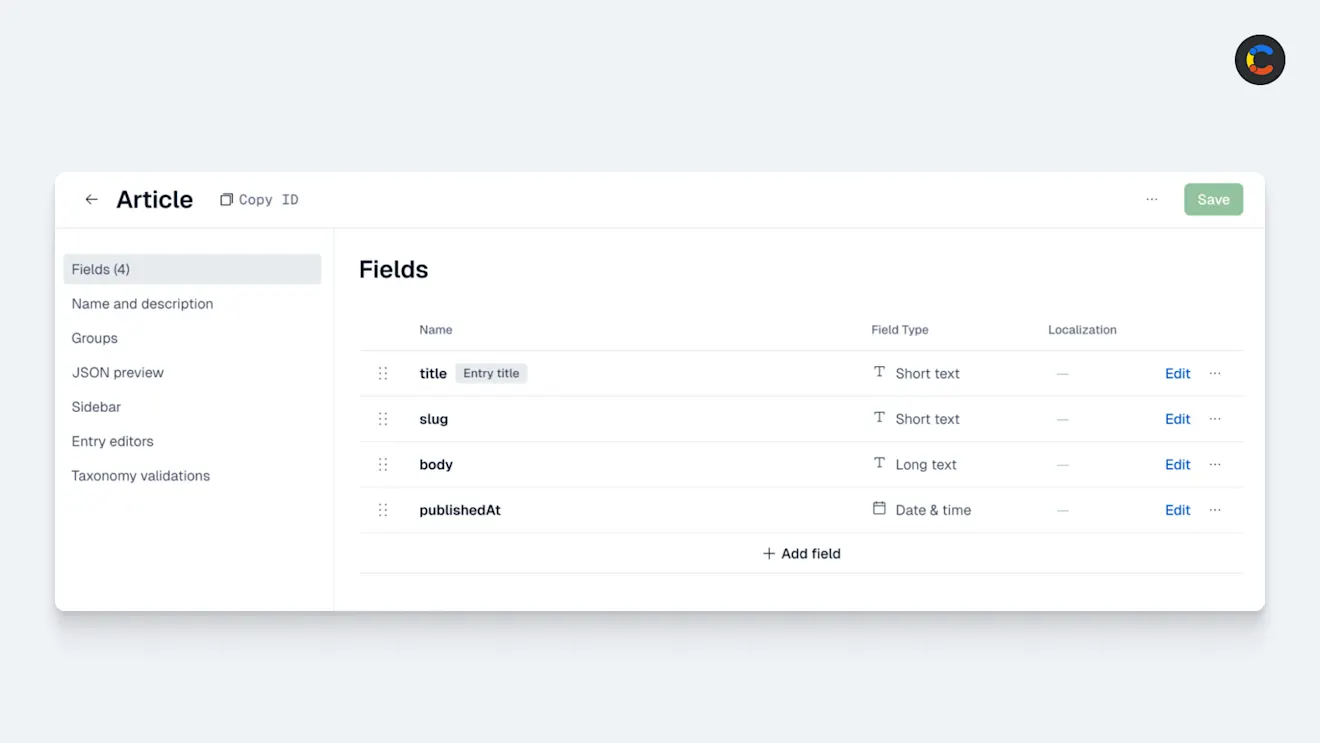
Content entries
For each content type, you can create multiple entries. An entry is an instance of a content type, for example, a specific Article.
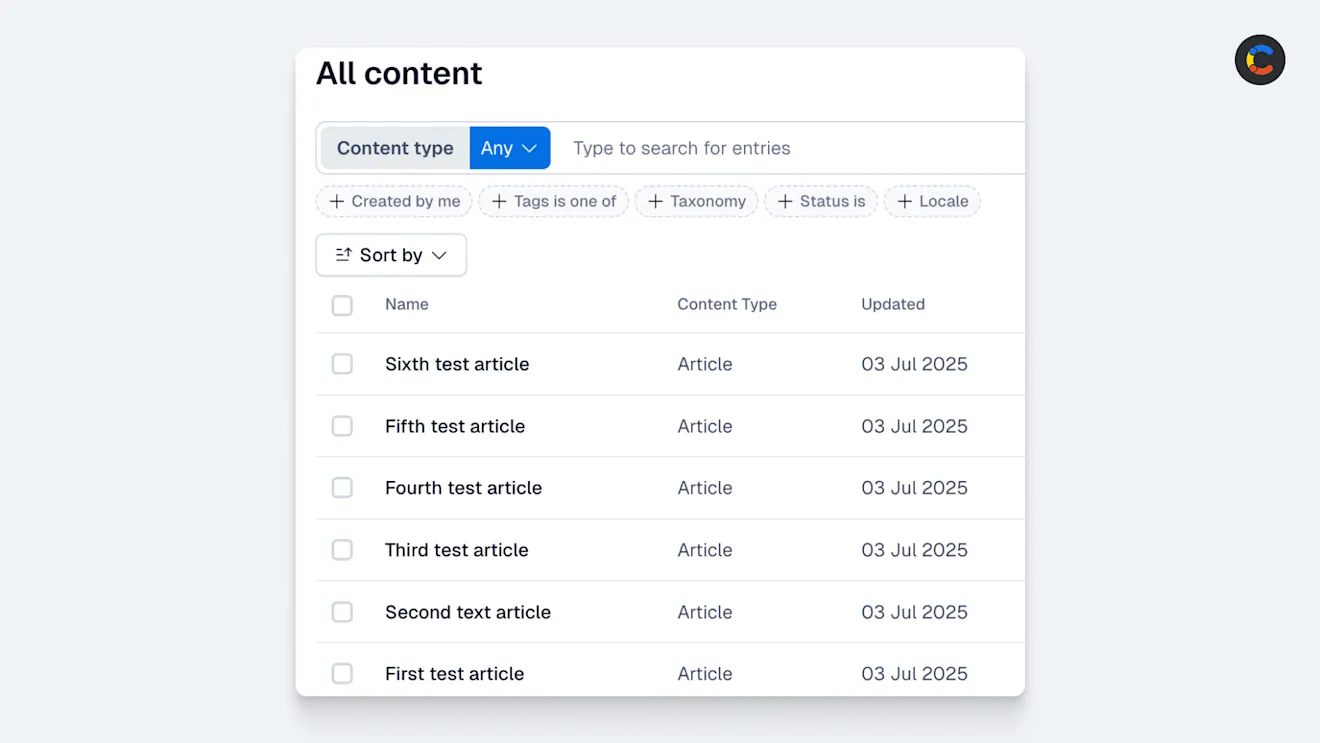
Multiple entries of type Article.
Entry skeletons
In TypeScript, entries returned by Contentful are typed as Entry<EntrySkeleton, Modifiers, Locales>.
Notice how the Entry type takes the EntrySkeleton type as a parameter. An entry skeleton is a TypeScript type that defines the basic structure of a particular Contentful content type, including its field names and field types.
Contentful provides an EntrySkeletonType helper for defining the Entry structure in a flat hierarchy. Here’s an example skeleton for our Article content type:
Notice that the second generic parameter (article) defines the Contentful content type ID. This allows TypeScript to associate the skeleton with a specific content type and enables safe type narrowing when working with multiple content types.
Later, the CDA might return the following JSON:
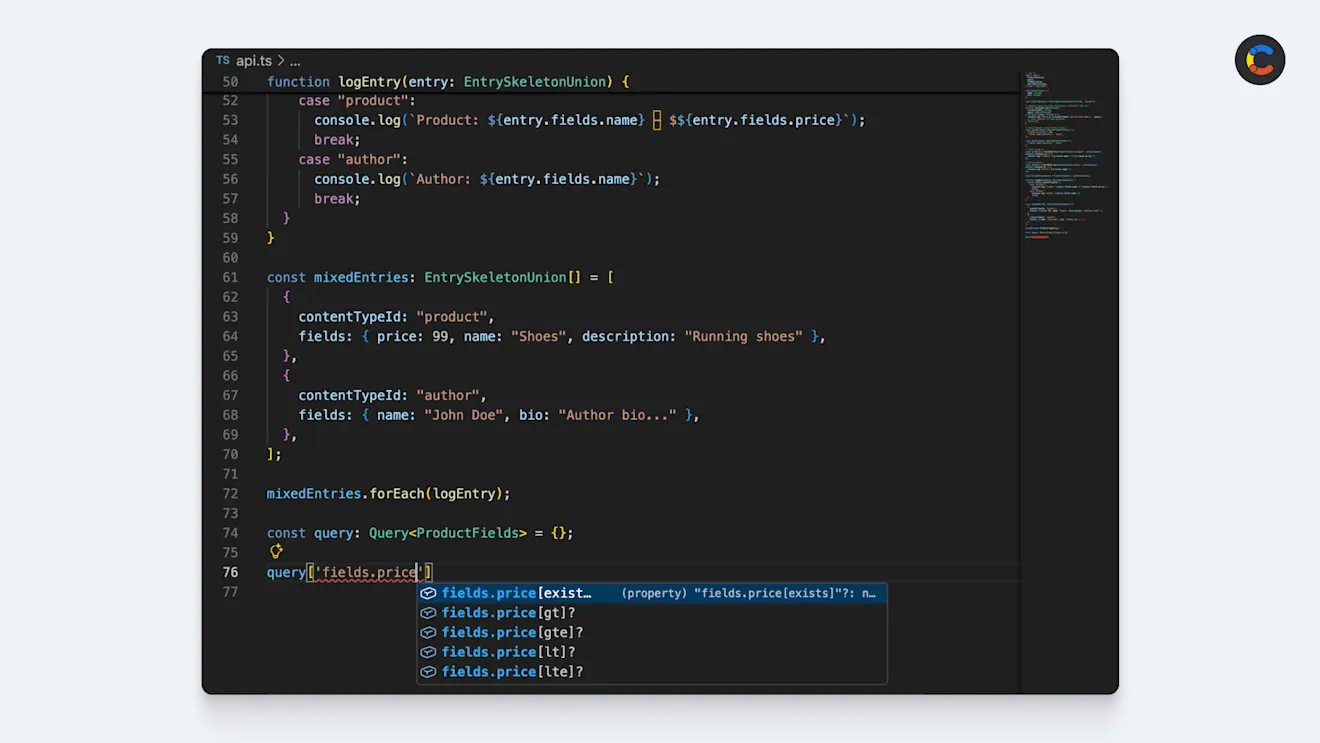
Because the entry skeleton explicitly lists the field names and types, TypeScript can give the response’s fields object some static, strongly typed keys. This is what enables code autocompletion in your code editor.
This explicit listing of field names and types also means that entry skeletons can be used to validate query field names and filters. For example, if your entry skeleton defines a price field as a number, TypeScript will only allow numeric filters, such as gt or lte, and will flag any invalid filters at compile time.
This mixture of strong typing and autocompletion results in a better developer experience, fewer runtime bugs, and the benefit of the editor guiding you toward valid queries.
Response modifiers
The Entry type also has a Modifiers parameter. A response modifier is an option that changes the shape of the data returned.
Finally, the Locales parameter is useful when you’re using the withAllLocales modifier. It allows you to tell TypeScript which locale codes may appear in fields that are returned for multiple locales.
How response modifiers change your response shape
Because the Contentful CDA can return different response shapes depending on query options, Contentful JS Library provides three response modifiers that allow TypeScript to infer the correct shape of data depending on how you query the API:
withAllLocales modifier
When querying for a single locale, each field is returned as a single value. For example, {"title": "Title here!"}. When you use the withAllLocales modifier, fields become nested objects keyed by locale codes.
For instance, if you want to retrieve an entry with the library specifying a single locale:
The JSON response would look like this:
If you need all locales for that entry and use the withAllLocales modifier:
The JSON response object would change accordingly:
Without withAllLocales, the structure of fields.title is a string. With withAllLocales it becomes an object keyed by locale codes, and TypeScript reflects this with Record<string, string>.
withoutLinkResolution Modifier
In Contentful, a link is a reference from one entry to another. For example, an Article may link to an Author.
All links are resolved by default in a CDA response; that is, they get replaced with the full content of the referenced entry. However, you can use the withoutLinkResolution modifier to disable this automatic link resolution and return just the link objects (for example, metadata instead of the full entry). This can improve performance if you have many links or nested references.
So the default query to get an Article content entry from Contentful that’s linked to an Author returns something like the following:
And using the withoutLinkResolution modifier returns something like below:
withoutUnresolvableLinks Modifier
Sometimes links point to entries that no longer exist (usually due to being deleted or unpublished). Such links cannot be resolved, so they’re returned as link objects in the API response and typed as an UnresolvedLink in TypeScript.
Handling these broken references every time they come up adds unnecessary complexity to your code. If you want to keep things clean, you can use the withoutUnresolvableLinks modifier to omit these missing links. When applied, any field whose link can’t be resolved is removed from the response entirely.
Composing response modifiers
Each response modifier is not mutually exclusive. You can leverage composition to combine them, and each combination will yield a different inferred type:
So, when calling getEntry on the composed client above, the TypeScript types will reflect all of the modifiers that are applied. Fields are returned for all locales, links are not resolved, and unresolvable links are omitted.
The API response for this would be a new shape yet again — something like this:
This kind of modified request may be useful when fetching a large amount of content with linked entries, where you only want to retrieve certain linked entries later and avoid missing or deleted links cluttering the JSON response.
Keeping your entry skeletons in sync with your content model
Entry skeletons need to accurately reflect the content model, and keeping the types in sync with your content model can become tedious and time-consuming. You can save time by using the Contentful TypeScript code generation tool, cf-content-types-generator, to do the heavy lifting required to keep your entry skeletons and content model in sync.
It connects to your Contentful account, reads your content model, and generates all the required entry skeletons for you in seconds, with one simple command. This takes away almost all the manual work required to gain full type safety.
You can even set this up to be fully automated. You can set up a webhook in Contentful so that when your content model changes, it triggers a re-run of the TypeScript generator. You could also add a step to your build or CI pipeline to run the generator on each build or deployment, ensuring you never go out of sync. Once the generator has been re-run, any TypeScript errors show in your code editor, allowing you to make any necessary changes and fix any problems. This creates a continuous feedback loop and takes you from a manual process to a fully automated, type-safe process.
What this means for your Contentful TypeScript projects
The Contentful CDA is flexible by design to allow you to request the exact data you need for any given scenario, and the Contentful JavaScript Library mirrors this flexibility with its type system. Contentful combines entry skeletons and response modifiers to produce fully typed responses. The entry skeleton describes the minimal shape of your content types, and modifiers change the shape of data to be returned based on query options such as locales or link resolution.
Leveraging this is extremely helpful for your Contentful TypeScript projects, as your names, types, and query filters will be validated, autocomplete will speed up development, and you will have safer code refactoring. All of this reduces runtime issues and gives you more confidence in your codebase and its ability to remain in sync with your content model.

Inspiration for your inbox
Subscribe and stay up-to-date on best practices for delivering modern digital experiences.
Meet the authors

Marco is a Senior Software Engineer at Contentful.
Related articles
Markdown format explained: From basics to best practices
March 24, 2026
Drupal migration to Contentful: Why it improves your websites and how to do it right
August 13, 2025

What is Nuxt? The full-stack framework built on Vue.js
September 26, 2025