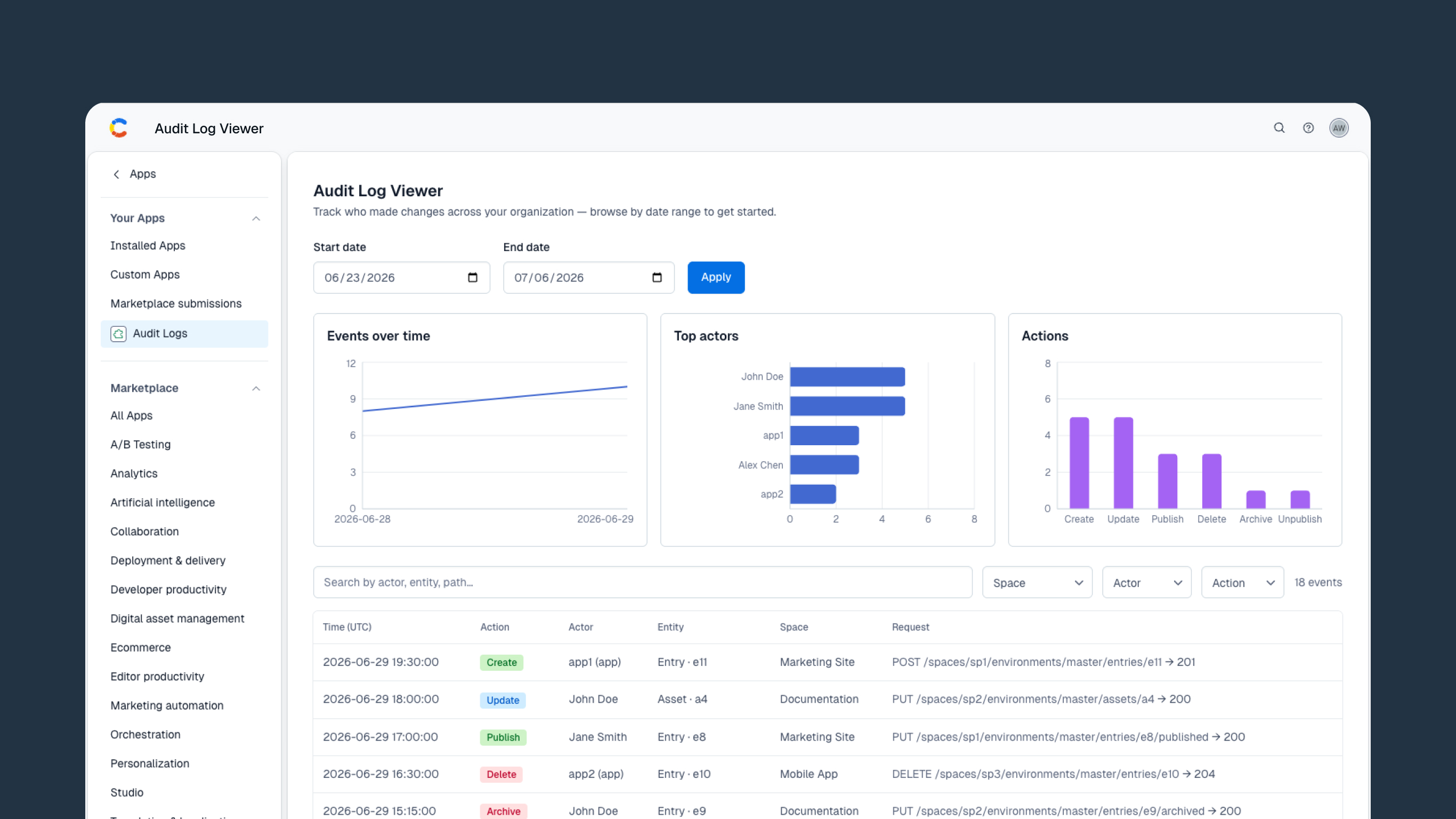
Audit Log Viewer
Track every change across your organization — searchable, visual, and secure.
About the Audit Log Viewer app
The Audit Log Viewer gives Contentful administrators a centralized view of organization-wide audit activity, pulled directly from your configured cloud storage bucket.
Rather than piecing together activity from individual spaces, this app reads your organization's audit log files, written daily by Contentful to your storage provider, and presents them in a filterable table with summary charts.
Because audit logs are scoped to the organization, the app surfaces activity across every space from a single view.
Storage credentials are held server-side in a Contentful Function. The browser only ever receives short-lived, read-only pre-signed URLs, so sensitive credentials are never exposed to end users.
Important: Install this app into an administrators-only space. Anyone with access to that space can view your entire organization's audit history.
Features
-
Search and filter audit events by space, actor, action type, or free text across entity IDs and API paths
-
Summary charts showing:
- Events over time
- Top actors
- Action breakdown
-
Configurable date range loading to fetch any historical window of activity
-
Paginated table view with configurable page sizes of 10, 25, 50, or 100 rows
-
Color-coded action badges for quick visual scanning:
- Create
- Publish
- Update
- Unpublish
- Delete
- Archive
- Automatic configuration backup and restore. Non-secret settings are preserved locally and restored if a bundle update resets the app.
Requirements
- A cloud storage bucket containing Contentful audit log exports
- Amazon S3
- Azure Blob Storage
- Google Cloud Storage
- Contentful audit log delivery enabled for your organization
- Installation into a space with access restricted to administrators
Supported Storage Providers
- Amazon S3
- Azure Blob Storage
- Google Cloud Storage
Screenshots