Quickly build and deploy your Plant Tracker with Contentful and Vue
Combining Vue with a composable content platform like Contentful increases performance, speeds up build times, and greatly improves developer experience.
What is Vue?
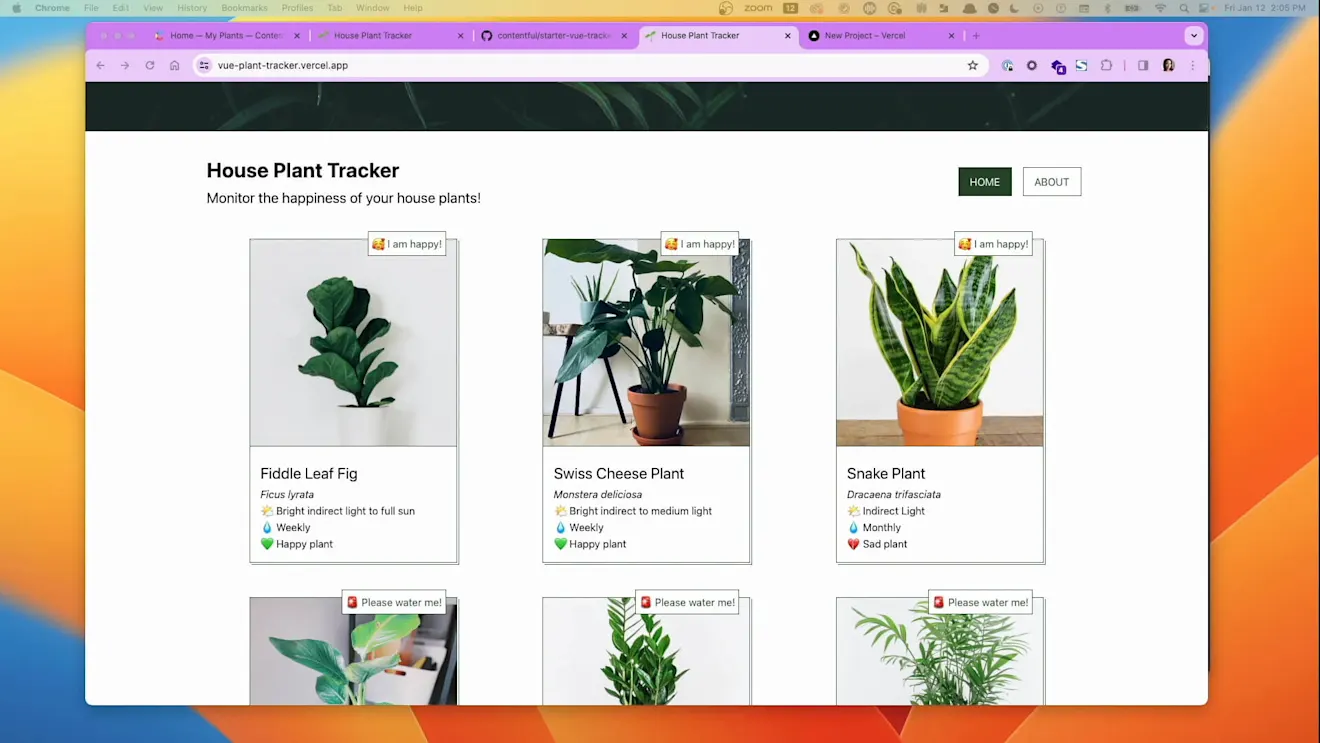
Vue is an open-source, progressive, frontend JavaScript framework commonly used to build single-page applications and user interfaces for the web. The template in this guide is a simple tracker you can use to monitor your house plants.
Create an account
Sign up for a Contentful account. Once you do so, a new space will automatically be created.
Create a new Vue project
Create a new Vue project on your local machine using our Vue + Contentful starter template on GitHub, clone the repository and install node dependencies.
Set up the content model
This starter comes with a script to import the required content model and sample content into your Contentful space.
In your terminal, navigate to the newly created project. Run the following command:
When prompted, enter IDs for the following into the terminal: Space ID, Content Delivery API, and the Content Management API. This will initialize the project, create a new file with the filename .env, and store the credentials in that file. It will also create the required content models, and add sample content to the Contentful space.
Run the development server
To start the development server, run the following command in your terminal:
To view the plant tracker, navigate to localhost:5173.
Push to GitHub
Create a new repository on GitHub, GitLab, or Bitbucket.
Commit the changes and push the code to the new repository.
Make sure to use the correct GitHub username and the repository name.
Deploy to Netlify
Create an account on Netlify.
Click Add new site or Import from Git.
Under the Connect to Git provider section, select GitHub and provide the required authorization.
If you are using GitLab or Bitbucket, select that instead.
Once authorized, select your newly created GitHub repository.
Update the publish directory to dist
Add Contentful credentials by clicking Add Environment Variables and the New variable buttons. Add two new variables for the VITE_CONTENTFUL_SPACE_ID and VITE_CONTENTFUL_ACCESS_TOKEN.
To deploy, click Deploy site.
On successful deployment, you’ll be able to view your site live!