How to generate types with cf-content-types-generator
Published on March 25, 2026


Inspiration for your inbox
Subscribe and stay up-to-date on best practices for delivering modern digital experiences.
If you’ve just finished creating your content model in Contentful, you might be wondering if there’s an easy way to automatically generate its corresponding TypeScript types in your codebase. If you are using Contentful JavaScript Library v10+, those types become especially important, as they help the library infer fully typed queries and responses, including validation for field names and filters.
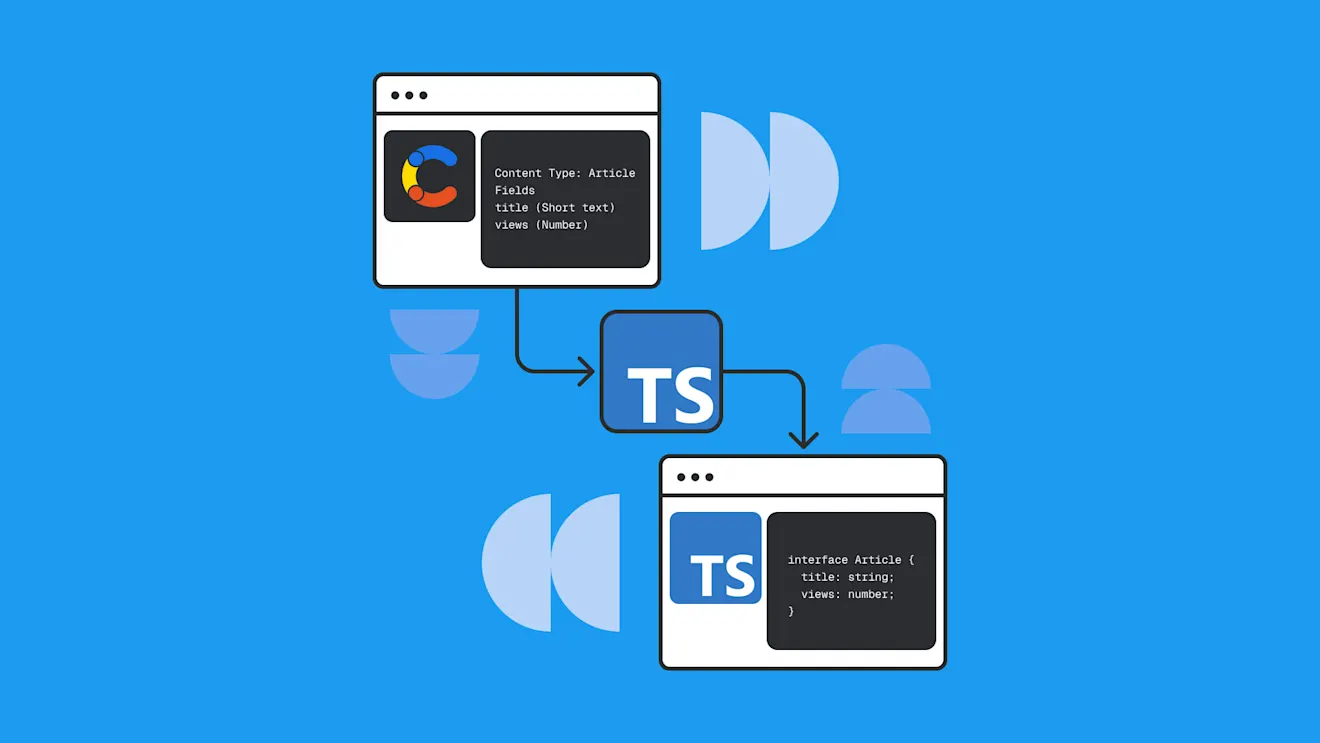
Thankfully, Contentful actively maintains a tool called cf-content-types-generator to help you with this. In this post, we’ll quickly recap how Contentful JS Library v10+ uses these types. We’ll end by covering how the codegen tool works, how to set it up, and how to use it in your code project.
How the Contentful JavaScript and TypeScript Library v10+ uses the generated types
The Contentful content model organizes your content in a clear data structure with fields, types, references, and validations. You can access this content through the Contentful JavaScript Content Delivery Library.
In version 10, Contentful JS Library introduced a "skeleton-based" typing system to more accurately model the different response shapes that can be returned from the same API endpoint. This system is built around the concept of an entry skeleton.
A quick recap for context: A Contentful content model consists of content types that we create, such as Product, Article, or Author; and each instance of a content type is called a content entry.
An entry skeleton is a minimal TypeScript type that represents the base shape of an entry (its fields and types only), without the normal extras present with a fully-typed entry (such as link resolution, locales, or any other runtime details). Instead, the Contentful JS Library applies these as response modifiers, meaning that differently shaped responses can be built up depending on which response modifiers are applied. All this enables fully typed responses in more situations, better code autocompletion, and validation of query filters in TypeScript.
The cf-content-types-generator exists to automate the creation and maintenance of these entry skeletons so they remain in sync with your Contentful content model. It also provides helper types which the Contentful JS Library can use to infer different response shapes when response modifiers such as locale handling or link resolution are applied.
Type generation also allows you to easily and safely test content model changes in staging environments. You can generate types from your Contentful staging content model and test how these updates affect your end-to-end code without impacting production.
Why maintaining manual entry skeletons doesn’t scale
Entry skeletons are the contract between your content model and your code. Every field name, type, reference, or validation nuance must match the content model exactly. The moment entry skeletons start to drift out of sync, autocomplete becomes misleading and bugs appear at runtime.
Keeping these types in sync is manageable for one or two content types, but it becomes increasingly difficult the more content types you have. Considering that content models change frequently in real production websites, maintaining types in your codebase can become a huge, time-consuming task.
Without generation, the Contentful content model lives as a separate entity to your codebase. Since there’s no automatic signal when they diverge, the model would require manual coordination to keep changes in sync.
Introducing the cf-content-types-generator
The cf-content-types-generator tool is the official way to generate TypeScript entry skeletons for Contentful JS Library version 10 and later. Older Contentful typescript generation tools were built before entry skeletons existed, and aren't compatible with Contentful.js v10+. So it’s recommended to use this tool going forward.
The cf-content-types-generator tool can generate entry skeletons from your Contentful content model in one of two ways: It can connect to your Contentful space to read the current schema, or it can use a previously exported JSON file obtained through the Contentful CLI tool. It then uses the content model to produce an entry skeleton for each content type, along with some extra helper TypeScript types required by Contentful.js v10+ to enable accurate response typing, typed queries, and editor autocomplete.
How to use cf-content-types-generator
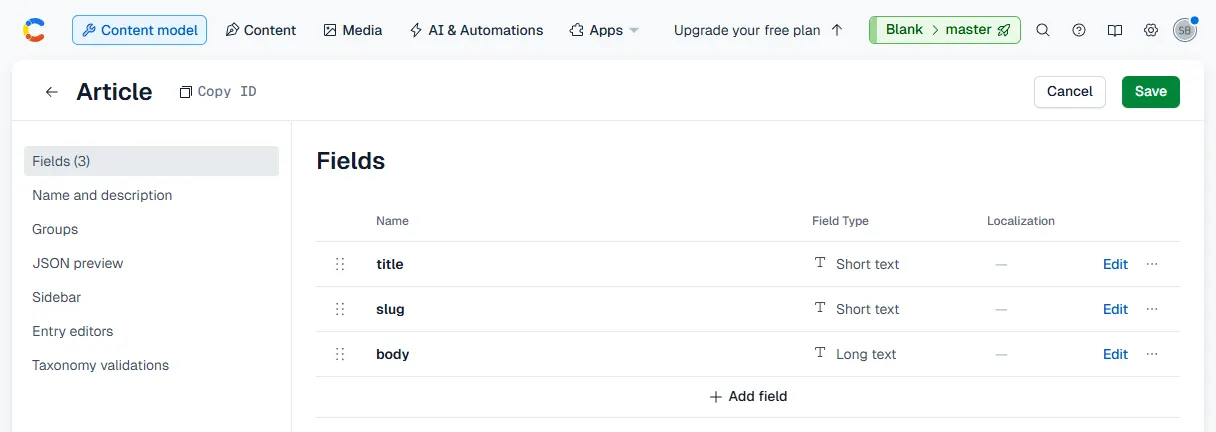
First, make sure you have a content model set up in your Contentful dashboard that you would like to export the TypeScript skeletons for. For simplicity, we will create an Article content type with a few generic fields, such as title, slug, body, and publishedAt, to demonstrate the TypeScript generator.
Next, install cf-content-types-generator in the project directory where you want your TypeScript definitions to reside:
npm install --save-dev cf-content-types-generator
Add the following to the scripts block of your package.json, replacing the SPACE_ID and TOKEN with your respective credentials:
"generate:types": "cf-content-types-generator -s <SPACE_ID> -t <TOKEN> -o src/contentful-types -d -r -g -X"
This command generates TypeScript definitions in the specified src/contentful-types directory for each of your Contentful content types, including entry skeletons and supporting types. The flags passed to this command are explained below:
-o: The output directory for the generated types should immediately follow this flag-d: Add JSDoc comments to generated types-r: Generate response type aliases for v10 types (modifier combinations)-g: Generate helper type guards, which improve type safety and code autocompletion (explained later in this article)-X: Generate Contentful JS Library v10+ entry skeletons
To execute this command (and any others in the script block), run the following command in your terminal:
npm run generate:types
This command creates a new file, src/contentful-types/TypeArticle.ts, which contains the following generated TypeScript:
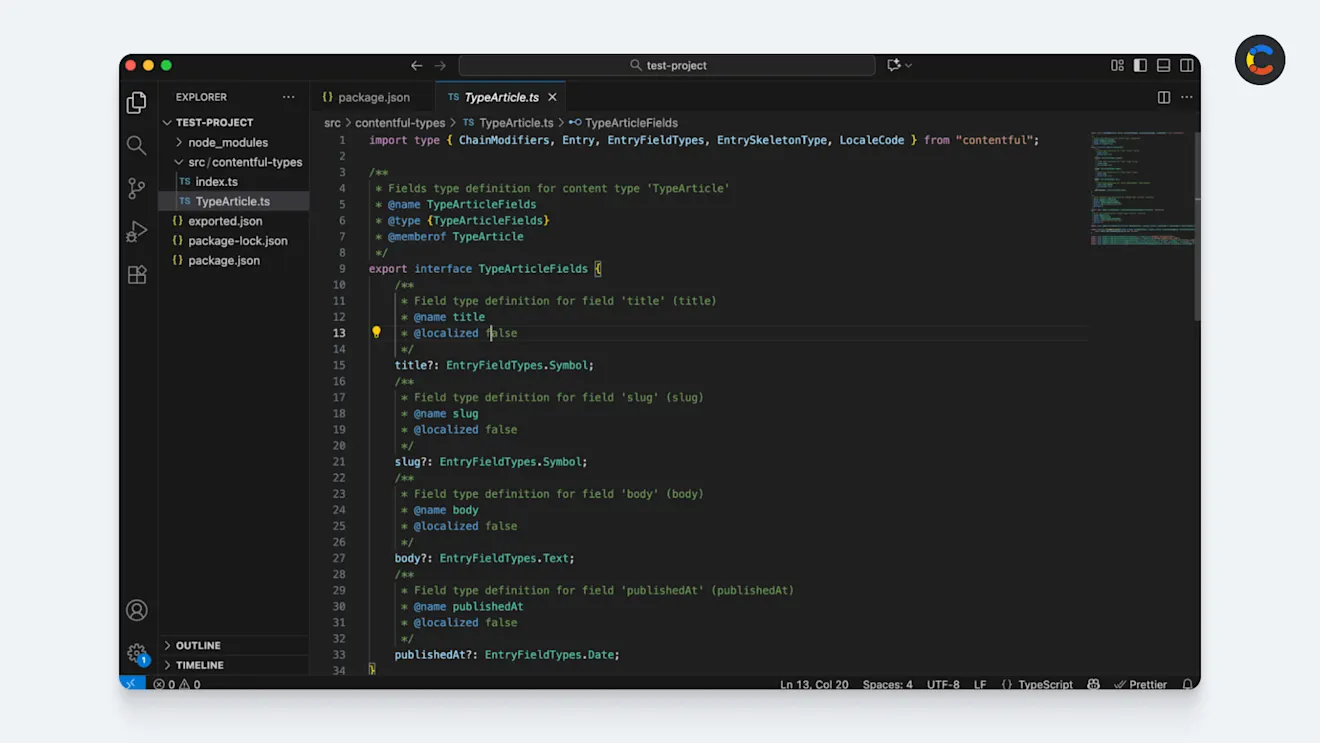
The main TypeScript interface in this file mirrors the fields that were set up in the Contentful dashboard:
The generated file also includes an entry skeleton — the minimal, response modifier-agnostic, simplified representation of the content type that Contentful JS Library v10+ is built around. The entry skeleton is created by passing in the TypeArticleFields interface, along with its Contentful content type ID "article":
export type TypeArticleSkeleton = EntrySkeletonType<TypeArticleFields, "article">;
The file also exports a generic TypeArticle<Modifiers, Locales> entry type. This allows the Contentful JS Library to infer the correct response shape when response modifiers (such as WITH_ALL_LOCALES or WITHOUT_LINK_RESOLUTION) are applied. The generated file also includes an isTypeArticle type guard, which adds a runtime check that an entry's content type ID is "article", allowing TypeScript to safely treat it as an Article. Finally, it includes some helper type aliases for the different response modifiers or combinations of response modifiers.
Optional: Generating types from an exported JSON schema
The last section showed you how to generate types by connecting the generator directly to your Contentful space. However, in some environments (such as restricted CI pipelines or offline workflows), it's not possible to do this since you need direct access to the API. In these cases, you can instead generate types from a previously exported JSON schema of your content model.
To do this, you will need to install the Contentful CLI, an automation tool that can help you with exports/imports of models, content, and environments, as well as any migrations. Once you have it installed, log in to it with the following command:
npx contentful login
This will prompt you to log in through the browser, where you can copy an access code to the clipboard and paste it into the terminal.
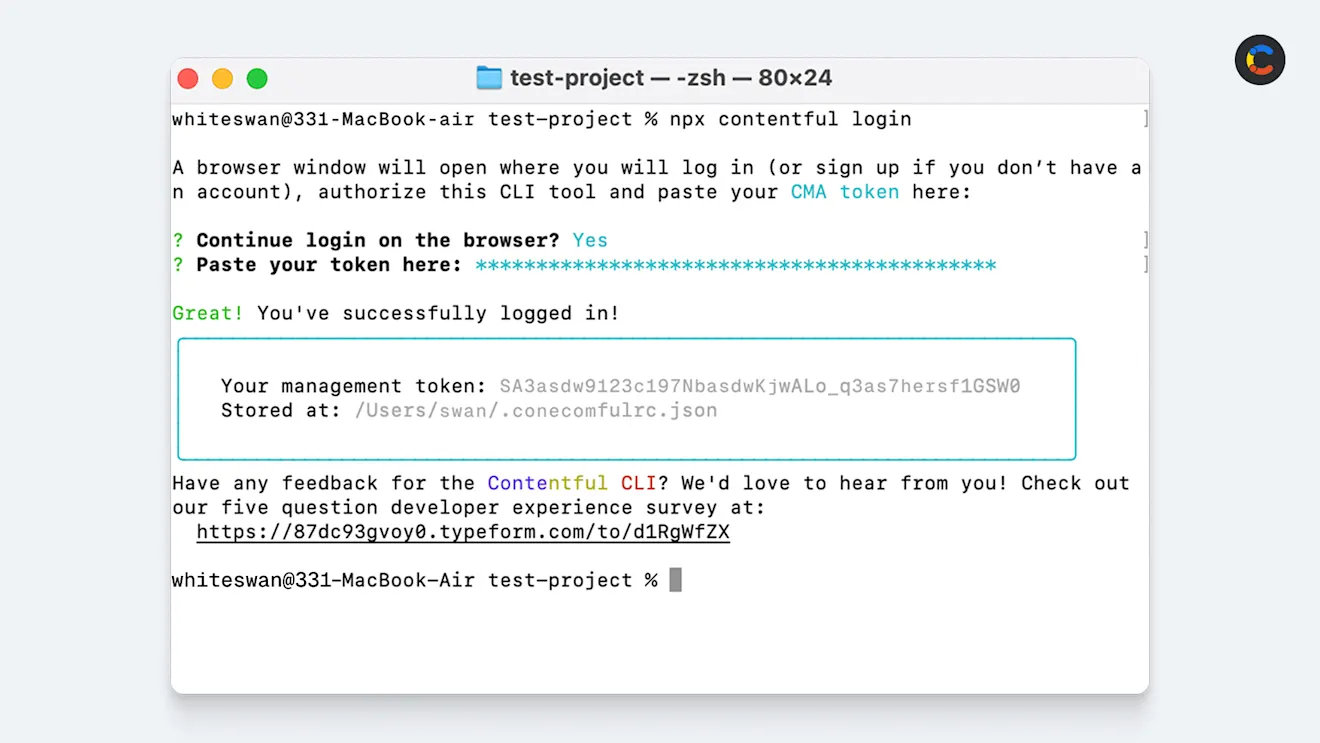
Now that you are logged in through the CLI, export everything in your Contentful space into a JSON file, which the cf-content-types-generator tool will later use to generate the TypeScript definitions.
You can use the following command to export the entire contents of your Contentful space, which includes your content model. Make sure to replace <your_space_id> with your actual space ID, which you can find in the settings of your Contentful dashboard.
This will create a JSON file in the current working directory called exported.json, and export everything in your Contentful space into it, as shown below:
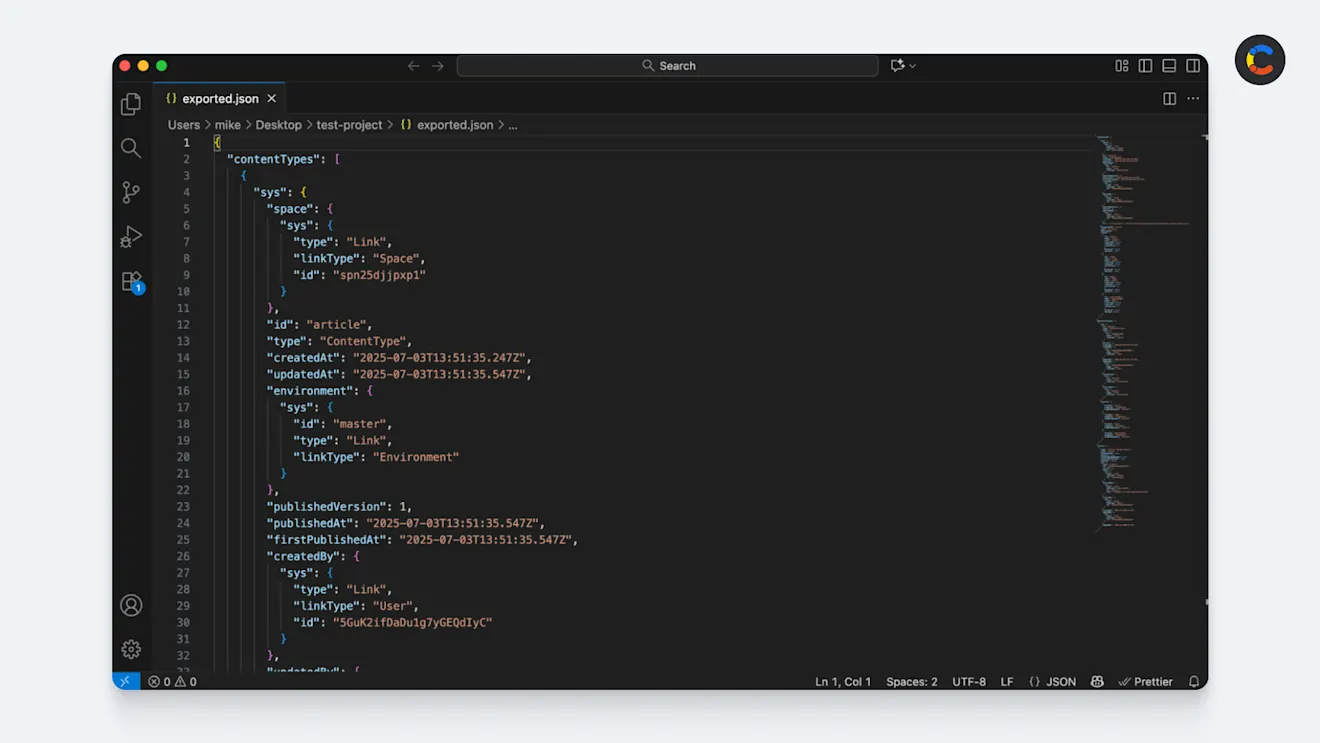
Now that you have exported your space, you can run this through the Contentful TypeScript generator tool. Add the following to the scripts block of your package.json:
"generate:contentful-types": "cf-content-types-generator exported.json -o src/contentful-types -d -r -g -X"
To execute this script, run the following command in your terminal:
npm run generate:contentful-types
This will run cf-content-types-generator and give it the input JSON file exported.json (which we exported earlier). The output TypeScript type definition will be saved to src/contentful-types.
At this stage, you will have the same output as the alternative method above, where the generator connects directly to Contentful; it simply requires an additional step to export the JSON first, which you may need to do in certain restricted environments.
Using the generated types in your app
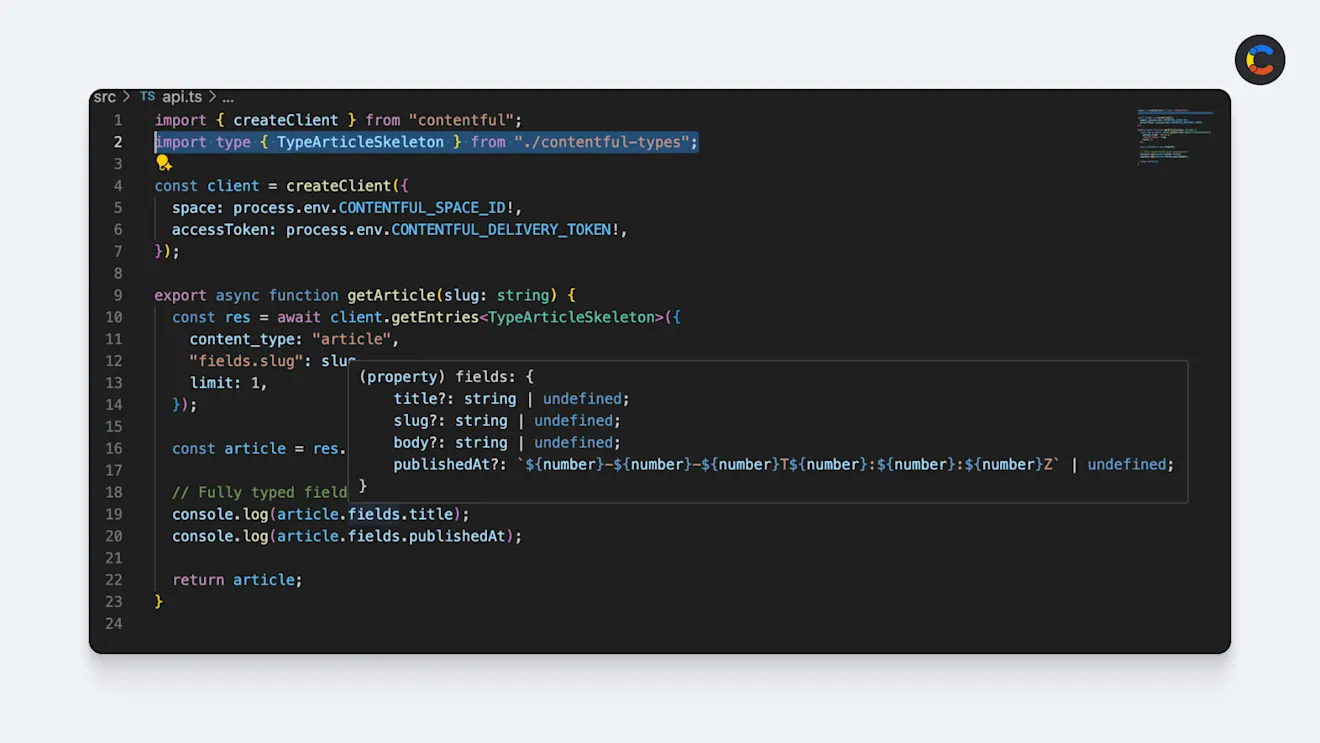
Now that the generator has created the TypeScript file in your project directory, you can go ahead and start using the types directly in your code. For instance, if you want to fetch an Article entry, you can use the generated TypeArticle type. This ensures your code aligns with your content model and that you know the exact shape of the data you’re fetching:
You can now take advantage of autocomplete. For example, when you type article.fields. (including the dot), VS Code instantly shows all available fields (title, slug, body, publishedAt). And because the skeleton encodes field types, TypeScript can suggest only valid filters for a field (for example, if the field price is a type of number, TypeScript will only suggest gt, gte, or exists)
Keeping your app in sync with your content model
One of the key considerations when working with any headless CMS is schema drift — the moment when your content model changes, but your application code hasn’t caught up yet. Fields are added, renamed, or removed in the CMS, while the consuming code continues on with the old, outdated structure.
Every time you update your content model, you'll need to rerun the generator to keep your TypeScript definitions in sync with the latest schema. After regeneration, TypeScript will make code refactoring much faster by immediately flagging any parts of your code that are still tied to the old schema, identifying things like missing fields, incorrect field types, or invalid query filters. This significantly improves productivity by removing the need to manually coordinate schema changes between teams.
Why cf-content-types-generator helps teams move faster
TypeScript generation connects content modeling and development teams more tightly, so when changes are made to the content model in Contentful, you can run the generator tool which will update your codebase. TypeScript will then flag any areas that need refactoring. This process saves time, reduces bugs, and boosts confidence in deployments.
Contentful also provides a migration CLI tool, which lets you automate and version-control changes to the content model itself. This gives you the ability to define and apply schema updates programmatically, run migrations as part of your CI/CD process, and keep track of any changes.
By pairing these tools together, you can automate schema changes and keep your types in sync, while TypeScript surfaces any breaking changes before they reach production.

Inspiration for your inbox
Subscribe and stay up-to-date on best practices for delivering modern digital experiences.
Meet the authors

Marco is a Senior Software Engineer at Contentful.
Related articles

Ultimate starter guide to A/B testing with best practices
May 13, 2025
Introduction to Fastify: A practical guide to building Node.js web apps
June 23, 2025

FastAPI vs. Flask: Python web frameworks comparison and tutorial
June 12, 2025