Which is the best React rich text editor? Seven options compared
Updated on July 23, 2026



Inspiration for your inbox
Subscribe and stay up-to-date on best practices for delivering modern digital experiences.
Rich text editors are a core component of many web and mobile applications. They allow users to create text with bolding, emphasis, fonts, colors, and even embedded multimedia.
This guide will help you choose the best React rich text editor for your project. It includes a tutorial and demonstration of Quill, one of the most popular WYSIWYG (what you see is what you get) rich text editors for React apps.
What is a rich text editor?
In web development, rich text refers to formatted text that supports bolding, emphasis, colors, different fonts and sizes, links, subheadings, lists, and other formatting elements. In some cases, rich text can also include images and other media embedded inline with the text content.
The alternative to rich text is plain text, which is just text with no included formatting. Word processors like Microsoft Word allow for the editing of rich text, while text editors like Notepad only support plain text.
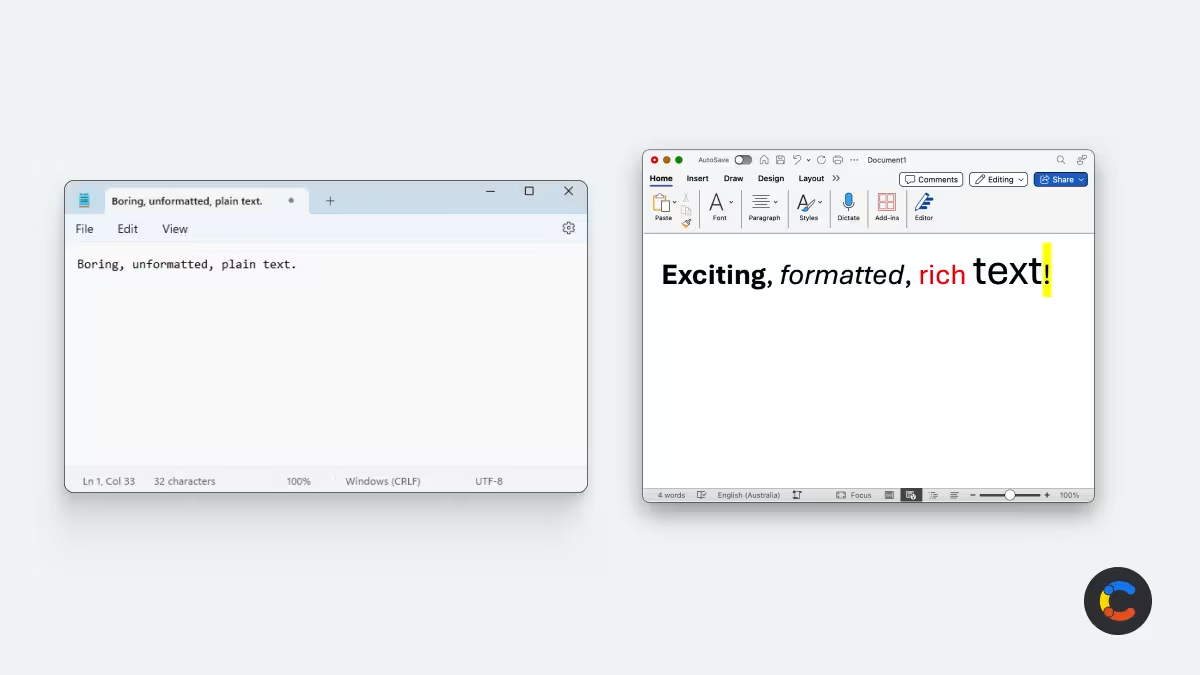
A rich text editor is a user interface component that allows you to create, edit, and format rich text. Rich text editors are used as form inputs in websites and apps. For example, blogging and social media platforms provide rich text editors so that you can create expressive content with formatting, rather than being limited to plain text. Content management systems (CMSes) also rely on rich text editors for adding content to websites, apps, video broadcasts, electronic billboards, and other digital channels.
In most modern apps, rich text is stored as HTML or Markdown (or, less commonly, in JSON or JSON-like formats) and can be edited as raw code if necessary. Most users, however, want to see the text as it would appear to readers. That's what WYSIWYG is for. WYSIWYG rich text editors provide an interface to edit text with the formatting visible to you as you make changes, with options for applying emphasis, adding buttons, choosing fonts, etc.
Seven of the best React rich text editors
React is the most popular framework for building user interfaces for web apps, so there are many React-compatible rich text editors to choose from, each designed for different use cases and with different features.
Below is a high-level feature comparison of seven of the best React rich text editors. This list includes only those that are relatively active, having been updated in the last year or so, making them suitable for use in new React projects and providing the best reliability and compatibility.
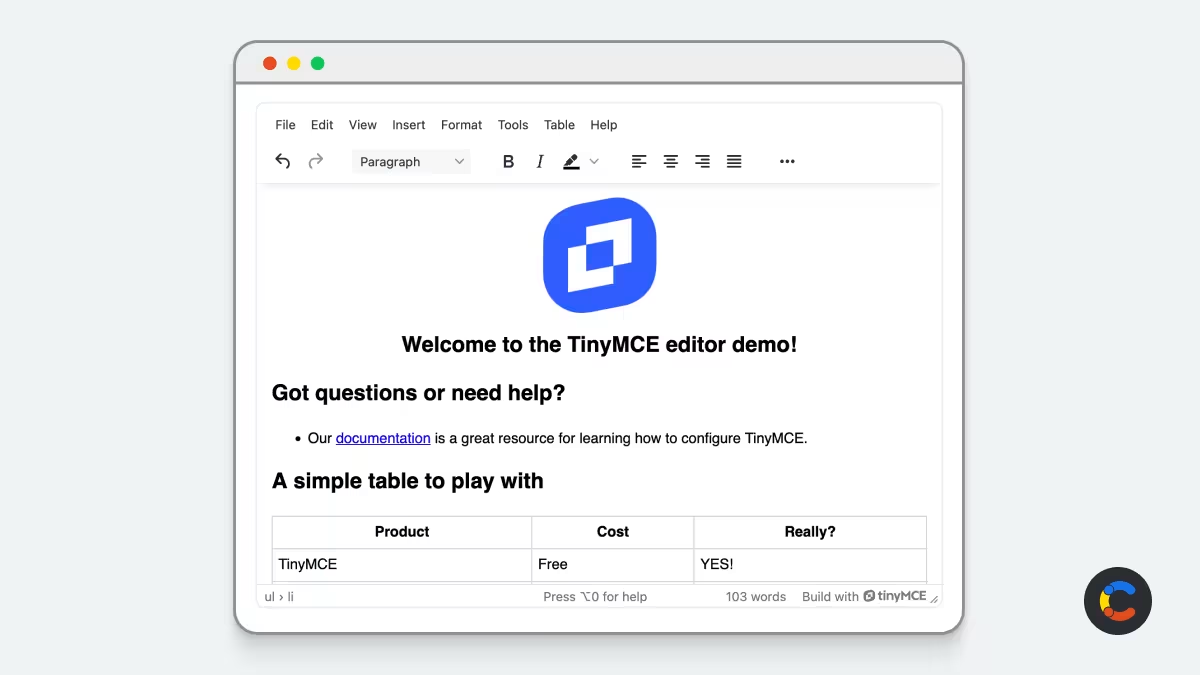
TinyMCE is one of the oldest actively developed rich text editors (from 2004!) and is still widely used in web apps.
Quill is an API-driven rich text editor that supports a wide range of use cases, including collaborative editing.
Slate is a highly customizable, DOM-based React rich text editor with a plugin-first, schema-less core.
Editor.js is a block-based editor that focuses on structured content.
CKEditor is a modern, actively developed editor built for real-time collaboration, with features like track changes and revision history provided by default.
Lexical is Meta's extensible editor framework, built as a modern successor to Draft.js, with official React bindings via ```@lexical/react.
TipTap is a headless editor built on ProseMirror that gives you full control over the UI while handling the underlying editing logic.
React rich text editors compared
When choosing a React rich text editor for your project, you should compare the unique features and the support for the text formatting and data format you require.
React rich text editor | Pros | Cons | Popularity & maintenance | Output formats |
|---|---|---|---|---|
TinyMCE | Customizable, plugin-based, mature ecosystem, plugin marketplace, AI Assistant add-on | Premium features require paid subscription; core license moved from MIT to GPL as of v7 | 16.2k Github stars, oldest and most active project | HTML |
Quill | Free, lightweight, API-driven, extensible. Delta format, built-in real-time collaboration support | Official React wrapper (```react-quill) is unmaintained; use the ```react-quill-new fork) | 47k Github stars core; React wrapper layer less healthy | Delta (JSON-like), HTML |
Slate | Highly flexible, framework-agnostic, schema-less core. JSON-based nested document tree, plugin-first architecture | Most formatting is DIY; officially still "beta" with a history of breaking changes to production data | 31.7k Github stars, but unstable API, no company backing | JSON |
Editor.js | Block-based, clean structured output, community blocks available | Needs plugins for most formatting; no official React wrapper (top unofficial one is 4 years stale) | 31.8k Github stars, active core; React layer unofficial | JSON |
CKEditor | Modern, real-time collaboration, track changes/revision history built in, AI Assistant, PDF/Word export, official React component makes setup straightforward | Paid tiers start higher ($144/mo); license key now mandatory (GPL or commercial) | Only 10.4k Github stars, but backed by 40+ member dev team | HTML default (supports Markdown input/output) |
Lexical | Meta-backed, WCAG-first accessibility, official React bindings. Framework for custom editors, official plugin catalog | No built-in UI; you have to assemble from plugins | 23k Github stars, Meta-backed, official Draft.js successor | JSON (EditorState) |
TipTap | Largest extension ecosystem (100+), built on ProseMirror, official HTML to JSON conversion, Real-time collaboration | No built-in UI; managed Cloud pricing scales with document count | 37k Github stars, 55M+ monthly downloads, company's sole focus | ProseMirror JSON, HTML |
Not every category matters equally to each project. A well-funded corporate team could absorb licensing costs and may weigh features and stability more heavily, while a solo developer might care more about cost and setup speed. Taking this into account, which editor you choose will depend on what’s most important to you:
Use TinyMCE If you want a wide array of features out of the box with low setup effort, and if you are able to pay for a license.
Use Quill if you want a free, ready-to-use editor that's fast to set up.
Use TipTap if you want full control over the UI and don't mind doing some of the building work to customize it. The core version is free, but the paid version includes more features such as managed collaboration hosting and AI tools.
Use Lexical if you also want full control over your UI for free, but want an editor that's likely to be around for the long term (it's backed by Meta). It has fewer extensions than TipTap, so you'll need to be OK with doing a little more of the building work yourself.
If we were to pick an all-rounder, Quill is a strong default. It’s free, flexible in its output format, and covered in the working tutorial below. If you want a ready-to-use editor with a fuller feature set by default, then TinyMCE is the alternative worth a try.
How to use Quill with React
Quill is one of the most widely used React rich text editors. It has an active community and lots of documentation and use cases, making it suitable for demonstrating how to add a rich text editor to a React app. If you're just beginning with React, you can use our Contentful React Starter to bootstrap your project.
To get started, add Quill to your React project by running:
npm install quill
Then, import Quill in your React component:
import Quill from 'quill';
You should also import Quill's stylesheets, which provide several themes so you can match its appearance to your project:
import "quill/dist/quill.snow.css";
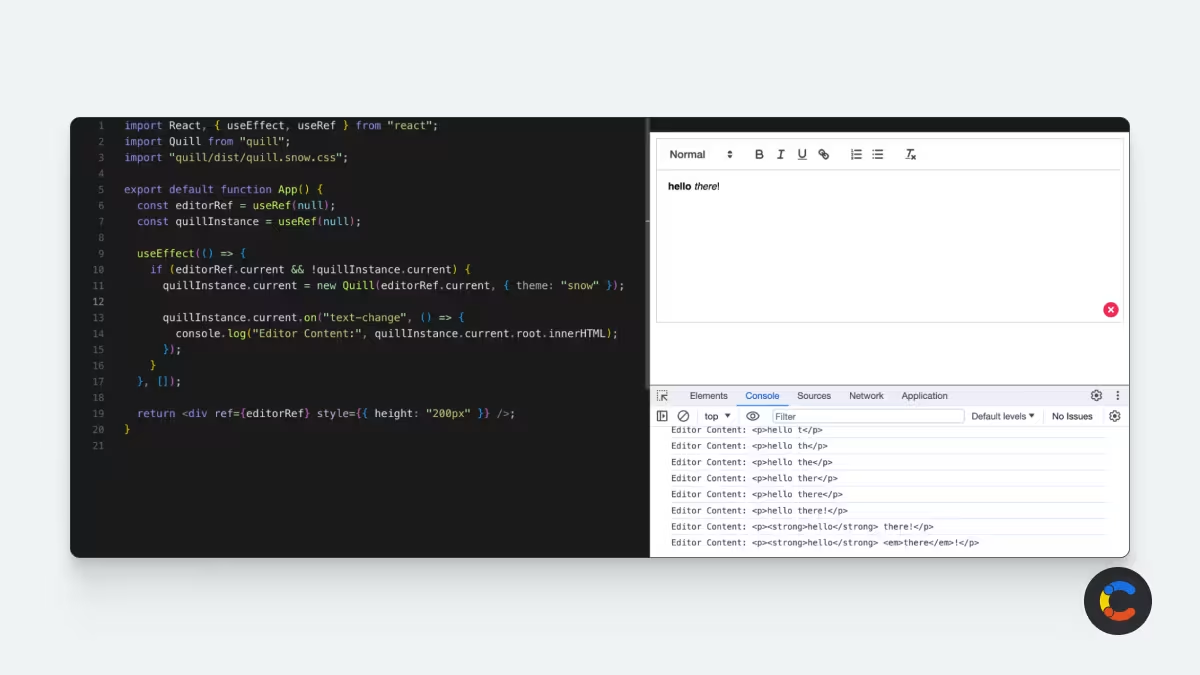
Here's an example of what this looks like in a basic React app:
App.js
In the above example, when the contents of the rich text editor are changed, the HTML is logged to the console. In a production app, this data would be submitted using a form request or API.
Alternatively, if you want React bindings and state management handled for you, you can use react-quill-new — an actively maintained fork of the original ```react-quill package, which is no longer updated. This provides less setup and coding than wiring up Quill directly as shown above.
Once you've implemented your React rich text editor, check out our top rich text field tips and tricks to get the most out of it.
Can you run into problems with React rich text editors?
React rich text editors provide an out-of-the box solution for what would otherwise be a complex feature to implement manually from scratch, especially those that provide native support for React with components and wrappers.
However, rich text editor libraries do have some downsides: some have incompatible or clumsy APIs that make them difficult to integrate with existing projects, and updates can break their compatibility with your code or other libraries.
The complexity of maintaining apps with rich text editing capabilities is further compounded once you add in image and media uploads and embedding (and have to implement an efficient way of loading and displaying them). This can quickly become a major source of technical debt as your application grows, especially if your requirements evolve to cover more publishing channels and formats.
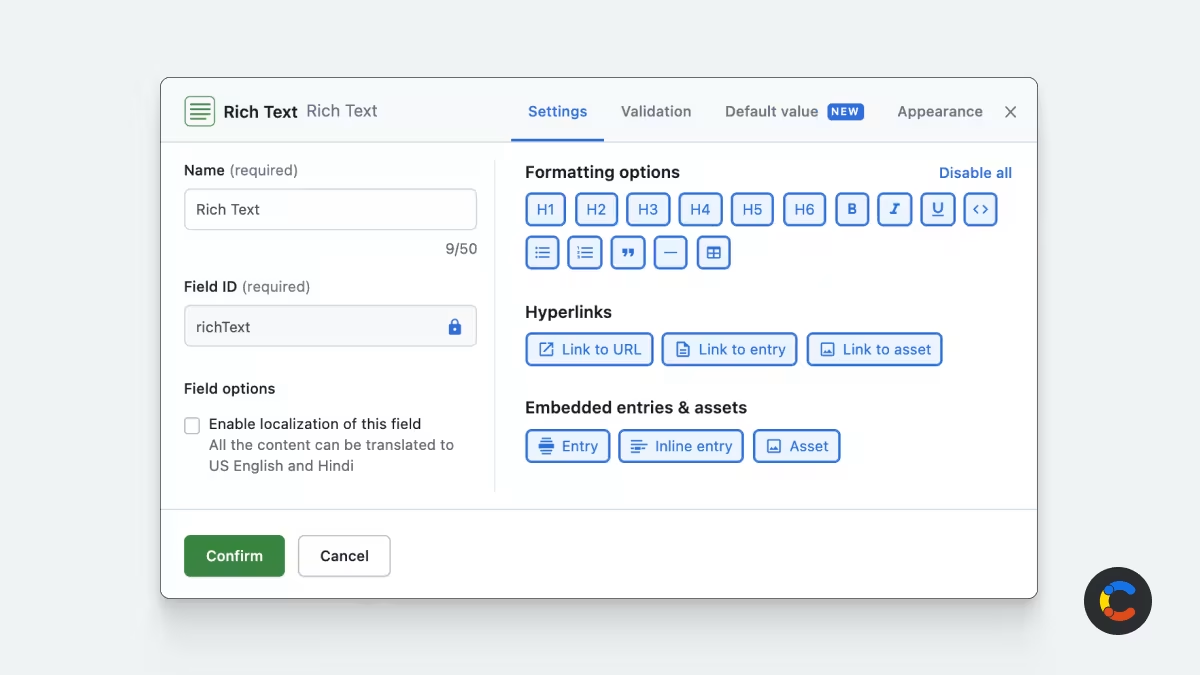
Creating and managing rich text for your websites, apps, newsletters, and other digital outlets
Companies that drive engagement through digital experiences rely on Contentful to enable the creation, management, and distribution of content seamlessly and consistently across platforms.
Contentful provides an App Framework that lets you tailor your workspace for your content creators and editors. This includes our own rich text editing tools that support media embedding, which you can use without having to hand-code or integrate third-party React rich text editors (and other UI elements) yourself.
You can then use our JavaScript SDKs to deploy your content (including rich text, images, and media) to your websites, apps, billboards, and other media channels using our high-speed global CDN for the best possible user experience.

Inspiration for your inbox
Subscribe and stay up-to-date on best practices for delivering modern digital experiences.
Meet the authors

David Fateh is a software engineer with a penchant for web development. He helped build the Contentful App Framework and now works with developers that want to take advantage of it.

Bulent collaborates with Contentful's customers, partners and users to publish articles that support and elevate the community.
Related articles
What is TypeScript and why should you use it?
August 4, 2026
Nuxt vs. Next.js: Two popular JavaScript frameworks compared
November 29, 2024
Build a blog with Next.js, Tailwind CSS, and Contentful
July 24, 2025

Ready to start building?
Put everything you learned into action. Create and publish your content with Contentful — no credit card required.