Content insights
Overview
The Content insights page represents an overview of how a specific piece of content is performing within Contentful Analytics. It displays high‑level engagement metrics for that content over a selected timeframe.
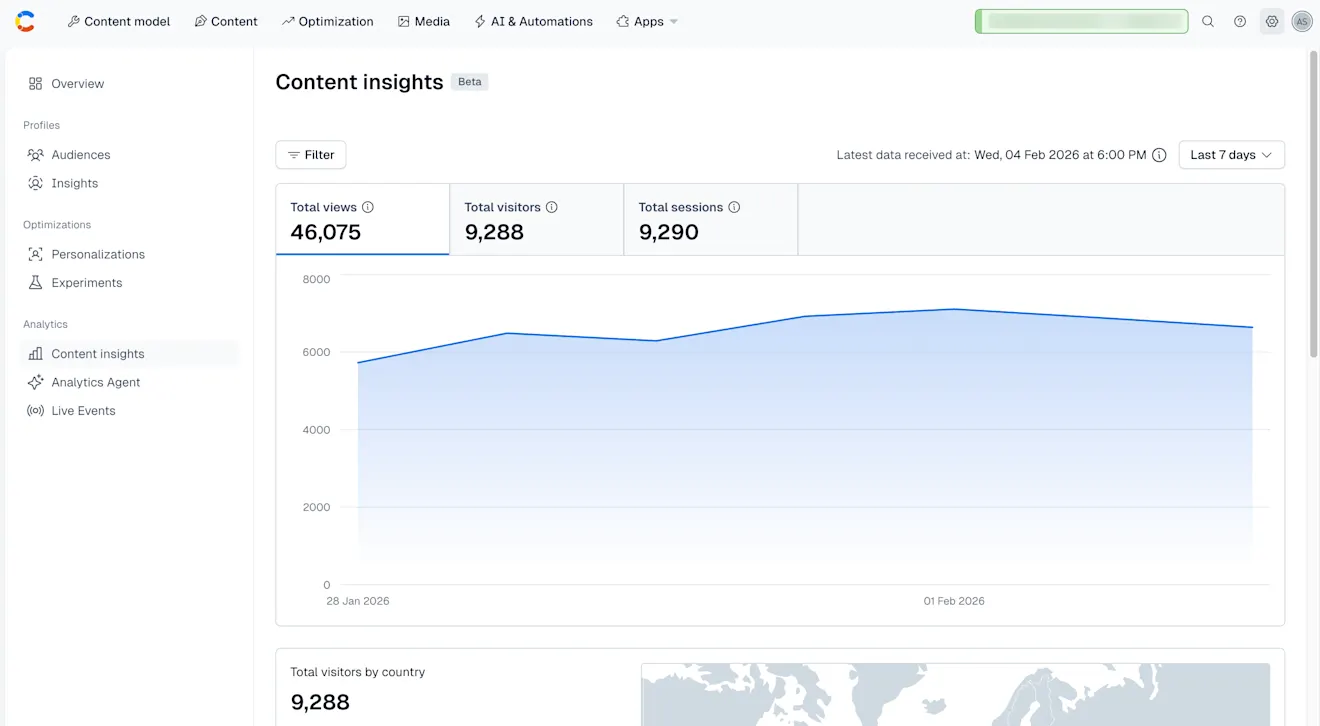
The data displayed in the Content insights consists of:
Total views – The number of times your content entries have been viewed.
Total visitors – The number of unique visitors that have viewed your content at least once.
Total sessions – The number of sessions initiated by users, including repeated visits.
Total visitors by country – The number of unique visitors that have viewed your content, grouped by country of origin. This helps you understand how your content performs in different locations and decide if you want to optimize the content for those specific countries by introducing localization or conduct research on what resonates more with those visitors.
Views by device type – The number of views broken down by the type of device used to access your content. This helps you determine which device is more popular with your users and decide whether you want to optimize your content for that specific device.
Filter your data
To filter your data:
On the Content insights page, click Filter. The "Filters" modal is displayed.
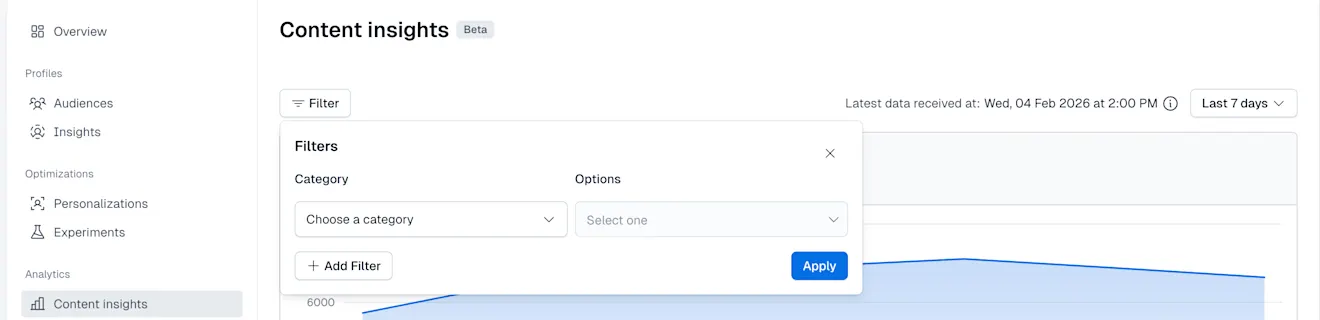
Select the Category you want to apply: Country, Device type, URLs, Tags or Audiences.
Set the Options field to the desired value.
NOTE: Based on the Category you select, different Options field values are displayed.
Click Apply. Your filters are applied and the data displayed in the dashboard is updated.
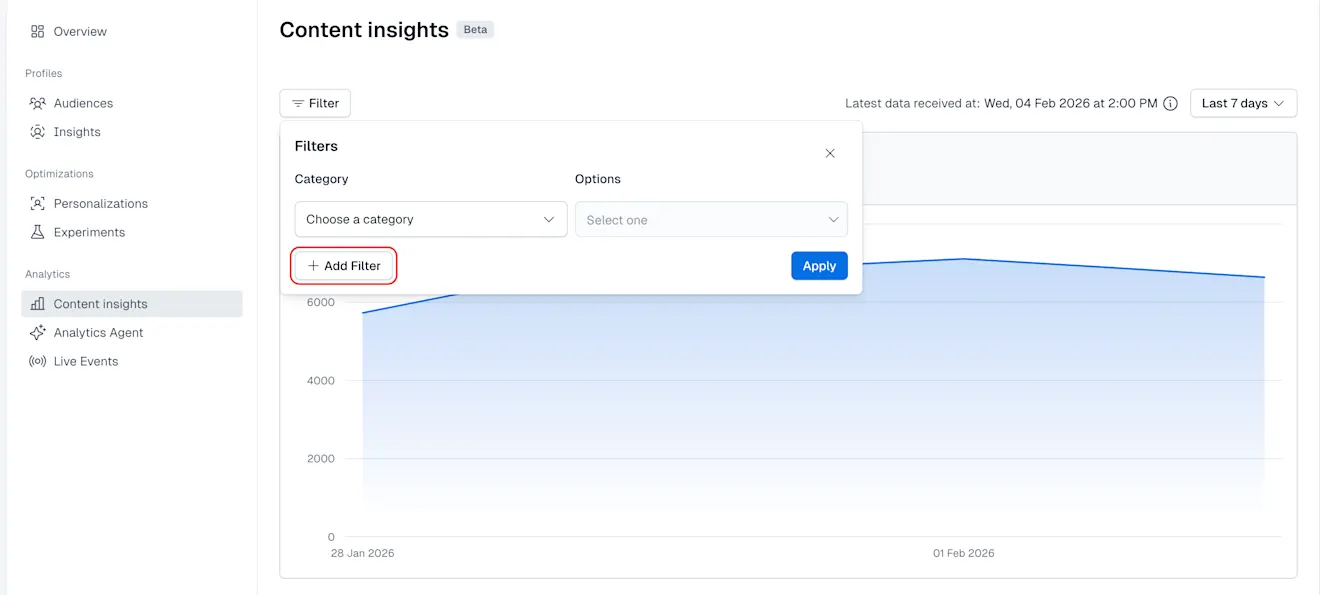
NOTE: You can apply multiple filters on your data by clicking +Add Filter and selecting the desired ones. You can only apply up to 5 filters.
Timeframe
You can select the timeframe to the past 7, 30 or 90 days, giving you insights into how your content has been performing since your latest updates.