Optimizations
Overview
Optimizations allow you to customize and tailor the content that is served to your users. They are like any other entry, so you can create, publish and manage them like all the other entries.
Create an optimization
To create an optimization:
Log in to the Contentful web app.
Navigate to the "Content" tab.
Click +Add entry, and select Optimization.
Select the type: personalization or experiment. Both types are based on the same fundamentals and evaluated equally.
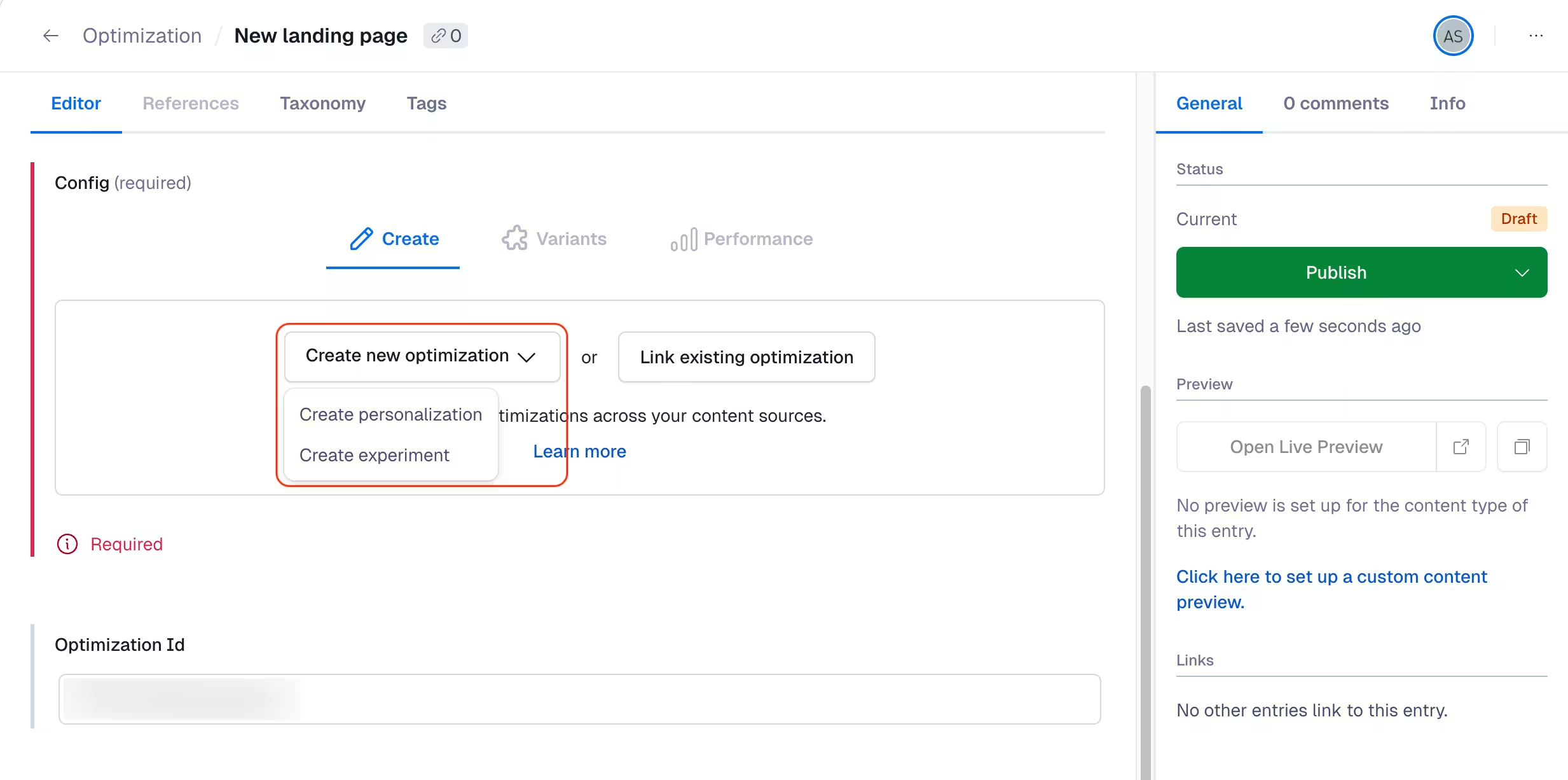
NOTE: You can also link an existing optimization.
Map components
To know what baseline content should be switched with a personalized variant, content needs to be mapped. To map your content, Contentful Personalization provides the Optimization content type directly. The mapping of a single baseline entry and one or multiple variants creates a "component" and links it to an optimization.
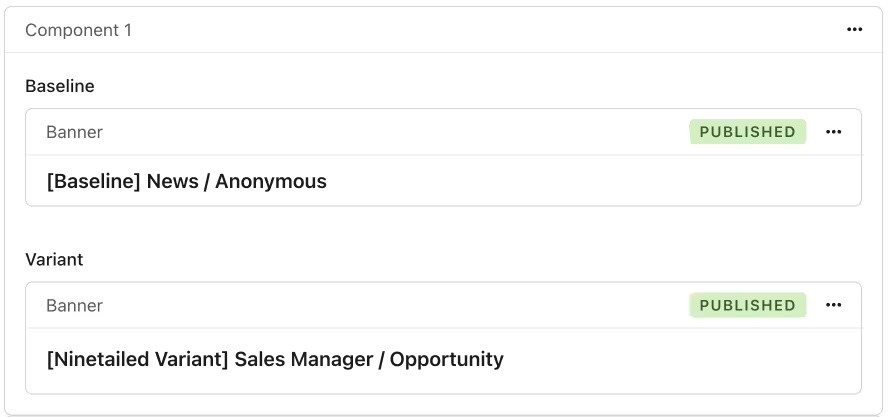
Baseline entry
Baseline content is content that is served to your users by default without using any optimizations. In experiments, this is also referred to as the "control group". This is the content that is switched with a variation when rendering an optimization to a user. Any type of content can serve as a baseline for multiple optimization.
NOTE: Only a single optimization can be displayed in the end, which depends on the priority of optimizations.
Variant entry
A variant entry is content that is created to either test the performance of that variant or to serve a more personalized experience to your users.
Priority of optimizations
A single entry, for example, a CTA on your homepage, can be part of multiple optimizations. Only a single content entry can be displayed at a time for each component. For this, Contentful Personalization provides a priority feature, letting you choose the order of your optimizations on a component-level.
For each component, Contentful Personalization evaluates whether the user is eligible for the optimization with the highest priority (top of the list). If the user is not fulfilling the Audience requirement or is not allocated due to traffic allocation, Contentful Personalization evaluates the next optimization for that component.
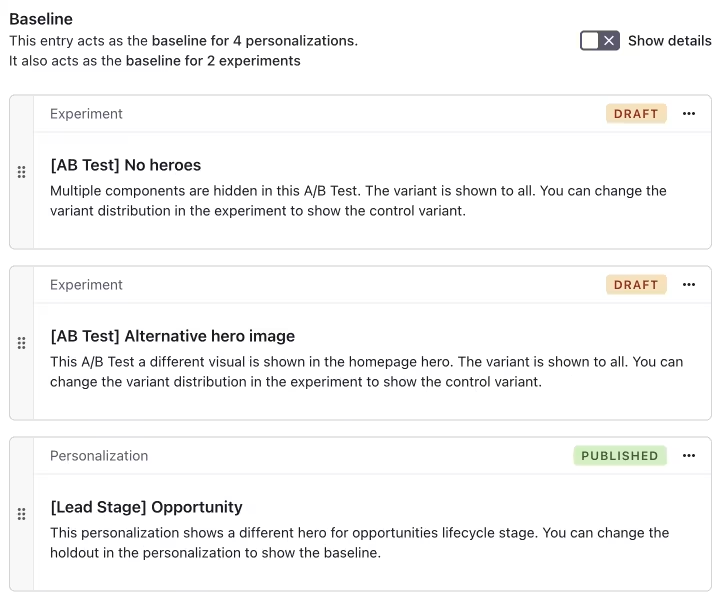
Example
For your homepage hero, you are running multiple optimizations:
An experiment that is shown to an Audience with a specific
UTMparameterAn experiment that shows an alternative hero image.
In your hero component, you have set up your optimizations in a way that the "No heroes" experiment is prioritized. In this case, if a visitor satisfies both Audiences, only the "No heroes" experiment will be shown.
NOTE: If an optimization with an "All Users" Audience is configured to have the highest priority, all optimizations with a lower priority would not be served to anyone. It is good practice to rank more specific optimizations higher.