AI Actions: assignment and filtering configurations
Overview
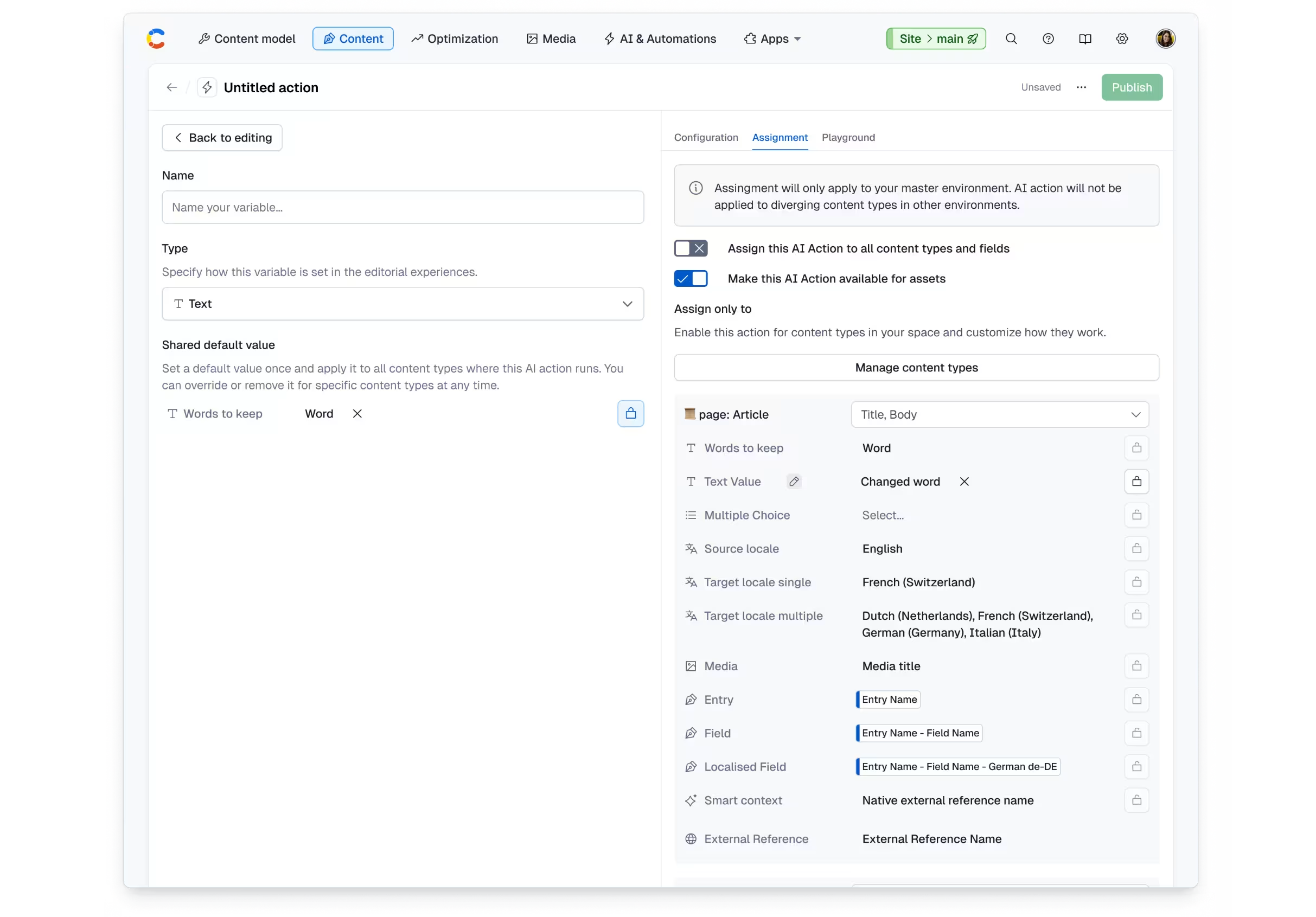
Under the Assignment tab in the AI Actions configuration pane, admins can control where actions appear and how they run by assigning them to specific content types and fields. By setting predefined variable values, it will help reduce clutter and ensure more consistent results for editors.
Use cases
Localization teams - limit translation actions to relevant fields to avoid unnecessary changes.
Example: apply “Translate” only to header and body fields, ensuring only translatable fields and content types are processed.
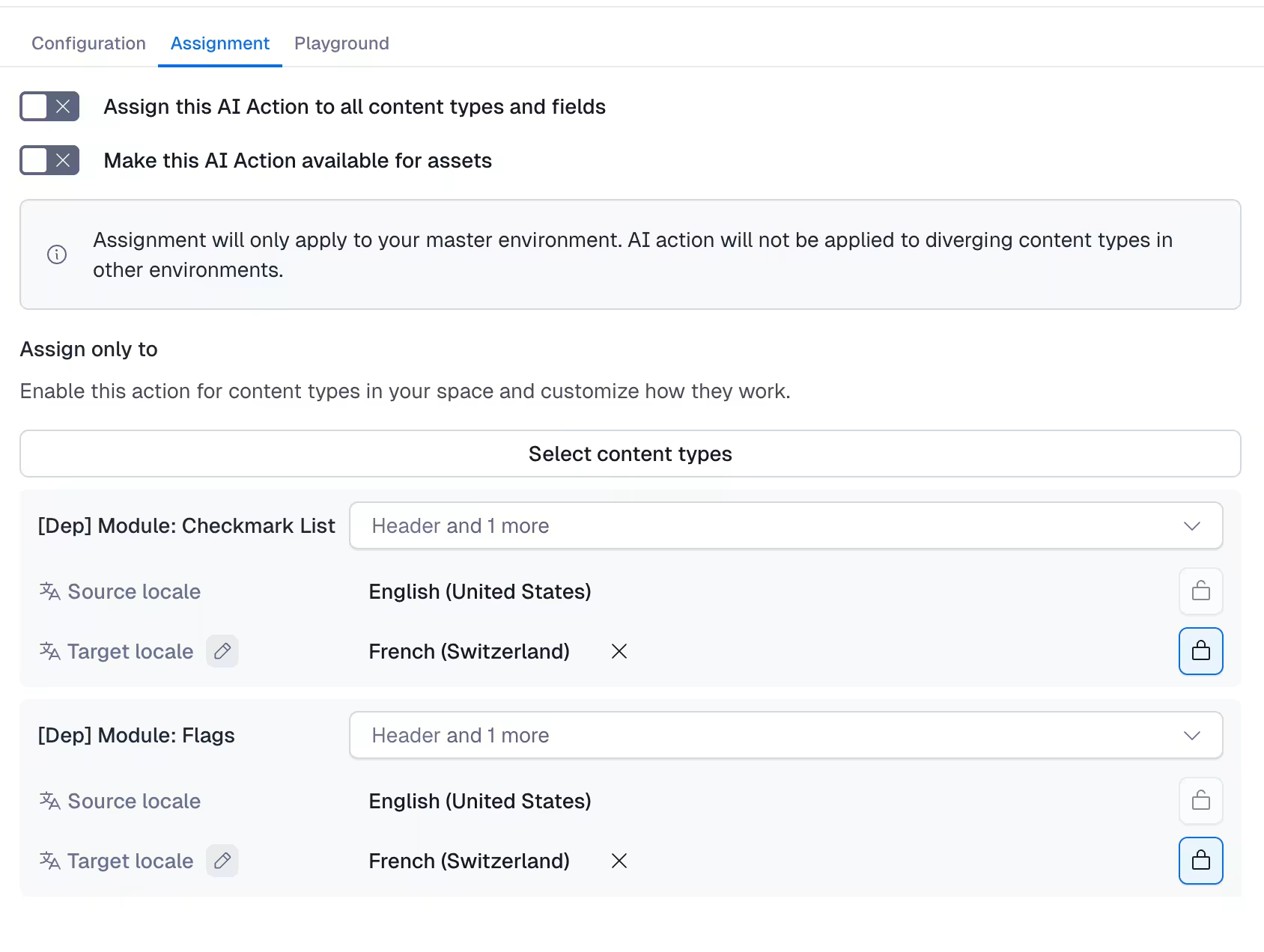
2. Marketing and content editing teams - focused brand checks on high-impact content fields.
Example: apply “Brand consistency” only to fields, such as title and body, where messaging and tone matter most.
To configure assignment and filtering for AI Actions:
Navigate to the Assignment tab to define where the action should be available.
Assign to content types by choosing one or more content types where the action should appear. Important: by default, actions apply to all content types.
Limit to specific fields. Select the fields within each content type where the action should be available.
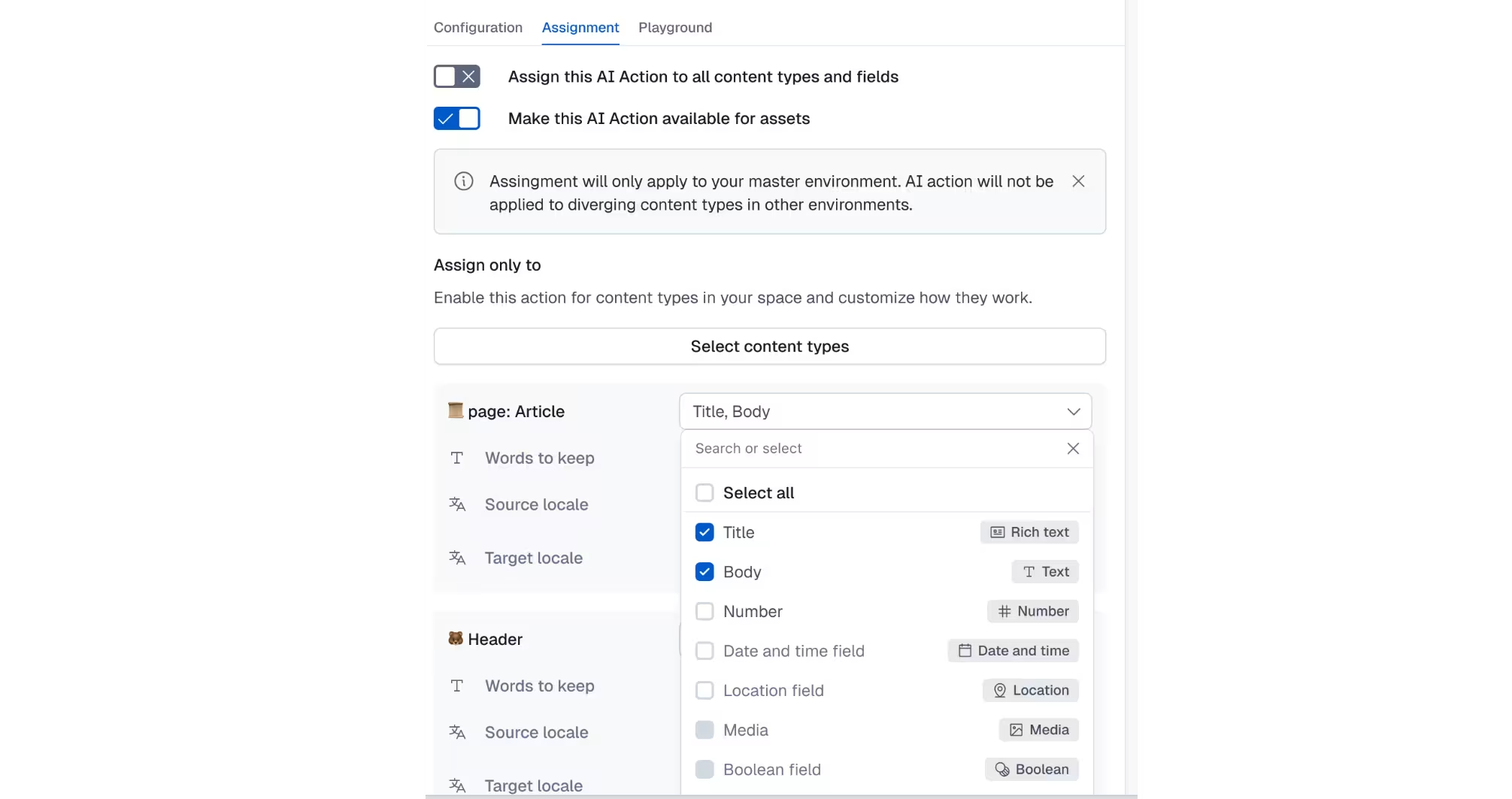
Set default variable values - for action variables (e.g., locale, brand guidelines), define default values. These values are automatically applied when the action runs.
Choose whether to lock values:
Locked (default): the value is applied automatically and can only be changed by admins.
Unlocked: value is prefilled but can be overridden by editors.
Use shared defaults or override per content type. Set shared default values to apply across all assigned content types.
Optional: override shared defaults for specific content types. These are indicated with an edit (pen) icon.
Assign in bulk - select multiple content types at once to apply the same configuration, reducing repetitive setup.
Select Publish changes and Save the AI Action to apply your configuration. NOTE: editors will now see the action only where relevant in the entry editor.
Limitations
Only admin and owner role permissions, who create or edit AI Actions, can configure assignments and variables.
You can set only one default value per variable (no multiple-choice defaults).
Overrides must be configured manually for each content type.
Field-level assignment depends on the fields available in the selected content type.