Segment
Overview
Segment is a customer data platform that provides a single source of truth for customer data. It consolidates data from disparate sources and makes customer data as unified objects. Segment also offers tools for cleansing and enriching data, as well as for managing customer identity.
By designating Contentful Personalization as a Segment destination, you can use data about your customers in Contentful Personalization to create highly targeted Audiences.
If you want to send Experience impressions to Segment, see our Segment SDK plugin documentation.
Set up Segment
To set up Segment as a data connector:
Open the Segment app.
Navigate to the Destinations catalog page and click Add Destination.
Search for "Ninetailed" in the Destinations catalog, and select Ninetailed by Contentful.
Choose which Source should send data to the selected destination.
Log in to the Contentful web app.
Navigate to the organization settings, and click on the Optimization tab.
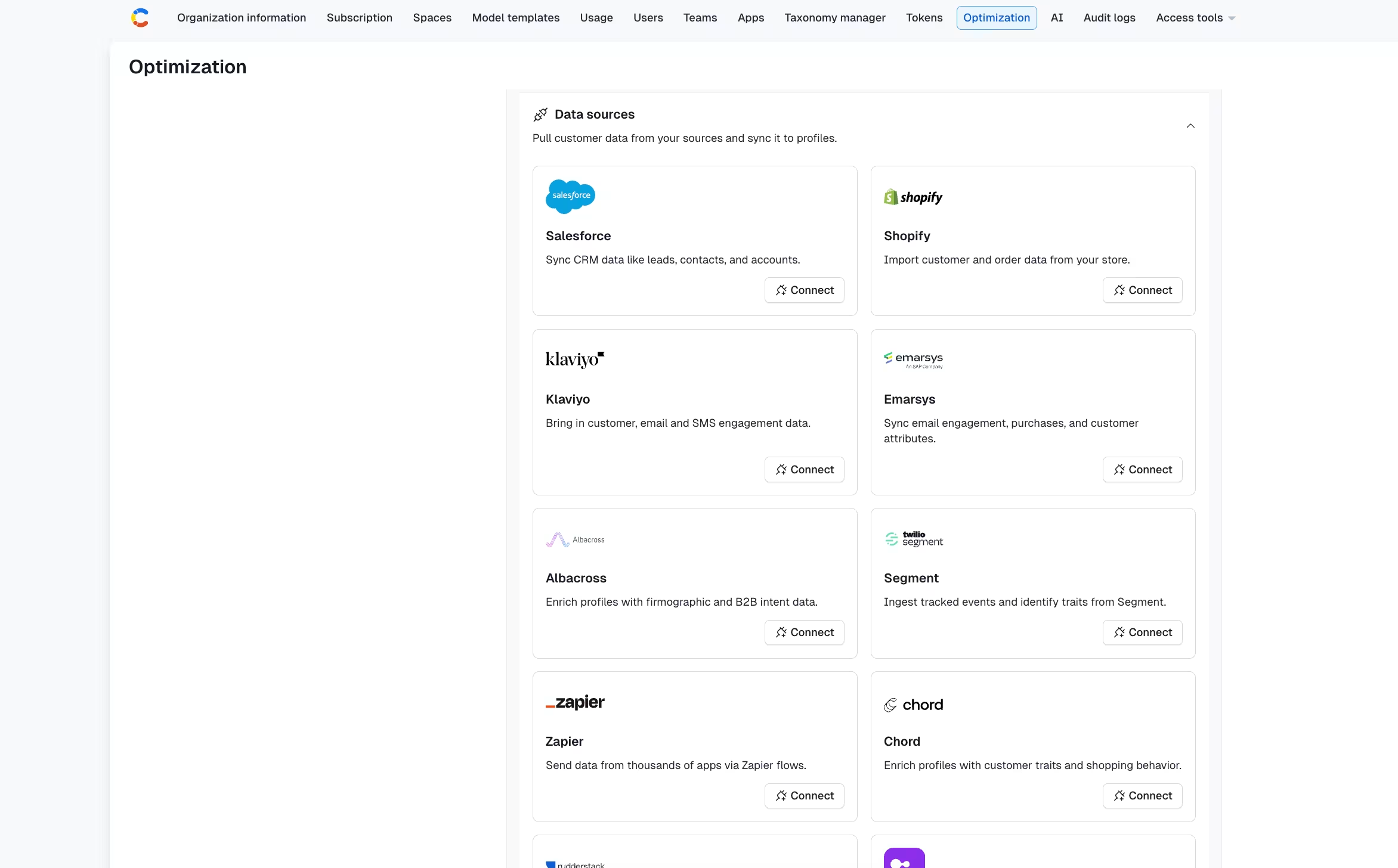
Under Segment, click Connect. The Segment details page is displayed.
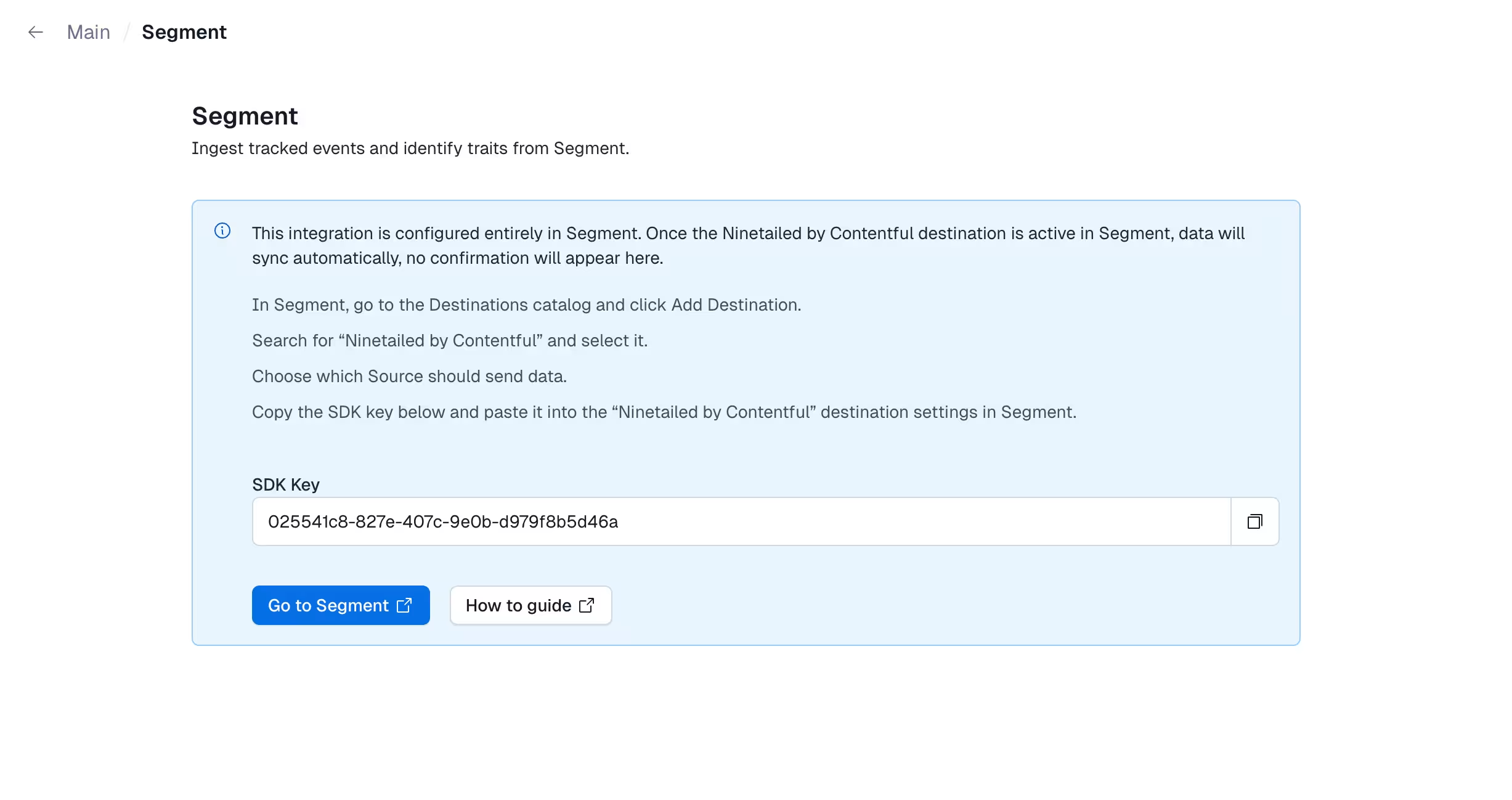
Click Go to Segment, log in to your Segment account and copy the API key.
Enter the API Key in the "Ninetailed by Contentful" destination settings in Segment.
For more information, see also the Ninetailed Destination documentation maintained by Segment.
Destination data
Many types of data originating from Segment can be sent to your profiles. These include:
Segment
trackandidentifycalls made to a Segment Analytics.js SDK or from within an Engage Journey. These are forwarded onto Contentful Personalization astrackandidentifycalls, typically with a delay of a few seconds.Engage Audiences data and computed traits information. These data are pushed to your profiles using an
identifycall. Note however, that this syncing is done by Segment only periodically, typically on the order of a few hours.Audiences are synced to profiles using the audience key as the trait name with a boolean value. For example, if a Segment profile is part of an Engage audience with key
test_audience, the Contentful Personalization profile will have a traittest_audience: true.Computed traits are copied over exactly to Contentful Personalization profile traits.
Profile synchronization
Any time Segment invokes the identify method to synchronize Segment trait information, as detailed above, it does so by using the user_id assigned to the Unify profile as the alias (when available), or the Segment assigned anonymousId. This means that in order to have Contentful Personalization serve experiences to that user based on Segment-populated data, you must identify the current user by this same Segment user_id or anonymousId.
Most commonly, you would identify the user after they authenticate on your site so that post-login, their Contentful Personalization profile is enhanced with all of the Segment traits, and belongs to all Contentful Personalization audiences based on those traits.
For more details, see the identify documentation.