Content effectiveness
Overview
Content effectiveness measures how much a specific content entry improves or harms a chosen metric compared to a baseline where similar visitors did not see that content in Contentful Analytics. The result is expressed as relative uplift for the selected metric, such as newsletter signups, purchases, or time on page:
A positive value (for example, +10%) means this entry is estimated to perform better than the baseline for the selected metric.
A negative value (for example, -10%) means this entry is estimated to perform worse than the baseline.
A near 0% value suggests the entry performs similarly to the baseline.
NOTE: Contentful Analytics is currently in beta. Reach out to your sales representative for more information about feature availability.
Contentful Analytics uses historical tracking data and a statistical model to estimate this uplift. Content effectiveness is a single, comparable score that measures how much showing a specific content entry helps, or harms, compared to not showing it for a selected metric.
Prerequisites
Your organization must have Contentful Analytics enabled.
The "Analytics" tab must be enabled for the content model.
At least one metric must be set up in the "Optimization" tab of your organization settings.
Once metrics are configured and data is flowing, Contentful Analytics computes Content effectiveness daily. New values appear once per day.
Content effectiveness is displayed on the "Analytics" tab of an entry.
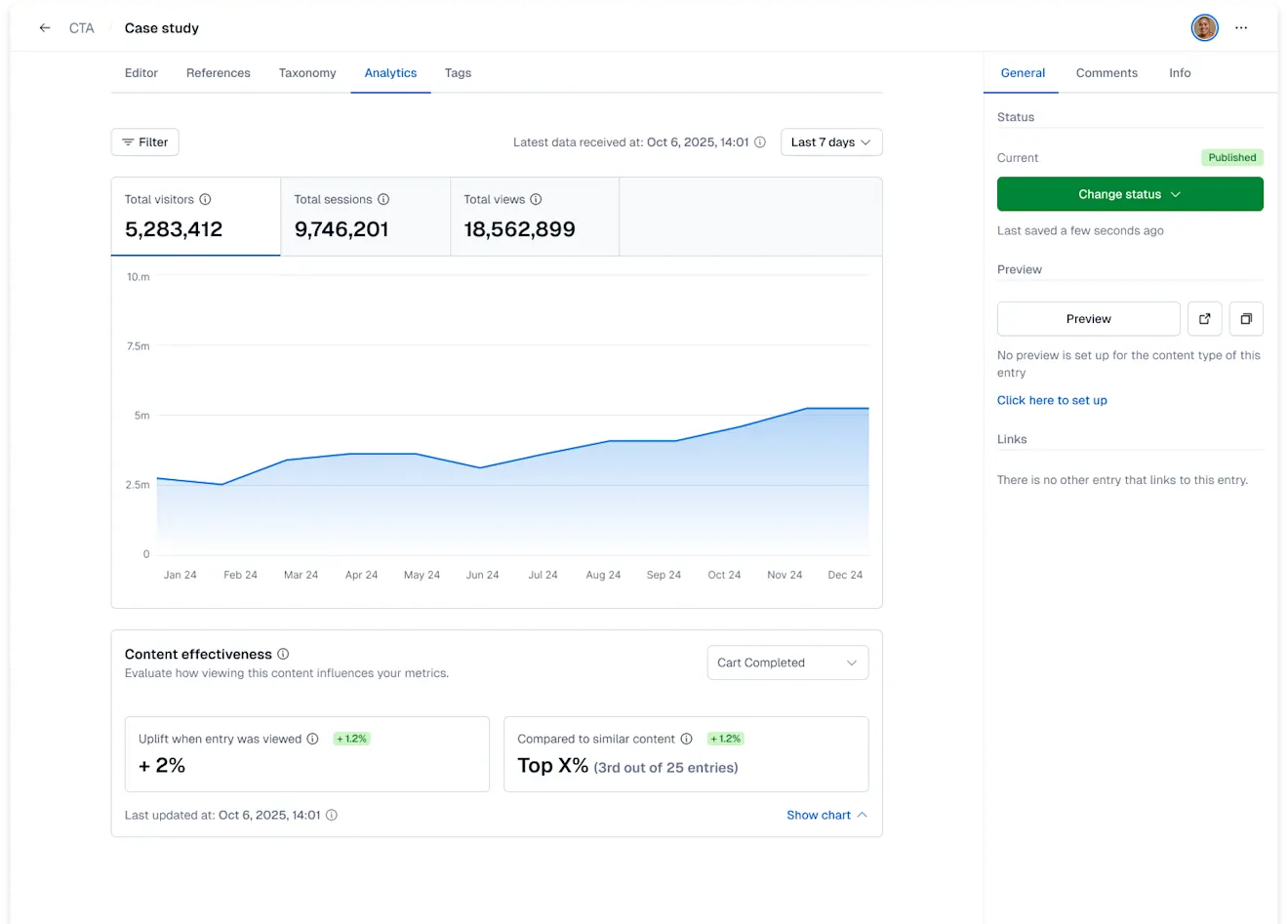
In the Content effectiveness section, you can:
Choose the metric you care about.
See the latest uplift value for the selected metric.
Compare the entry to others of the same content type.
Track how effectiveness changes over time using the time-series view showing uplift over time.
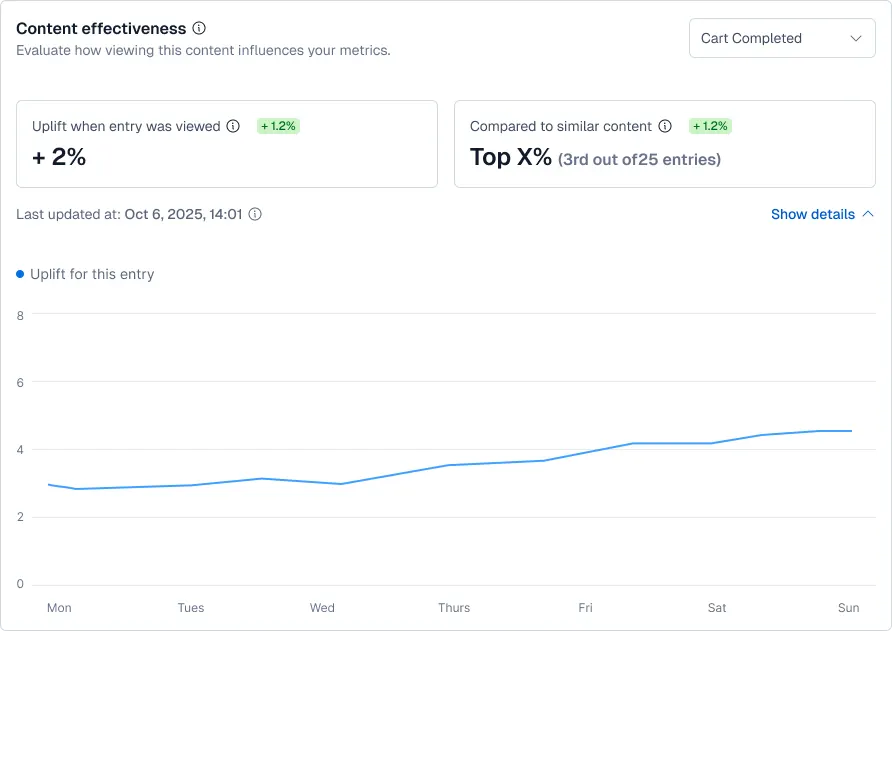
Used alongside your existing analytics and experimentation workflows, Content effectiveness helps you identify high-impact content, prioritize optimization efforts, and spot underperforming entries that need attention.
NOTE: Content effectiveness is always calculated for a specific metric. The metric defines what effectiveness means in your context. To display the Content effectiveness for a different metric, select the one you want to optimize for from the drop-down.
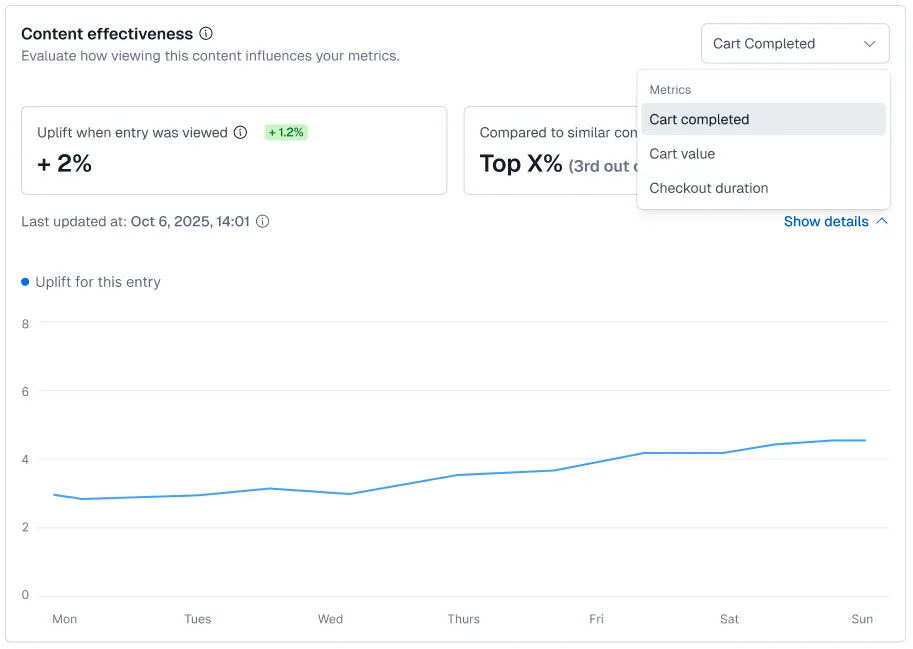
The Content effectiveness details update to reflect the selected metric. For more information on metrics, see Set up metrics.
Related views
For each selected metric, the Content effectiveness displays the following related views:
The current uplift value.
A comparison to similar entries.
Performance over time.
Each view reflects the same underlying measurement: the relative uplift compared to the baseline.
1. Current uplift
The headline value represents how well the entry performs compared to the baseline for the selected metric.
Examples:
+25% for Newsletter signups
This entry generates an estimated 25% more signups, on average, than the baseline.–8% for Newsletter signups
This entry generates an estimated 8% fewer signups, on average, than the baseline.
Practical guidance:
Treat clearly positive values (for example, +15% or higher) as candidates for promotion or reuse.
Treat small values near 0% (for example, –3% to +3%) as roughly neutral, especially with low traffic.
Investigate large negative values (for example, –20% or worse). They often signal content that needs revision, testing, or de-prioritization.
2. Comparison to similar content
This view compares the current entry to other entries of the same content type for the selected metric.
How to interpret it:
If the entry outperforms most similar entries, consider:
Promoting it more widely.
Using it as a reference when creating new content.
If it underperforms, consider:
Reviewing messaging, layout, or audience targeting.
Studying higher-performing entries for patterns and ideas.
3. Performance over time
The time-series view shows how Content effectiveness evolves, typically over days or weeks.
What to look for:
Stable positive uplift
The entry consistently contributes to the selected metric.Improving trend
An increase after a content update suggests the change helped.Declining trend
A decrease may indicate reduced relevance or changes in traffic, audience, or experience.
How to use it:
Validate content changes by checking whether uplift improved after release.
Use gradual declines as a signal to refresh or revisit the entry.
Troubleshooting
1. No metrics configured
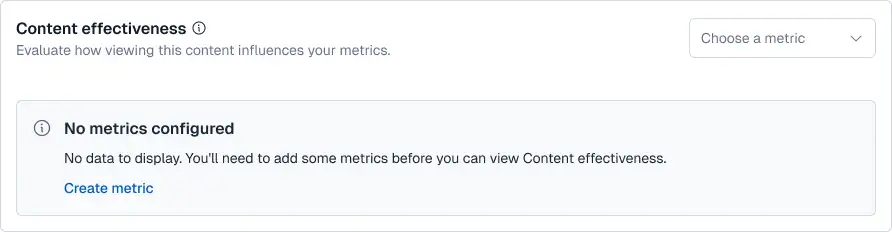
Issue
No metrics are displayed in the drop-down, or the Content effectiveness block indicates that no metrics are available.
Cause
No metric was configured in the organization settings. Metrics define success. Without them, Contentful Analytics cannot calculate Content effectiveness.
How to fix
To fix the issue:
Click the environment switcher.
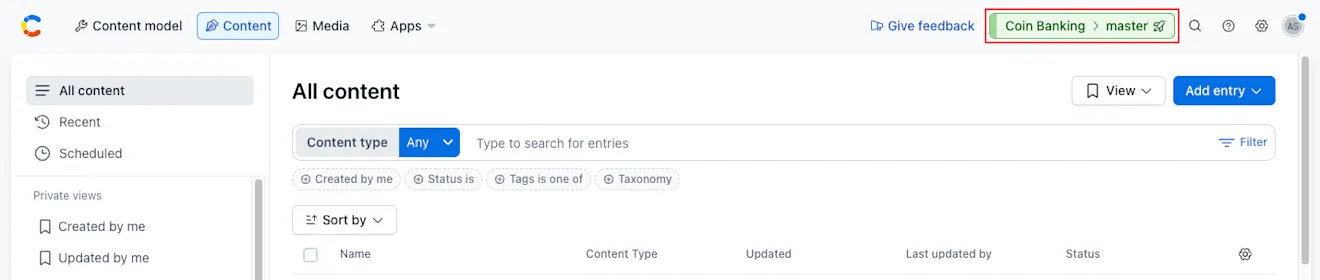
Click the organization name, and select Organization settings & subscriptions.
Navigate to the "Optimization" tab.
Under "Metrics", click + Add metric.
Choose a metric type: Binary, Count, Currency, Time or Other.
Configure the tracked event and, if applicable, the event property.
Confirm that your tracking implementation sends matching events.
Once metrics receive data, return to the entry editor and select a metric. For more information about metrics, see Set up metrics.
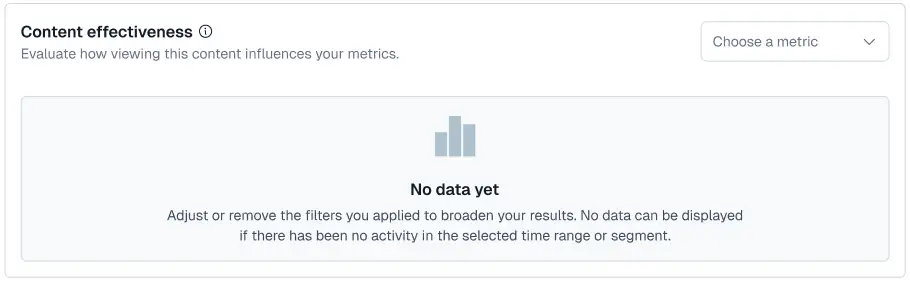
2. No data yet
Issue
No data is displayed in the Content effectiveness block.
Cause
Analytics or the metric was enabled recently.
The associated tracking events are not firing or are misconfigured.
What to expect
Content effectiveness updates daily. It can take up to 24 hours after events begin flowing for values to appear.
How to validate
Wait at least 24 hours after enabling Analytics, creating or updating a metric, or deploying tracking changes.
Check the Overview dashboard in the Optimization tab to confirm the metric is receiving data.
Check Live Events to confirm events are arriving.
NOTE: If data is still not displayed after a full day, and events are confirmed, contact support.