Localization in Contentful
Contentful now supports German and French languages for our web app User Interface (UI) and Help Center. This helps teams work more effectively across different regions.
Overview
Contentful’s localization settings let you view the Contentful UI and Help Center in English, French, or German. Your selected language applies to:
The Contentful web app UI.
Help Center content (configured separately).
This ensures a consistent experience across the product, tailored to your preferred language.
Why use localization
Localization enables teams around the world to work seamlessly in Contentful. By removing language as a barrier, organizations can:
Improve collaboration across distributed teams and regions.
Helps Increase user satisfaction and adoption.
Reduce misunderstandings caused by language differences.
Whether teams work in one region or many, providing users with an interface in their native language enhances overall productivity.
Contentful web app language preferences
Any user in the web app can select their preferred language directly from their user profile:
Log in to Contentful.
Navigate to the User profile at the top right, choose Account settings.
Choose your preferred language: English, French or German.
The page will automatically save your selected language changes.
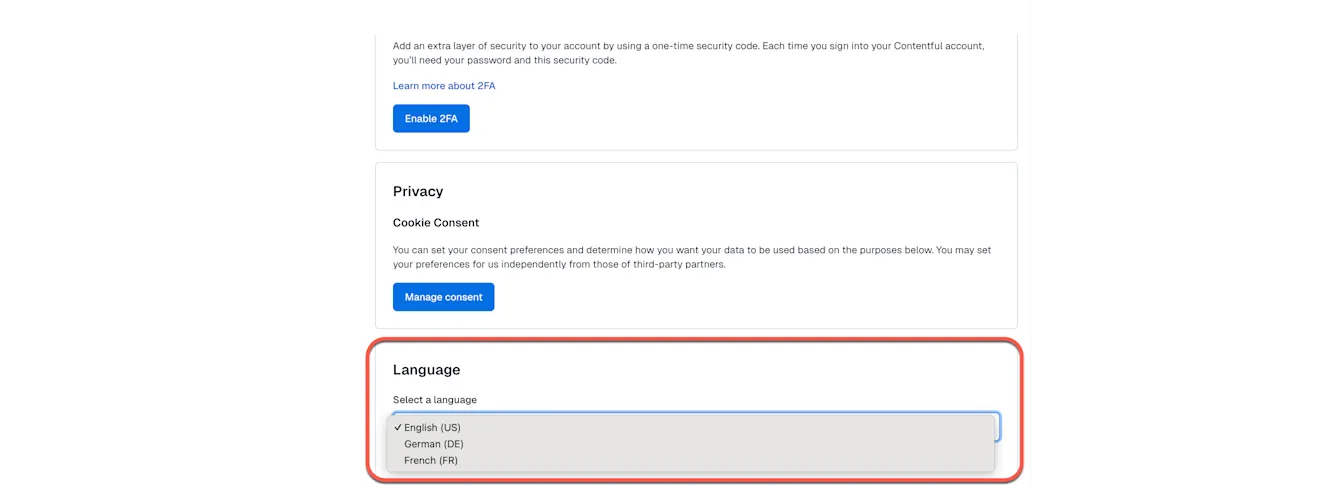
To save your preferred language and apply it across the Contentful UI and app-triggered email communications, you must grant personalization consent. This allows Contentful to store your preferred language as a cookie.
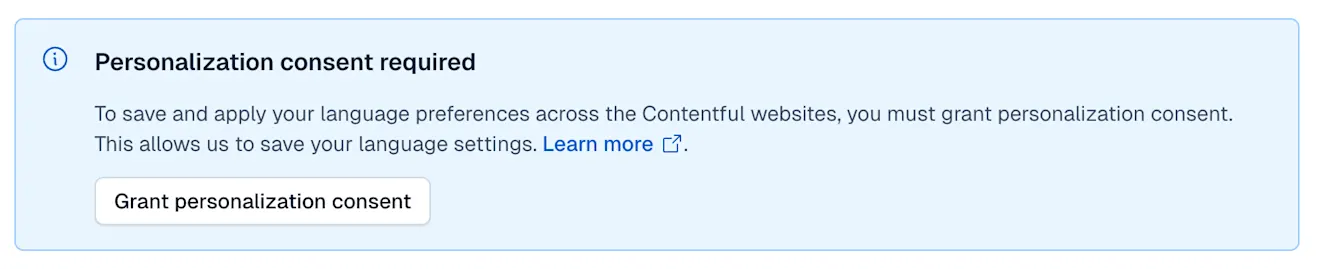
Your selected language will immediately update your Contentful language preferences. NOTE: the language settings apply per user. Changing your language does not affect other members of your organization.
Help Center language settings
Help Center language preference is selected independently from your product language settings.
To change your Help Center language:
Navigate to the Contentful Help Center.
Open the Language selector at the bottom of the page.
Choose English, French or German.
Your selection will update the Help Center content with your chosen language.
Limitations
Localization applies only to the web app UI, app-triggered emails and Help Center UI.
The Contentful API and CLI remain as English-only.
User-generated content (such as entries, fields, etc.) is not automatically translated.