Personalizations
Overview
Personalizations are a core component that allow you to deliver targeted content to specific audiences based on defined rules.
Personalizations form the heart of your marketing campaigns, enabling you to create tailored experiences that resonate with your users, showing the right content to the right users.
Create a personalization
To create a personalization:
Log in to the Contentful web app.
Navigate to the "Content" tab, and create a new entry of the
Ninetailed Experiencetype.Enter a name for your personalization.
Optional: Enter a relevant description.
Set the Type field to nt_personalization.
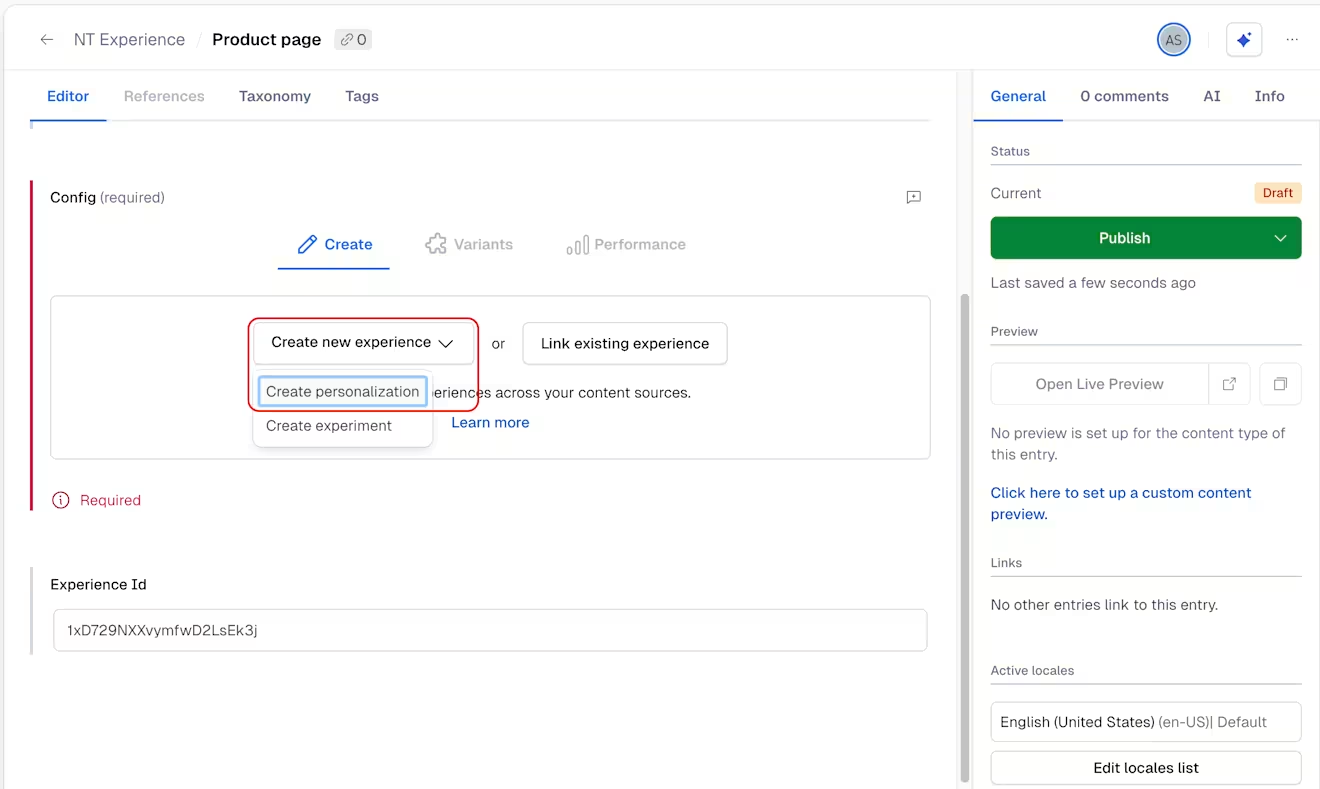
In the configuration field, click Create new experience, and select Create personalization.
Under "Audience", select Create new audience if you want to create a brand new audience for your personalization, or Link existing audience to connect your personalization to an audience you already configured.
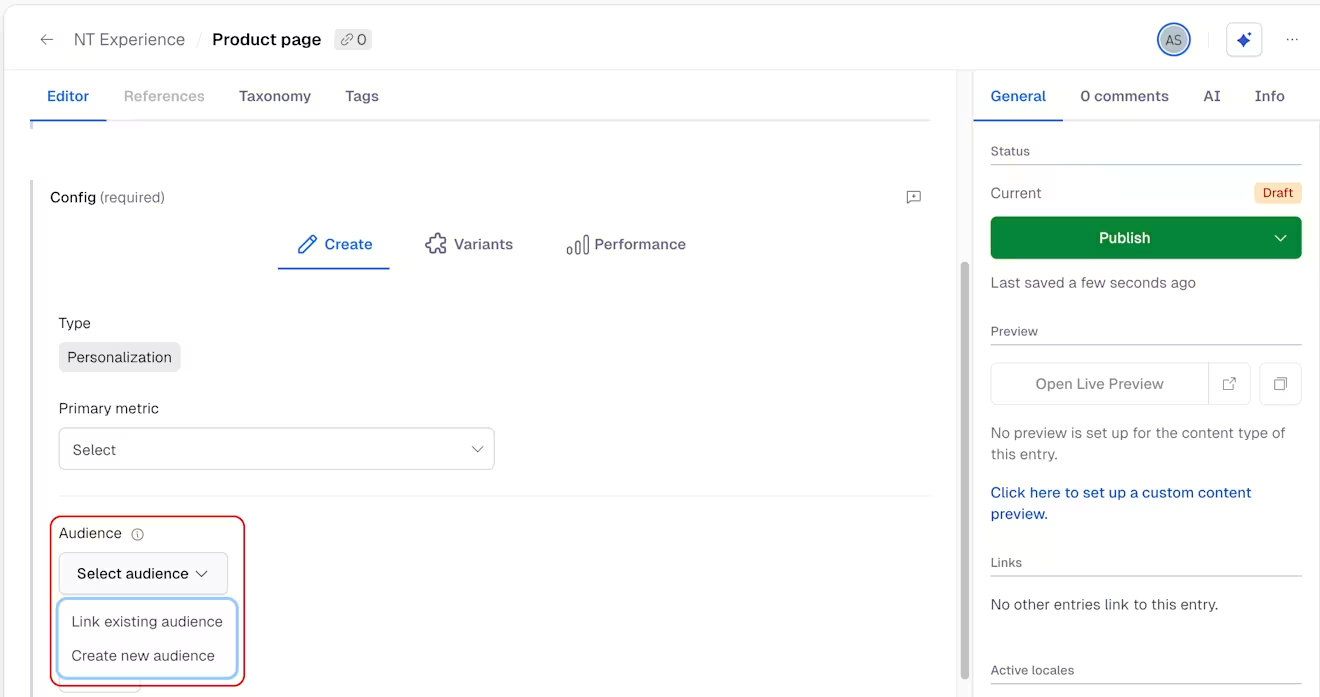
Audiences define the eligibility requirements for the Personalization. You can specify conditions, rules, and criteria that users must meet to be included in the targeted Audience for the Personalization. This ensures that the right content is shown to the right Audience, optimizing the impact of your marketing efforts.Under "Holdout", set the percentage of users who will see the baseline content. If you are unsure about your Personalization and don't want to distribute it to all your visitors just yet, you can use the holdout percentage to minimize risk.
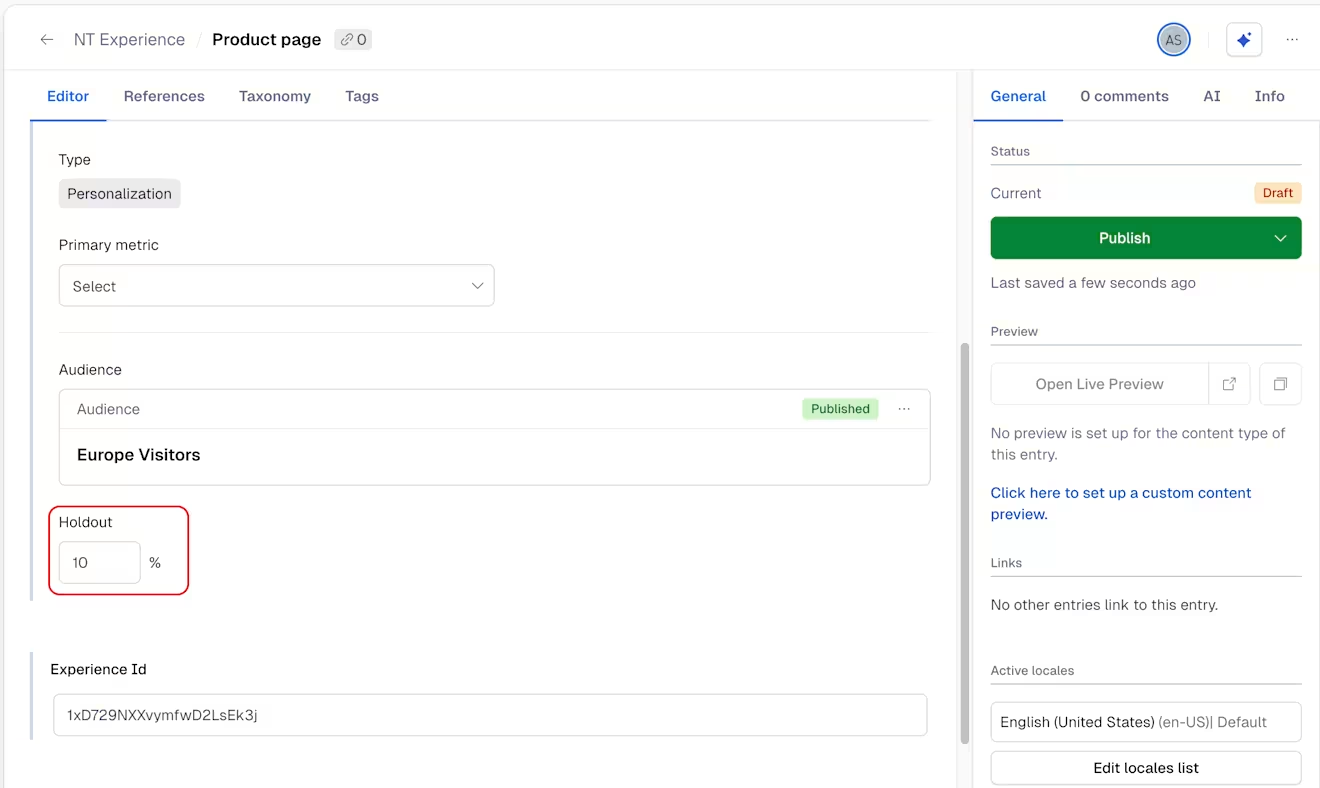
NOTE: By default, the holdout is set to 10%.
The holdout percentage determines the proportion of users who will be shown the baseline content instead of the personalized variant. This is essential for measuring the performance and effectiveness of your Personalization. By comparing the baseline and variant performance, you can evaluate the impact of your Personalization on user behavior and conversion rates.
NOTE: To continuously measure how your Personalizations perform with Experience Performance, we recommend keeping the holdout to a minimum of 1% to 10%, depending on your traffic.
Click Publish.