Timeline: best practices
Overview

Use Timeline to evolve whole pages over time while keeping components (e.g., banners) stable and reusable. This preserves content reuse, keeps the content library clean, and reduces editorial risk.
Only pages and/or sections should carry Timeline timestamps (and be part of releases); individual components should not be timestamped or “versioned” per campaign. Instead, you reference components on the page for each of its future versions (within the releases).
Avoiding timestamps on components helps maintain cleaner content management by maximizing reuse and preventing content sprawl. By versioning only the page within releases, you localize changes, centralize scheduling, and avoid overwriting shared components. This simplifies preview and rollback while keeping your component library stable.
Example scenario: default banner replaced for campaigns
Let’s consider the following example scenario:
You have three default banners on your landing page at all times. For Black Friday and Cyber Monday, these banners are replaced with campaign-specific ones. We’ll group banners by version, so the intent is obvious.
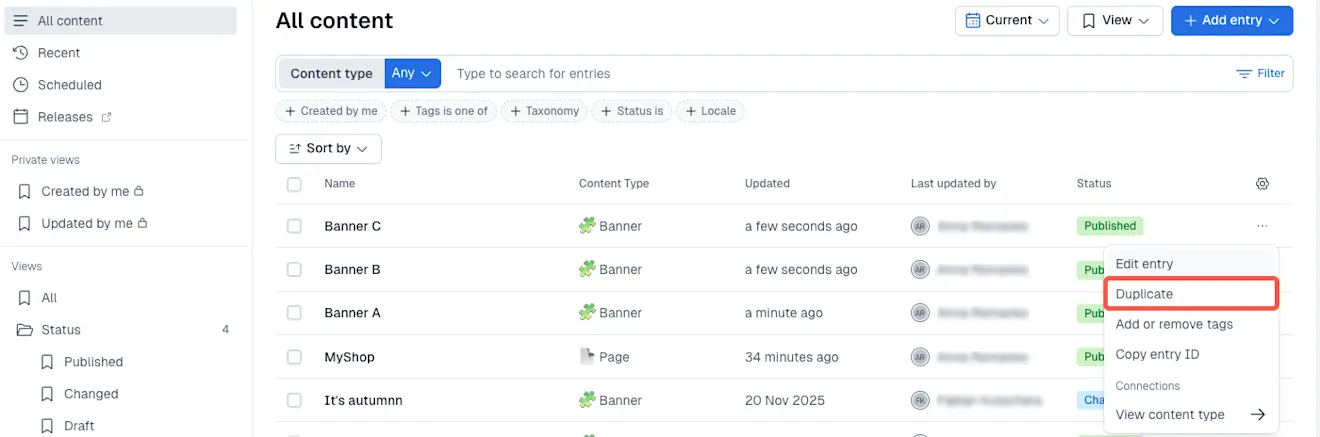
Under the Content tab of the Contentful web app, create nine banner entries in Current release:
Current (Evergreen): Banner A, Banner B, Banner C
Black Friday: Banner D, Banner E, Banner F
Cyber Monday: Banner G, Banner H, Banner I
NOTE: If you have existing evergreen banners (A-C), reuse them. Create only the campaign-specific ones (optionally, publish them).
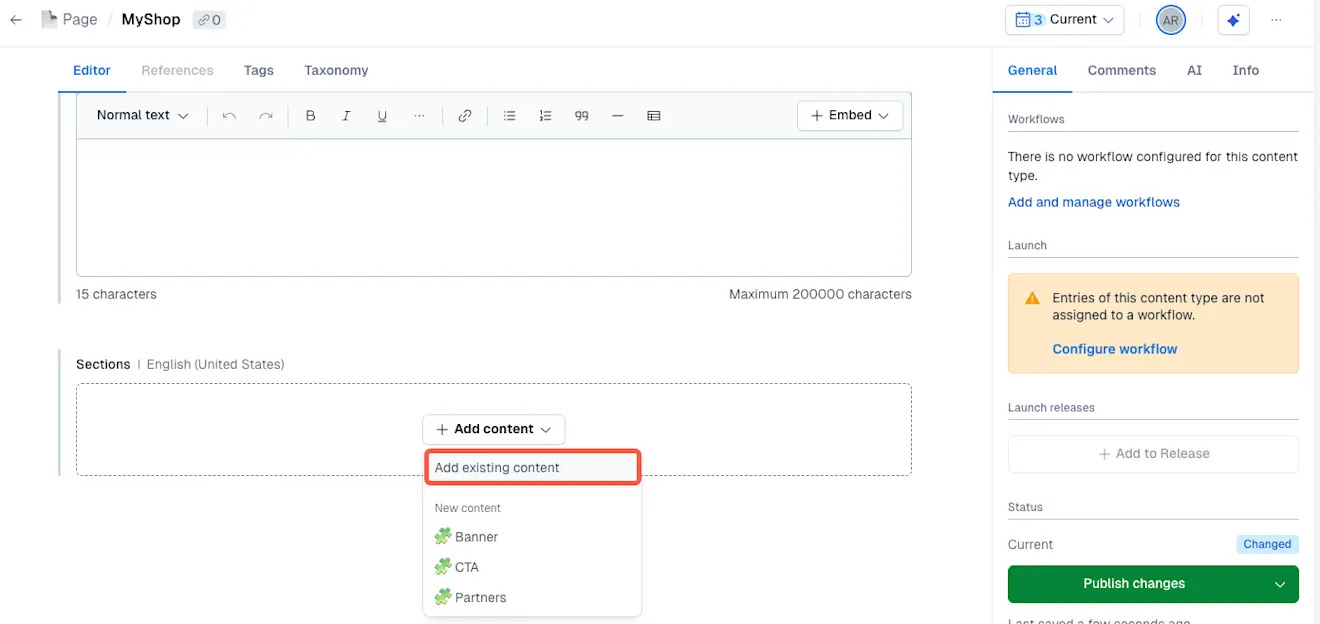
Go to the main landing page entry and add banners A - C to it.
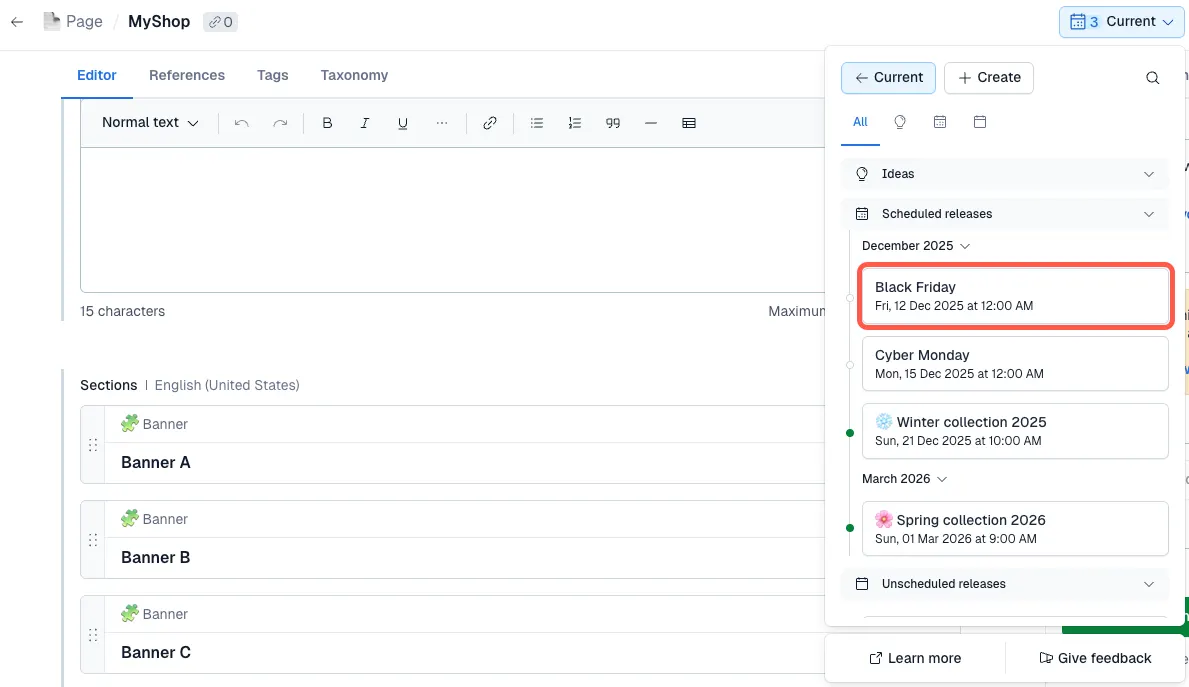
In the main landing page entry, switch the release in the Timeline time picker from Current to Black Friday. This creates a new version of your page. (If you haven’t created a Black Friday release yet, read here to learn how.)
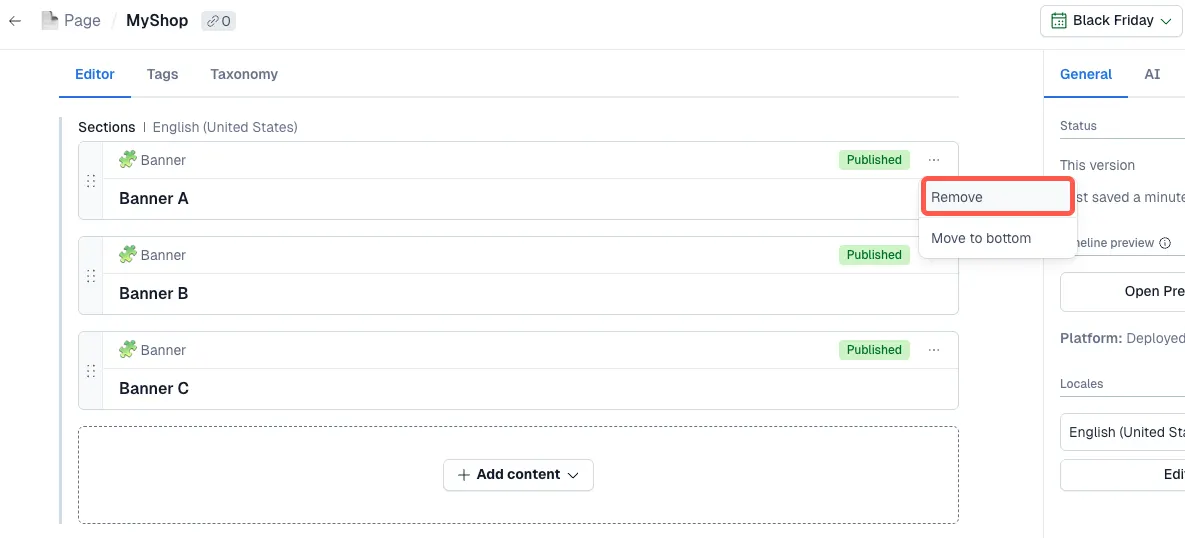
Remove evergreen banners (Banners A - C).
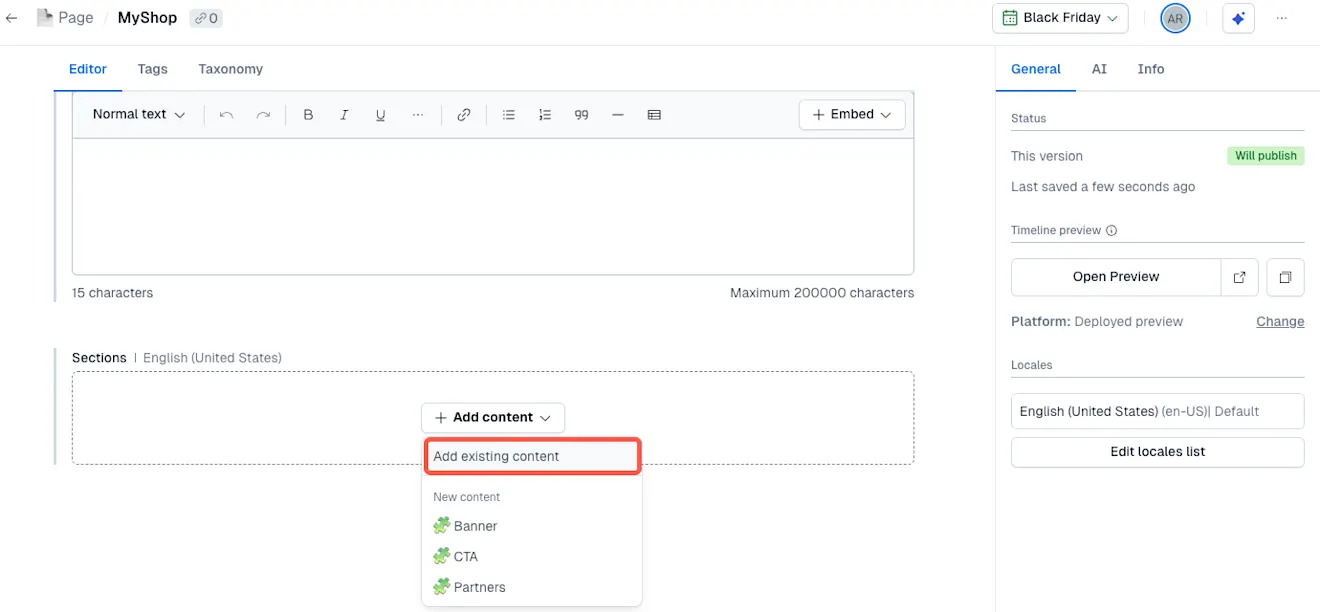
Add Black Friday banners (Banners D - F). The page version in the Black Friday release now references Banners D–F, ready for scheduled publishing. Current release remains unchanged and continues to reference Banners A–C.
Repeat the steps 3-5 for Cyber Monday release.
Your page evolves across releases by swapping which banner entries it references, no component timestamping, no overwriting, and clear reuse after campaigns end.