Zapier
Zapier allows you to connect Contentful Personalization to other web services. Automated connections called Zaps can be set up in minutes with no coding, automate your day-to-day tasks and build workflows between apps. Your zap can be triggered by any app and send data to one of our Actions.
Set up Zapier
To set up Zapier as a data connector:
Log in to your Zapier account or create a new account.
Navigate to "My Apps".
Click Connect a new account..., and search for "Ninetailed".
Use the SDK Key field value from the Contentful web app to connect your account to Zapier. Once that's done, you can start creating automations.
Log in to the Contentful web app.
Navigate to the organization settings, and click on the Optimization tab.
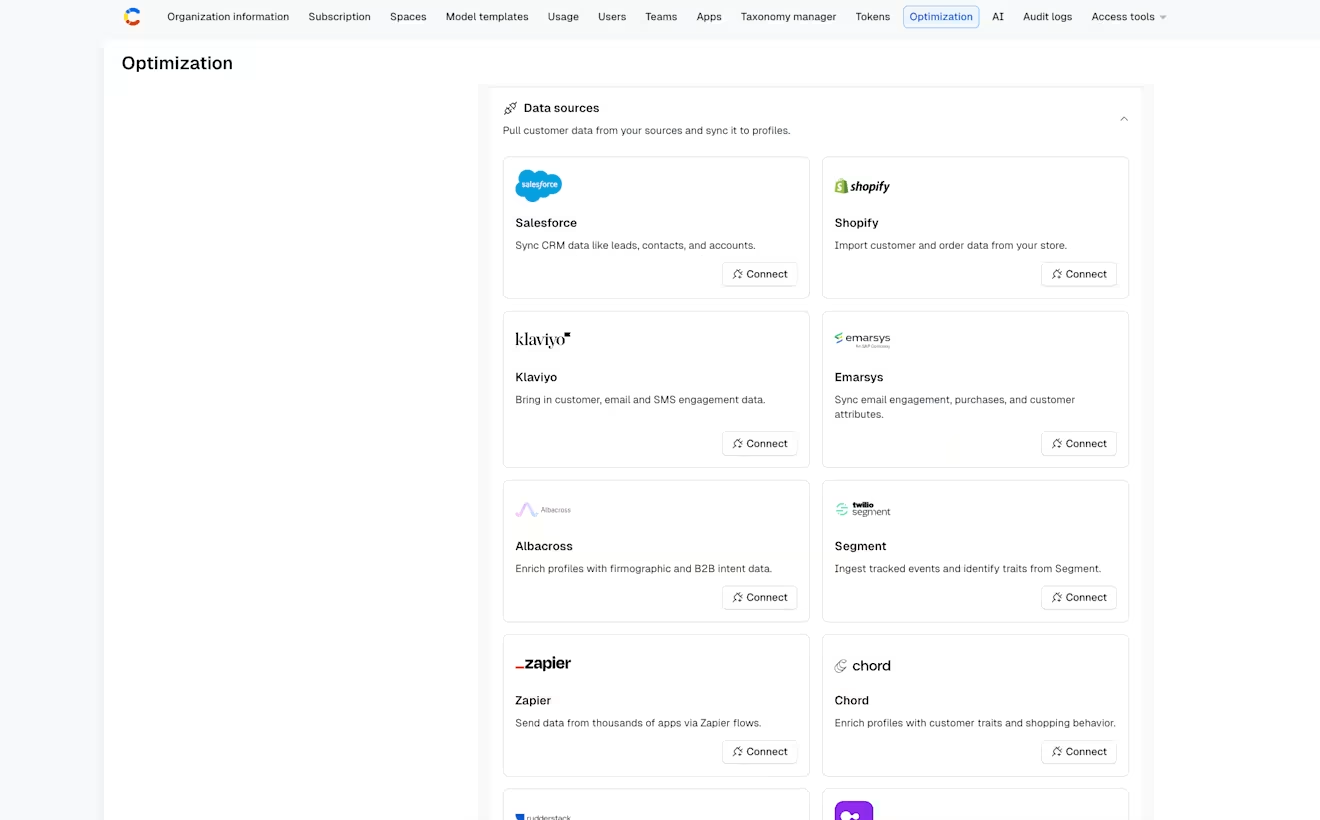
In the "Data sources" section, under "Zapier", click Connect. The Zapier details page is displayed.
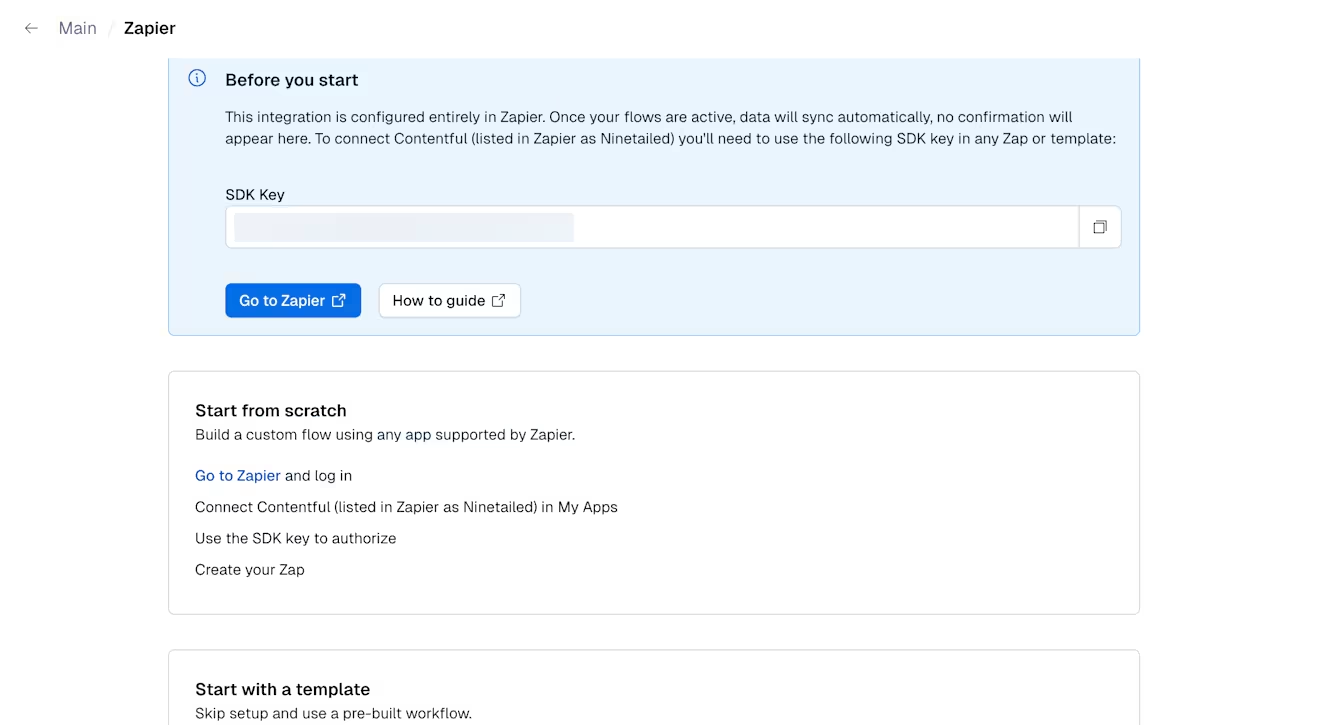
Use a pre-made Zap or create your own with the Zap Editor.
If you have any additional questions, reach out to contact@zapier.com.
Examples
See everything that's possible with Contentful Personalization and Zapier.