Delete an account
Note: This article is about how to delete your own Contentful account. For information about deleting an organization, see this article.
To delete your account:
Open your Account settings.

Scroll down to the Delete my account section.
Review the list of organizations that will be deleted.
Click Delete my account.
NOTE: we do not offer refunds per our Terms of Service.If you’d like to give feedback, click Give feedback.
Enter your Account password to confirm.
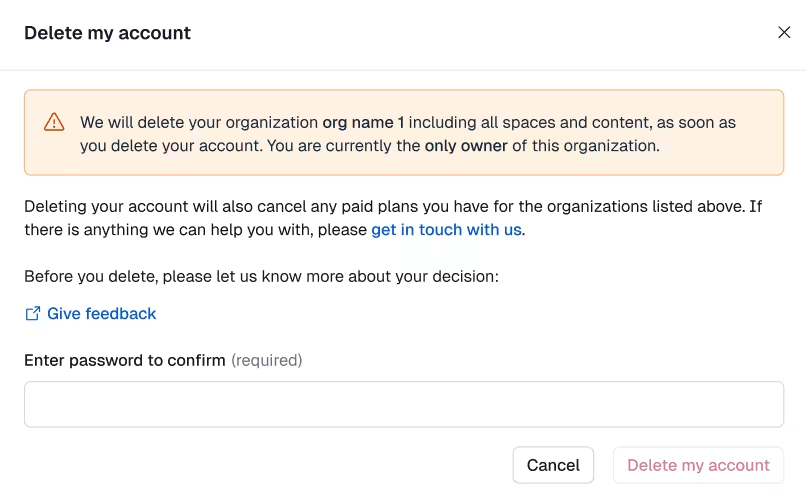
What happens after you delete your account:
All your organizations and spaces will be deleted.
Any active subscriptions will be cancelled at the end of the billing period.
You will not incur any charges once the next billing period begins.
All content in those spaces will be permanently removed.