Delete a Benchmark
To delete an existing Benchmark:
Log in to the Contentful web app.
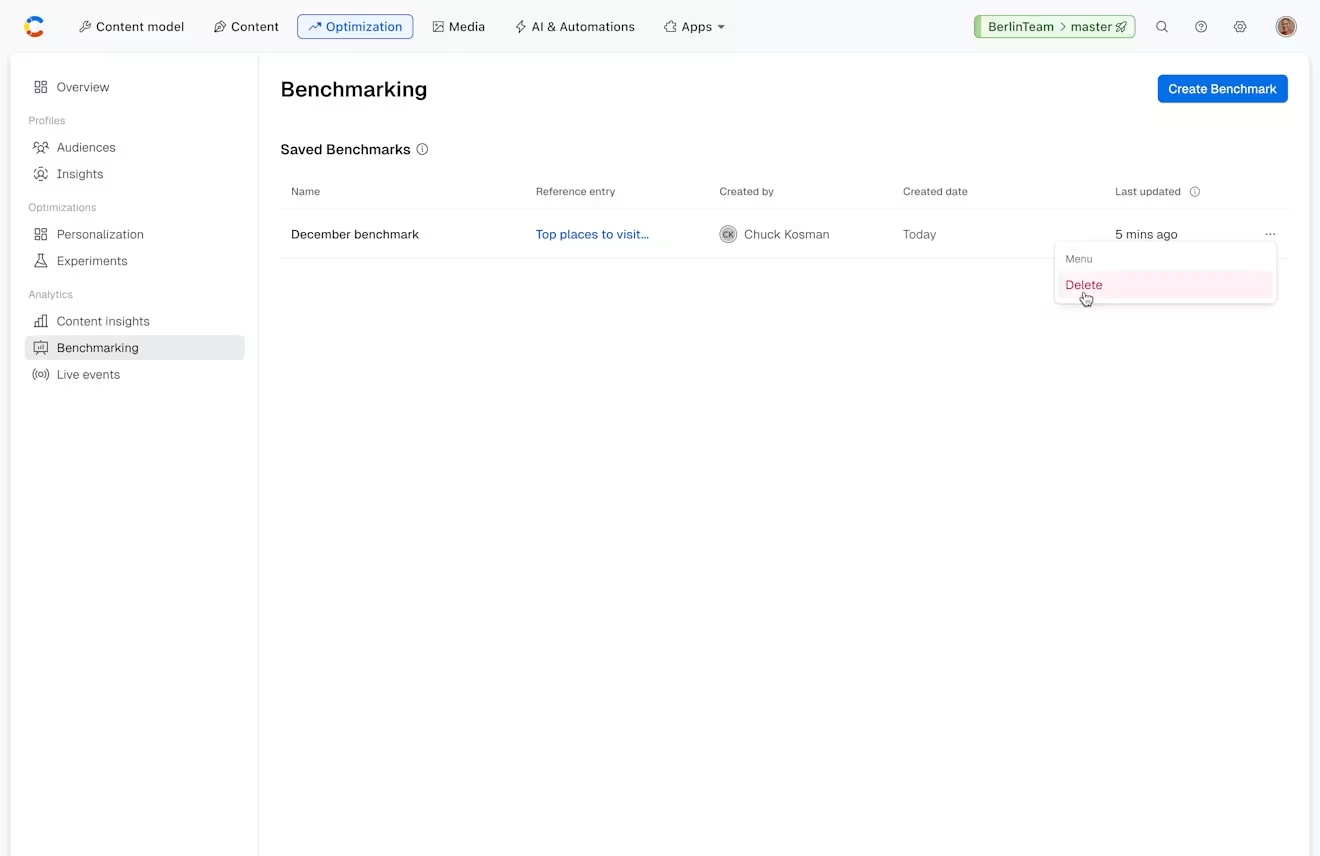
Navigate to the Benchmarking page, on the “Optimization” tab.
Click on the three dots menu next to the existing Benchmark you want to remove, and select Delete.
A confirmation modal is displayed.
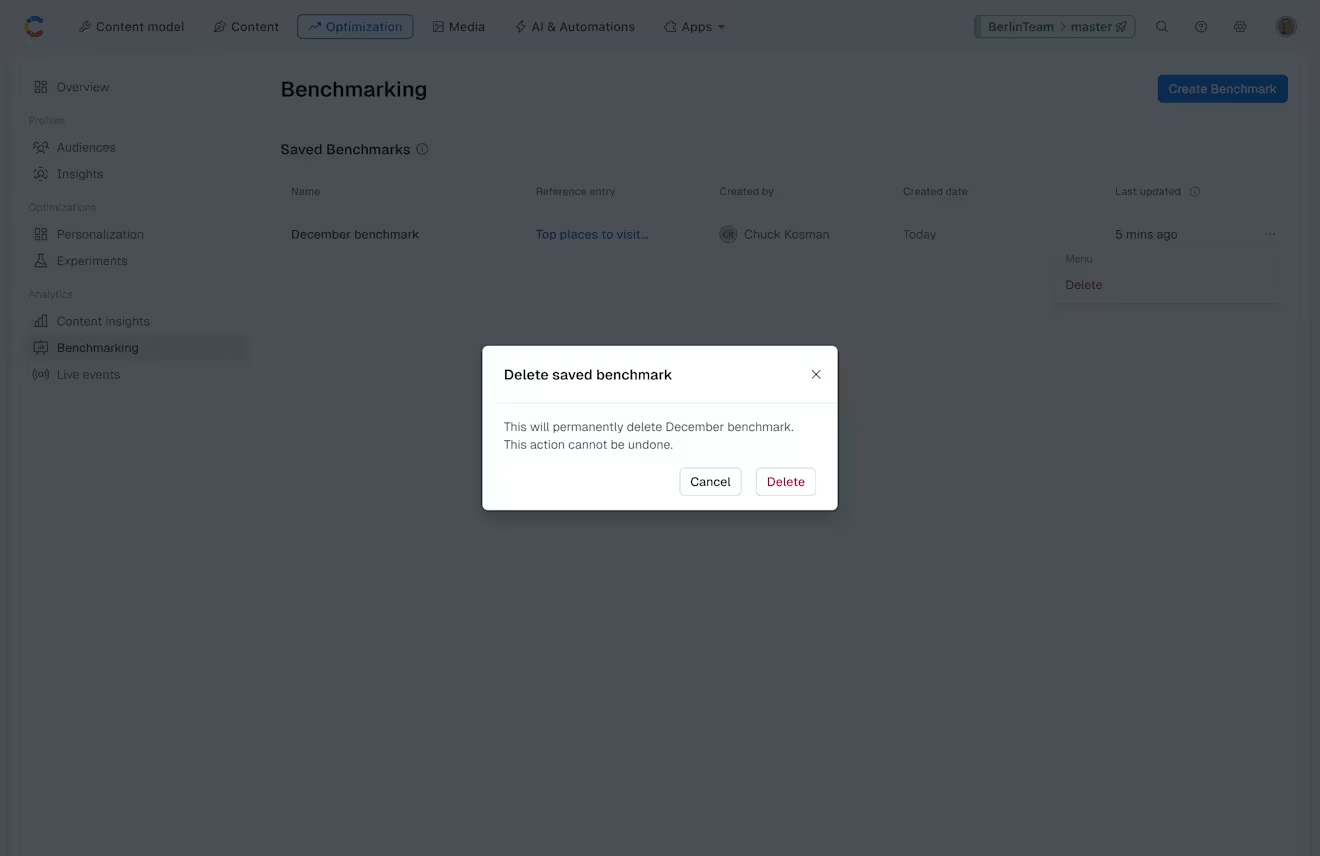
Important: This action cannot be undone. Once you delete the benchmark, the content cannot be recovered.
Click Delete. Your Benchmark is removed.