Data connectors
Overview
Data connectors allow you to connect to different data sources, extract your required customer data and sync it to your profiles.
By forwarding relevant customer data, you can segment your customers into Audiences and deliver personalized Experiences that resonate with their unique preferences and behaviors.
The following data connectors are supported:
The Experience API allows you to integrate any customer data source with our platform, offering you the flexibility to leverage the full potential of your customer data, regardless of where it resides.
All data connectors can be accessed from the organization settings, on the "Optimization" tab.
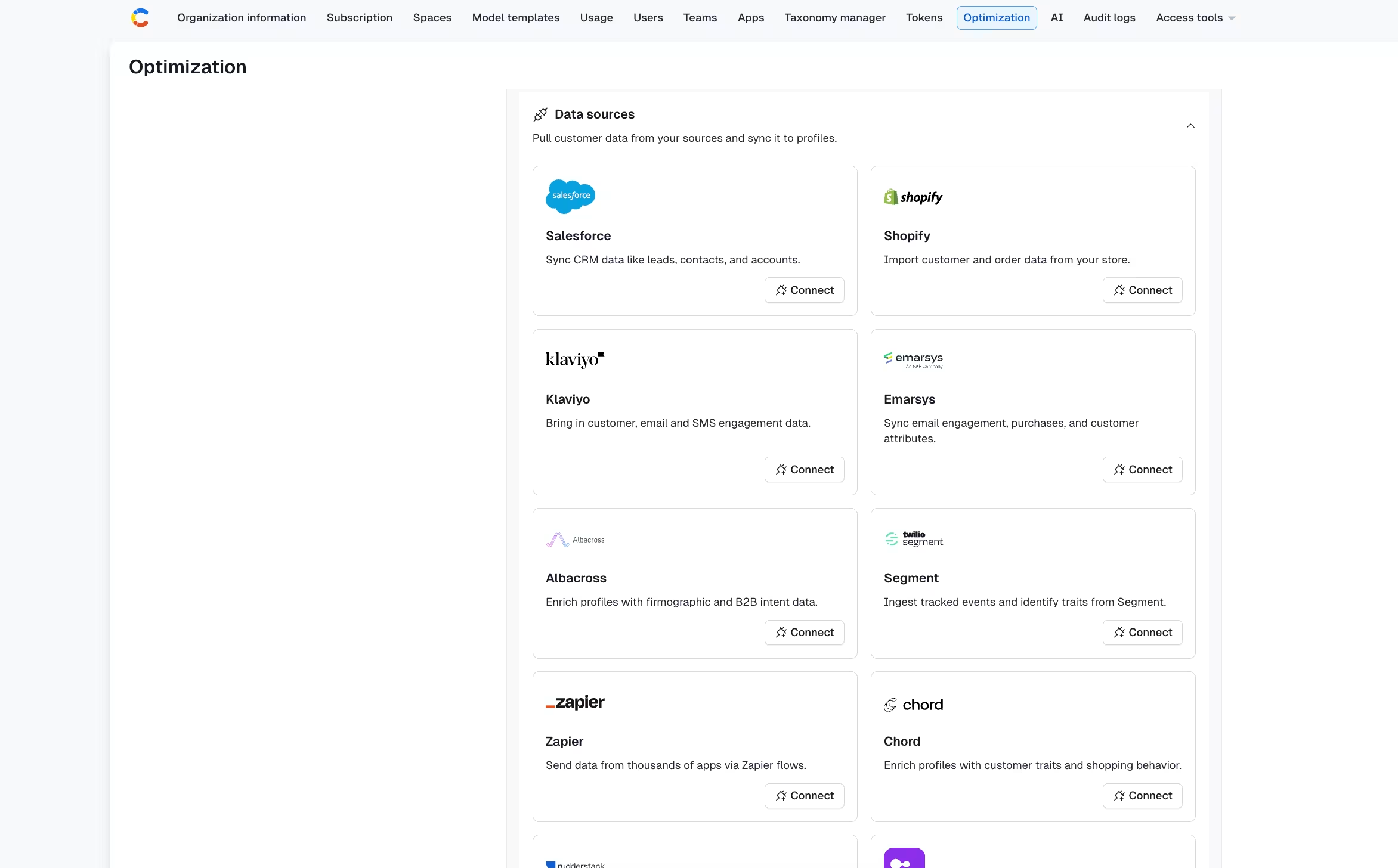
NOTE: The "Optimization" tab is only displayed if you have the Contentful Personalization app installed.
Data syncing
Our native data connectors support the following modes of syncing:
Incremental sync: Only synchronizes any profiles that are updated in your external source from that point onward. This is useful if you want to minimize the number of Monthly Active Profiles (MAPs) that are active when starting the sync. However, depending on how data updates in your external source, and the update frequency, this can still accrue more MAPs.
Full copy + Incremental sync: On top of incremental sync, a full copy of your external source is transferred to Contentful. This can add a significant amount of profiles to your MAPs usage for the month (depending on your source), but is useful if you want to ensure that all your users have a complete set of data available.
FAQs
What information does a data connector synchronize with Contentful Personalization?
A data connector synchronizes selected customer information from an external platform into Contentful Personalization profiles. The synchronized information is stored as profile traits and can be used in audience rules.
The exact identifier, available fields, trait names, and synchronization schedule depend on the data connector.
Does a native connector automatically create or update Contentful audiences from the customer data platform (CDP) segments?
An external CDP segment and a Contentful audience are different objects. External segment membership can be synchronized as profile data, while the Contentful audience contains the rules that evaluate that data.
How is external segment membership represented in a Personalization profile?
External segment membership is stored as a profile trait when the connector supports that data.
For example:
A Contentful Audience can contain a rule that checks whether high_value_customer is true.
The exact trait name, prefix, and value type depend on the connector. The audiences field in the profile response contains matched Contentful Audience IDs. It is not a list of external CDP segment IDs.
For more information, see Experience API profile traits.
How is a customer identifier mapped to a Personalization profile?
Identifier mapping is connector-specific.
For Segment, the user_id is used as a profile alias when it is available. If a user_id is not available, Segment's anonymousId is used.
The website or application must call identify with the same identifier used by the connector if the connector data and browser activity are expected to resolve to the same Personalization profile.
An example value such as customer-8472 is only shared by the connector and frontend when the implementation deliberately sends the same value through both paths.
For more information, see Segment identity management and identify events.
Does calling identify merge anonymous activity with the known profile?
Yes. Calling identify adds the supplied identifier as an alias and merges the latest activity from the current anonymous profile with the profile associated with that alias.
This depends on the application using the correct stable identifier. The example identifier is not automatically shared between the customer data platform (CDP) and frontend, unless the implementation has configured both paths to use it.
For more information, see identify events.
Is the Audience evaluated again after an identify call?
Audience rules are evaluated by the Experience API against the current Personalization profile. After an identify event changes the profile identity or adds traits, the updated profile can match different Contentful Audience rules.
The application must use the updated profile and experience decision returned by the Experience API. Whether a different variant appears immediately depends on when the application requests another decision and where rendering takes place.
See the Personalization architecture and identify events.
Is the profile and Audience model the same for client-side, server-side, and edge personalization?
Yes. The same profile and Audience evaluation model applies. The difference is when the Experience API is called and where the selected variant is rendered.
With client-side personalization, the browser calls the Experience API and renders the selected variant after the page starts loading.
With server-side or edge personalization, the server or edge function calls the Experience API before returning the rendered response.
The implementation must preserve the relevant profile identifier and Personalization state across the selected rendering flow.
See client-side and server-side personalization and edge and server-side rendering.